
Choosing your context
Last updated: 10/2/2026When you open Qlik Answers, you need to pick what context you want to use for your agentic chat. Qlik Answers has the following options:
-
Qlik Help: Get answers from the Qlik Help. This is selected by default.
-
Application analysis: Get answers from applications available with Qlik Answers.
-
Answers assistants: Get answers from assistants that use applications and knowledge bases as data sources.
-
Predict: Use Qlik Predict workflows in natural language.
-
Data product: Create and manage data products in natural language.
-
Glossary: Create and manage business glossaries.
-
Data quality: Manage and monitor data quality.
You may also have access to legacy assistants. Legacy assistants are assistants created for the initial version of Qlik Answers and offer a different non-agentic chat experience. You can find them in the catalog and chat with each assistant directly. For information on using legacy assistants, see: Answering questions with legacy assistants.
Qlik Help
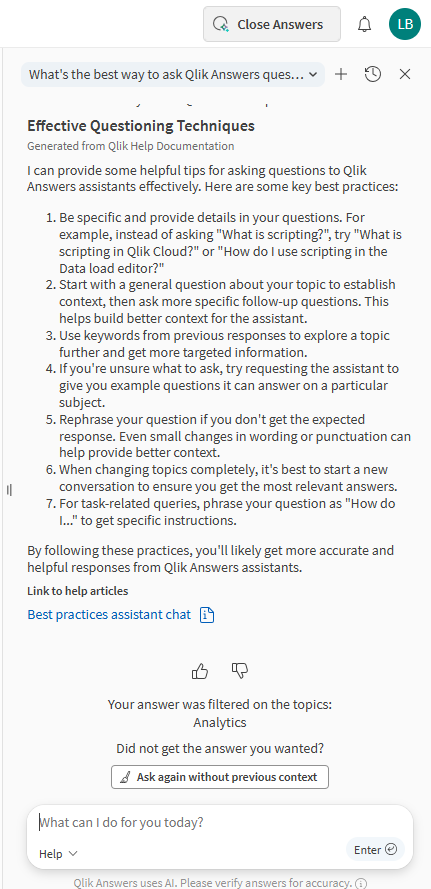
Qlik Help answers your questions about Qlik Cloud, based on the Qlik Cloud documentation. Qlik Help questions are free and are not counted toward usage consumption limits.
It is the default agent when you open Answers outside of an application in an activity center.
Qlik Help is context sensitive; it filters the help content based on what activity center you are in. For best results, if you want to ask a question about Analytics for example, you need to go to the Analytics activity center. If the answer is not what you need, you can click Ask again without previous context at the end of the answer, to make Qlik Answers run the question again without using the previous context.
It includes links to relevant help topics at the end of the answer. When you click one of the links, the help topic appears in the chat. You can also click Go to topic to open Qlik Cloud documentation outside of the chat in a new tab in your browser.
Requirements: User must have a role with the permission Qlik product help set to Allowed.
For more information, see Answering questions with Qlik Answers.
Help agent answering a question
Application analysis
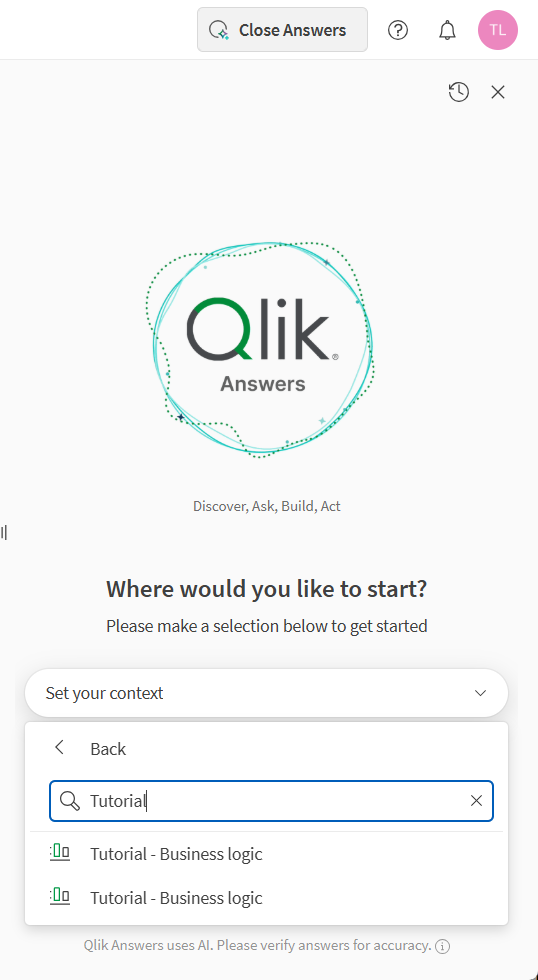
Application analysis provides you with access to all the Qlik Answers-enabled applications to which you have access. You can select an application and then start asking questions. Qlik Answers will generate answers based on the data within the application. When using Qlik Answers with your applications, you can choose between two modes:
-
Fast mode: Fast mode provides quick responses to simple questions. Fast mode can generate visualizations, but it cannot generate whole sheets.
-
Thinking mode: Thinking mode provides deeper analysis to your questions.
If you have the corresponding application open when chatting with Qlik Answers, you can also add charts and sheets to that application using Qlik Answers.
Application analysis agent, showing available applications
Answers assistants
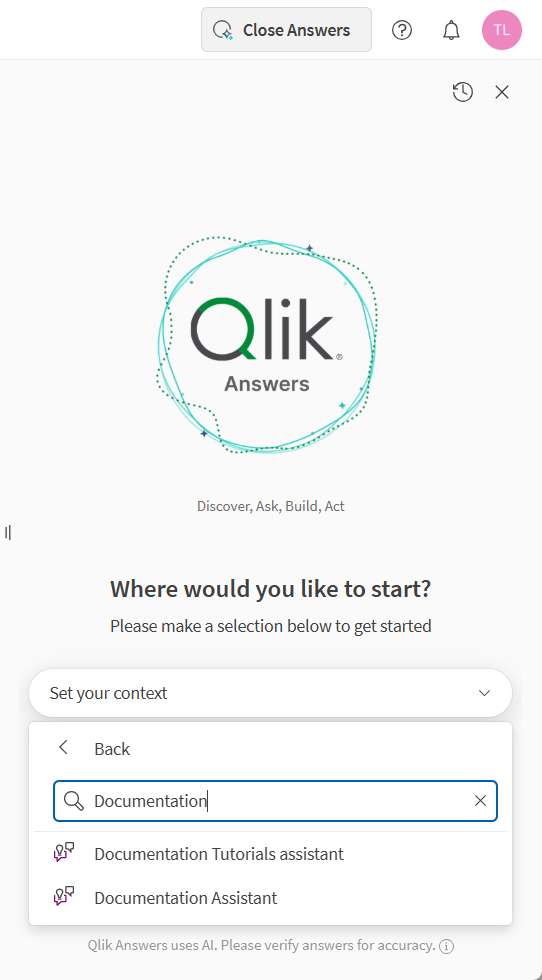
Answers assistants provides you with access to all the Qlik Answers assistants to which you have access. Assistants can use two kinds of data sources:
-
Knowledge bases, which contain unstructured data in files such as:
-
TXT
-
PDF
-
DOC, DOCX
-
PPTX
-
HTM, HTML
-
MD
-
ODT
-
RTF
-
-
Applications, which contain structured data.
An assistant can use one or both kinds of data. If you have the corresponding application open when chatting with Qlik Answers, you can also ask Qlik Answers to create charts and sheets for you in that application.
When using Qlik Answers with your assistants, you can choose between two modes:
-
Fast mode: Fast mode provides quick responses to simple questions. Fast mode can generate visualizations, but it cannot generate whole sheets.
Information noteAutomations are not supported in fast mode. -
Thinking mode: Thinking mode provides deeper analysis to your questions.
For more information, see Answering questions with Qlik Answers.
Answers assistants, showing available assistants
Predict
Predict lets you use Qlik Predict from chat. You can explore datasets, configure and train experiments, and run predictions.
For more information, see Working with machine learning in Qlik Answers.
Data product
Data product lets you manage data products in natural language from chat. You can create, update, activate, and deactivate data products by using prompts.
For more information, see Managing data products with Qlik Answers.
Glossary
Glossary lets you create and maintain business glossaries from chat. You can add and refine glossary terms, improve definitions, and organize glossary content for your data and analytics workflows.
For more information, see Managing business glossaries with Qlik Answers.
Data quality
Data quality lets you assess and manage data quality in natural language from chat.
For more information, see Managing data quality with Qlik Answers.