
Sample processor
Last updated: 10/22/2026Keeps only the first rows or a random subset of rows.
The Sample processor allows you to select a specific number or percentage of records from your input flow and make the data sample more representative of the whole dataset.
Usage
-
The Sample processor requires one input flow and can generate only one output flow.
-
Using this processor will unsort the data if a Sort processor was used in the input flow.
Properties
Properties to configure to select a subset of records from the input.
| Property | Configuration |
|---|---|
| Sampling method |
Select if you want to extract a fixed number of rows or a percentage of the total rows from the input flow:
|
| Number of rows to extract | Enter the number of rows to keep. |
| Sampling ratio (%) | Enter the percentage of rows to keep. |
| Stratum field | From the dropdown list, select the field to use as stratum. |
To rename the processor or edit its description, point your mouse over the name or description to change in the Properties panel and click the  Edit icon.
Example
In this example, you are working on a dataset containing information on sales transactions from three regions: East, West, and Central.
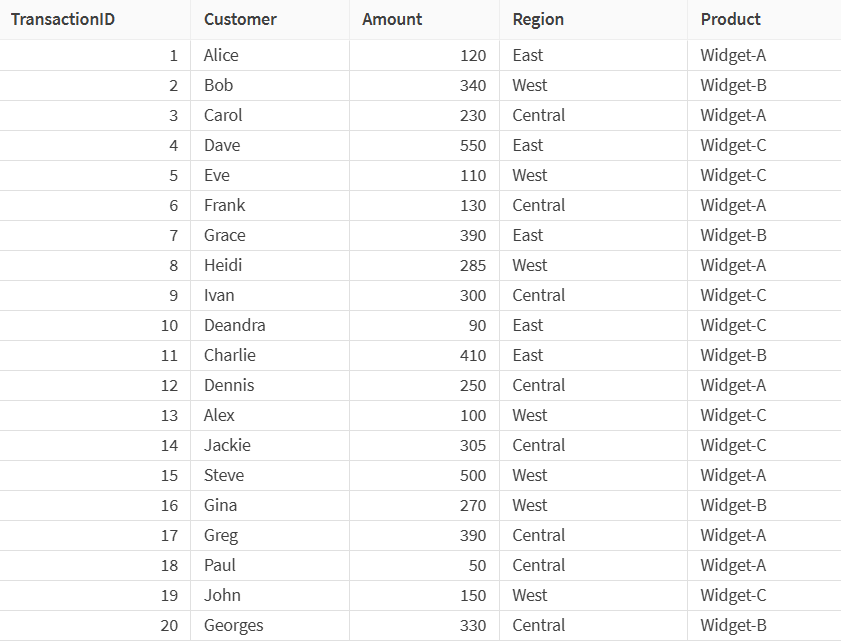
Currently, the sample contains 20 rows, but you would like to reduce its size, while making sure that each region is evenly represented in the sampled data. You will use the Sample processor to change the size of the sample.
In the processor properties, select Random stratified sampling as sampling method, set the Sampling ratio (%) to 50, and select Region as stratum field.
Setting the stratified sampling to 50% means that the sample will contain approximately half of the rows from each region after rounding.
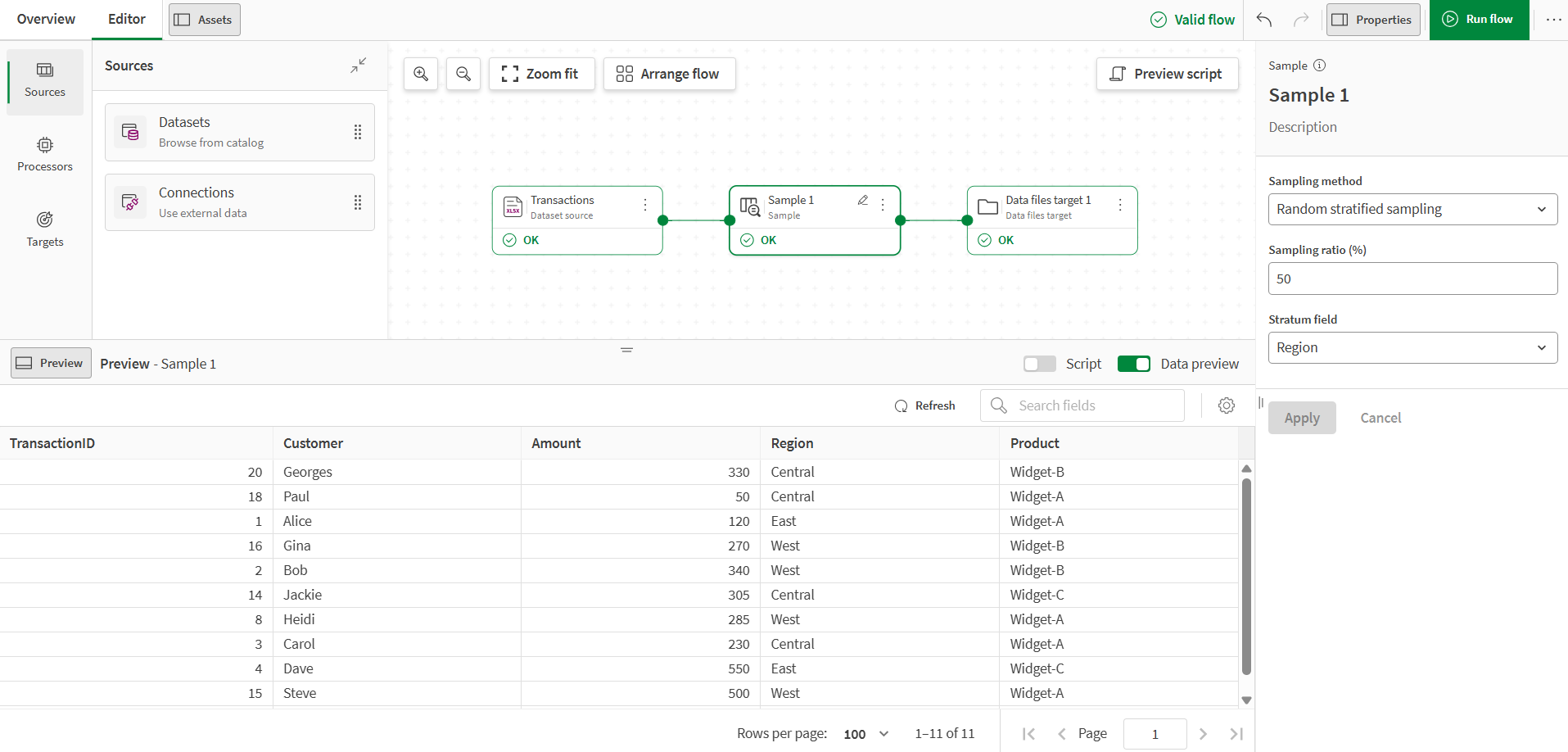
In the output of the processor, the sample now only contains approximately half the rows of the original, while keeping the same distribution of regions.