Using the write table for real-time inventory management
Last updated: 10/23/2026This example shows how the write table can be used in real-time inventory management.
A company sells physical products and uses Qlik to analyze inventory and orders. When demand suddenly spikes, new orders can exceed stock, slowing order fulfillment.
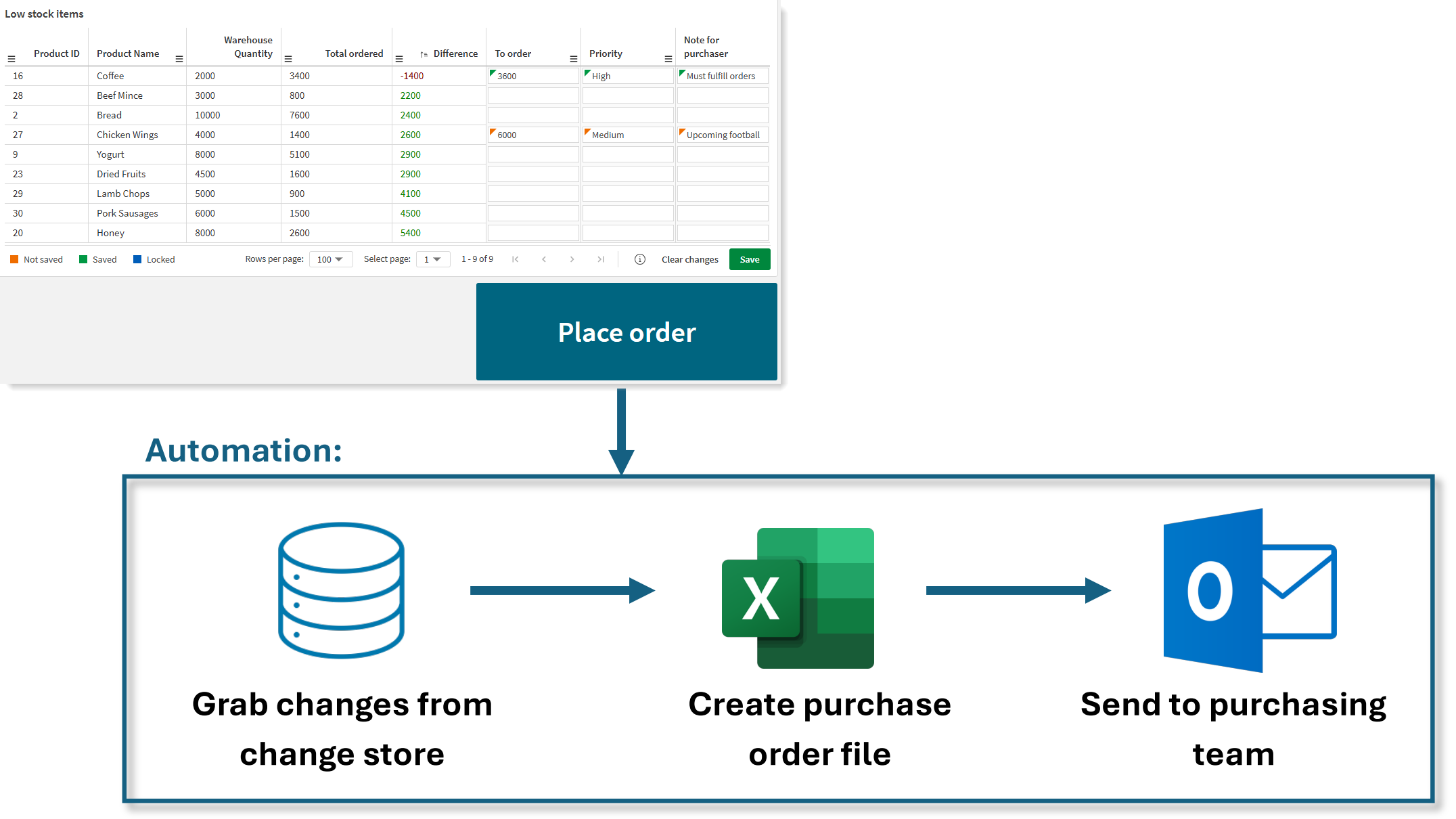
With the write table, analysts can see products, warehouse quantities, and outstanding orders. When demand surges, they can quickly update how many units to reorder, set priorities, and add notes for the purchasing team. Clicking Place order runs an automation that collects updates, generates a purchase order, and emails it, helping the team respond faster to changing demand.
Try it yourself
-
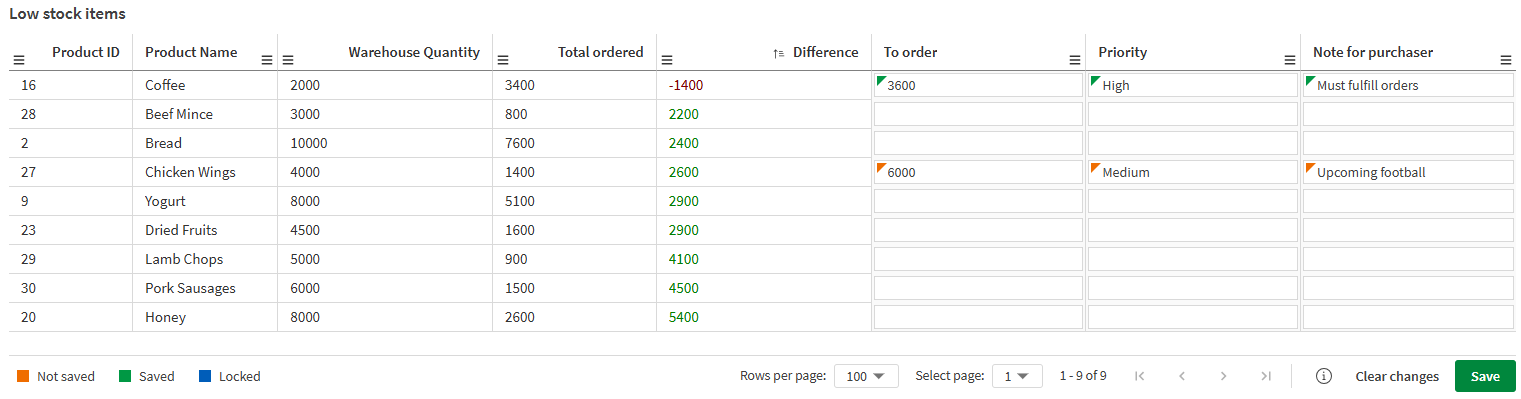
Create a write table with these columns.
Write table for real-time inventory management.
-
Configure the automation and link it to the button. See:
-
Test it: Edit a few rows, click Save, then click the button to see the workflow in action.
Real-time inventory management with the write table.