
Managing data quality with Qlik Answers
Manage and monitor data quality in natural language with the data quality manager in Qlik Answers.
Data quality manager in Qlik Answers
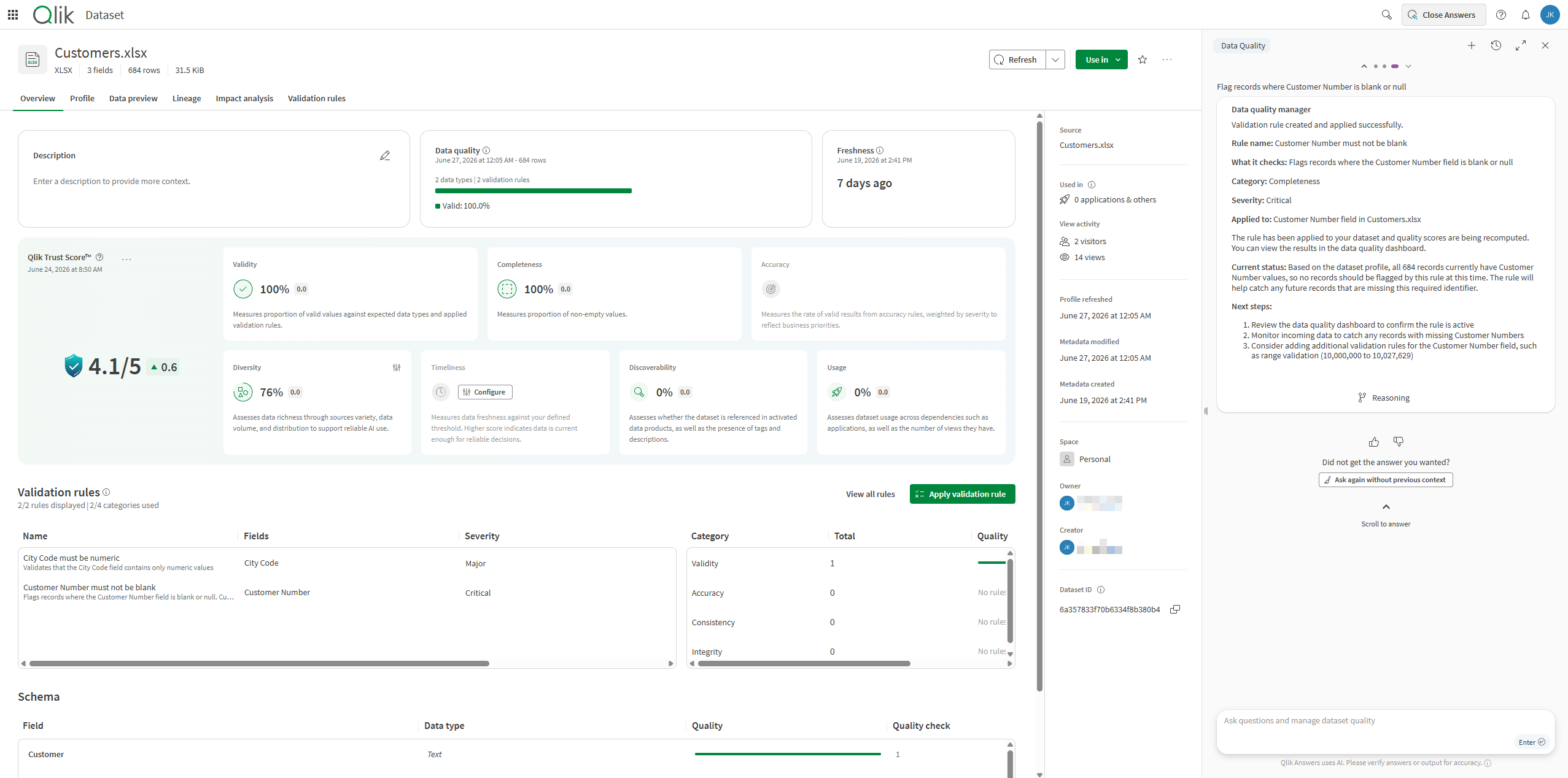
What the data quality manager can do
The data quality manager allows you to do the following:
-
Search for and explore existing validation rules that are available to you.
-
Explore and learn more about the quality of datasets.
-
Recompute quality statistics for datasets.
-
Create and apply new validation rules.
For specific workflows and example questions, see Workflows.
Before you begin
Prerequisites:
-
Your tenant has cross-region inference turned on and is enabled for the agentic Qlik Answers experience.
-
Your tenant and subscription have capacity for Qlik Answers.
-
You have access to the required data sources and permissions to manage data quality for them.
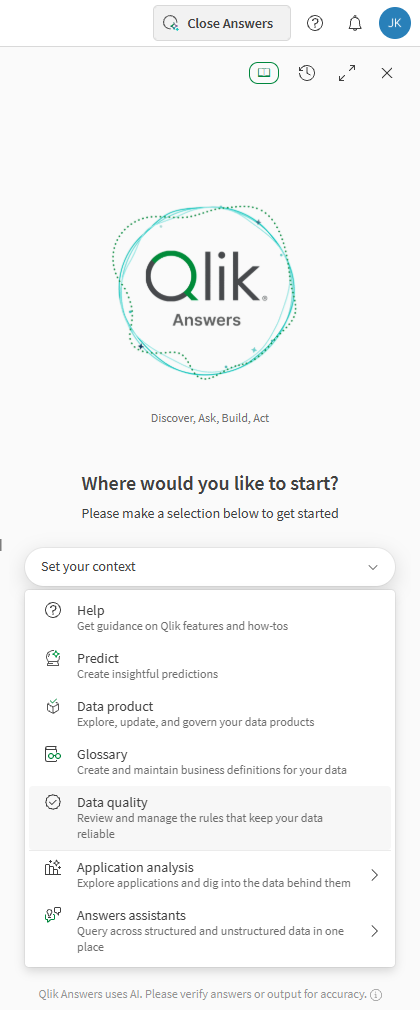
Opening the data quality manager
Do the following:
-
Click Open Answers to open Qlik Answers.
-
In the dropdown menu, select Data quality.
Opening the data quality manager in Qlik Answers
Workflows
These workflows contain helpful example questions to get you started working with the data quality manager.
| Action | Example questions | Notes |
|---|---|---|
| Status and exploration of data quality |
|
For best results, open the related dataset before asking the question. |
| Quality computation |
|
For best results, open the related dataset before asking the question. |
| Create and apply validation rules |
|
For best results, open the related dataset before asking the question. |
Permissions
For full access to the data quality manager, you need the required Qlik Answers access and permissions to the data sources and quality assets you will be using.
Administrator-assigned permissions
You need the following permissions, assigned by a tenant admin:
-
The Agentic AI > Data governance permission set to Allowed. This permission is located in the Features and actions section of the User Default and custom roles settings. See Permissions in User Default and custom roles.
-
Permissions to access Qlik Cloud data quality features. This includes all permissions included under Features and actions > Data quality in the User Default and custom roles settings. See Permissions in User Default and custom roles.
Information noteFull access requires permissions for managing related data and quality assets. If you only have permissions to view these items, you can still use the agent to explore and learn about the items without editing them.
To learn more about assigning permissions as an administrator, refer to the following:
-
Roles and permissions for users and administrators (capacity-based subscriptions)
-
Roles and permissions for users and administrators (user-based subscriptions)
Space access
You need access to the spaces where the datasets are located. See: