
Analyzing Discovery Agent feeds
Last updated: 10/22/2026Your  Feed contains automatically generated insights to uncover how your application data is changing over time. Feeds are purpose-built for AI-assisted anomaly detection and trend-based insight tracking. Scroll through your feed for a list of insights, easily identifying outliers, shifting trends, and more.
You access your feed in the Insights or Analytics activity center. Feeds are available with the Discovery Agent.
Feed in activity center
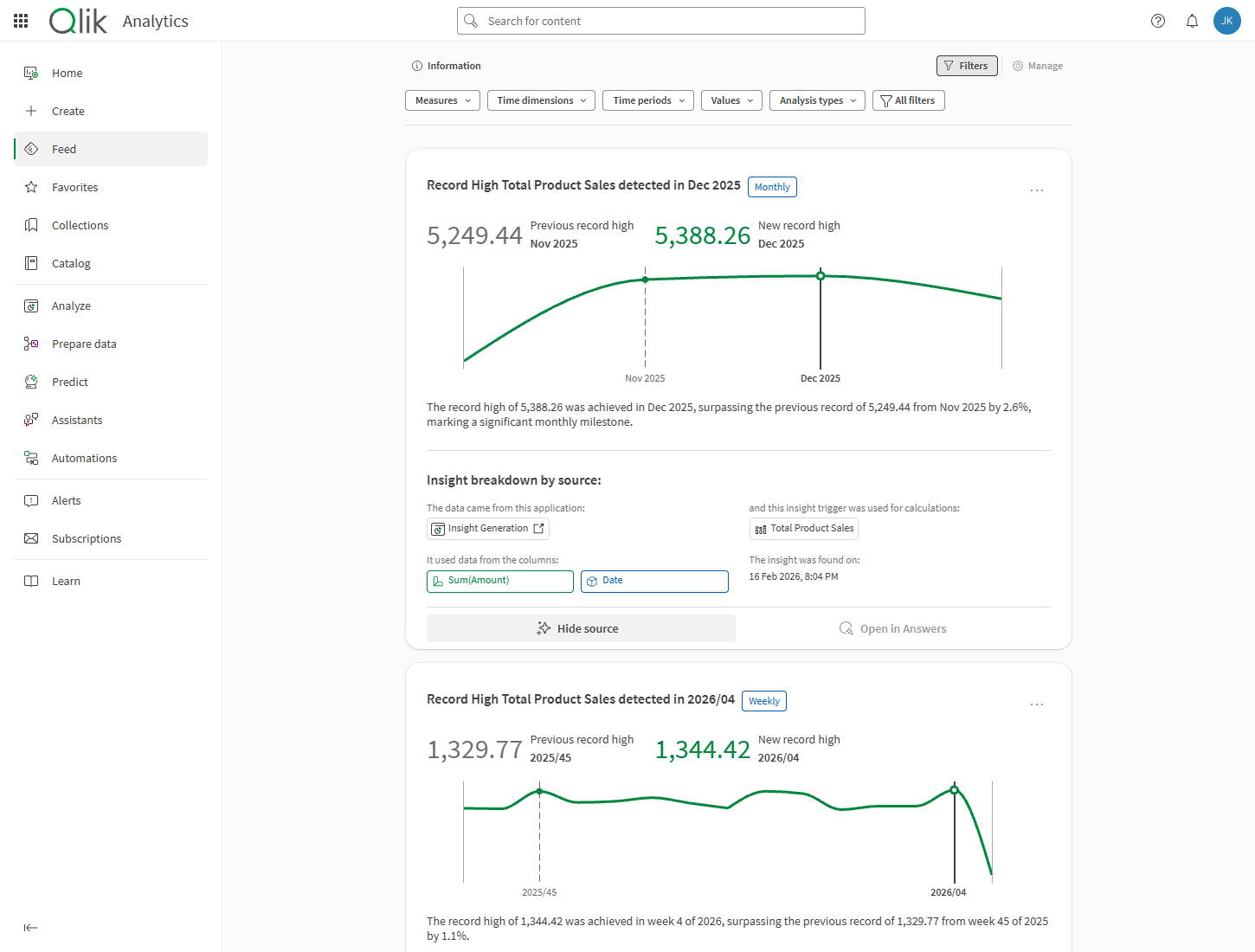
Discovery Agent tenant-level permissions are turned off by default in the default permissions. To activate Discovery Agent, administrators can either enable the Discovery Agent permissions in the default permissions or assign them to specific users through a custom role. Using a custom role allows administrators to grant access based on specific use cases.
To learn more about these permissions, see Discovery Agent permissions.
Opening your feed
Do the following:
-
In Qlik Cloud, click
 in the top left corner.
 -
Select Insights or Analytics.
-
In the menu on the left, click
Feed.
Navigating your feed
Navigate through insights in your feed by scrolling.
You can expand insights to view more details such as source data and time of creation. You can filter the feed by measures, time-based details, and more.
Navigating insights
Each insight in the feed is displayed as a card. Interact with cards by expanding source information.
For full details, see Navigating insights in feeds.
Filtering your feed
Click  Filters in the top bar to expand filtering options. You can filter insights by:
-
Measures: The underlying calculations, including master measures, that are used by the underlying insight triggers.
-
Time dimensions: The time series on which you are evaluating trends.
-
Time periods: The time intervals—daily, weekly, monthly, and so on—at which insights are calculated.
-
Values: The fields and field values on which insights are generated.
-
Analysis types: Filter by the type of insight generated.
With the Filters bar expanded, select All filters to open a side panel where you can view more filters at once.
What is in my feed?
Your feed is unique to you and the applications you can access. It contains data and analysis related to insight triggers. Insight triggers are created by application developers, and are based on metrics defined using measures and dimensions in analytics applications.
In your feed, you see insights related to applications and insight triggers you can access.
For more information, see Working with Discovery Agent insight triggers.
When is my feed updated?
The feed updates each time an application data update results in insights.
Available insights can depend on:
-
How often data is updated in the source application.
-
The time periods at which calculations are performed. For example, a quarterly or weekly interval changes how often insights are calculated.
-
Offsets set by application developers. Offsets delay the calculation of insights to account for delays in data collection.
Embedding feeds in external web applications
You can expose feed cards in external web applications with qlik-embed. You can embed the full feed according to the access credentials you use, or embed a filtered feed that contains insights only for a specific analytics application.
For complete API syntax and implementation examples, see qlik-embed parameters.
Embedding the entire feed
Do the following:
-
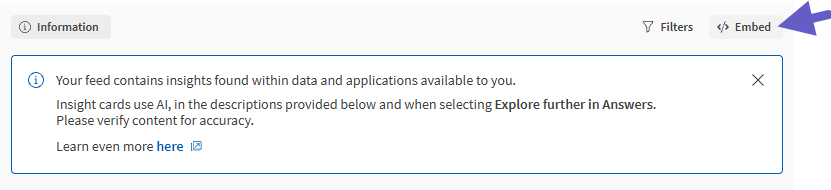
In the top bar of the feed, click
 Embed.
Embedding the full feed
-
In the dialog, check or clear the checkboxes depending on your preferences:
-
Enable 'View source' action: Choose whether the View source button is available in the embedded feed.
-
Open application: Control the underlying technical process behind the behavior when users open the source application for an insight card.
-
On: Sets intercept-app-navigation as true in the embed code.
-
Off: Omits intercept-app-navigation in the embed code.
-
-
-
Copy the Embed code when ready.
-
Use the embed code to embed the feed using qlik-embed.
Embedding a feed that is filtered for your application
Do the following:
-
In an analytics application, open
 Insight triggers in the Assets panel.
 -
Click
.Embedding a filtered feed with insights for a specific analytics application

-
In the dialog, check or clear the checkboxes depending on your preferences:
-
Enable 'View source' action: Choose whether the View source button is available in the embedded feed.
-
Open application: Control the underlying technical process behind the behavior when users open the source application for an insight card.
-
On: Sets intercept-app-navigation as true in the embed code.
-
Off: Omits intercept-app-navigation in the embed code.
-
-
-
Copy the Embed code when ready.
Permissions for feeds
To see insights in feeds, you need certain permissions to the space in which the source application is located. These permissions are set by space owners and space managers.
For more information, see Discovery Agent permissions.
Limitations
For information about limitations for feeds, see Discovery Agent capacities and limitations.