
Qlik Code
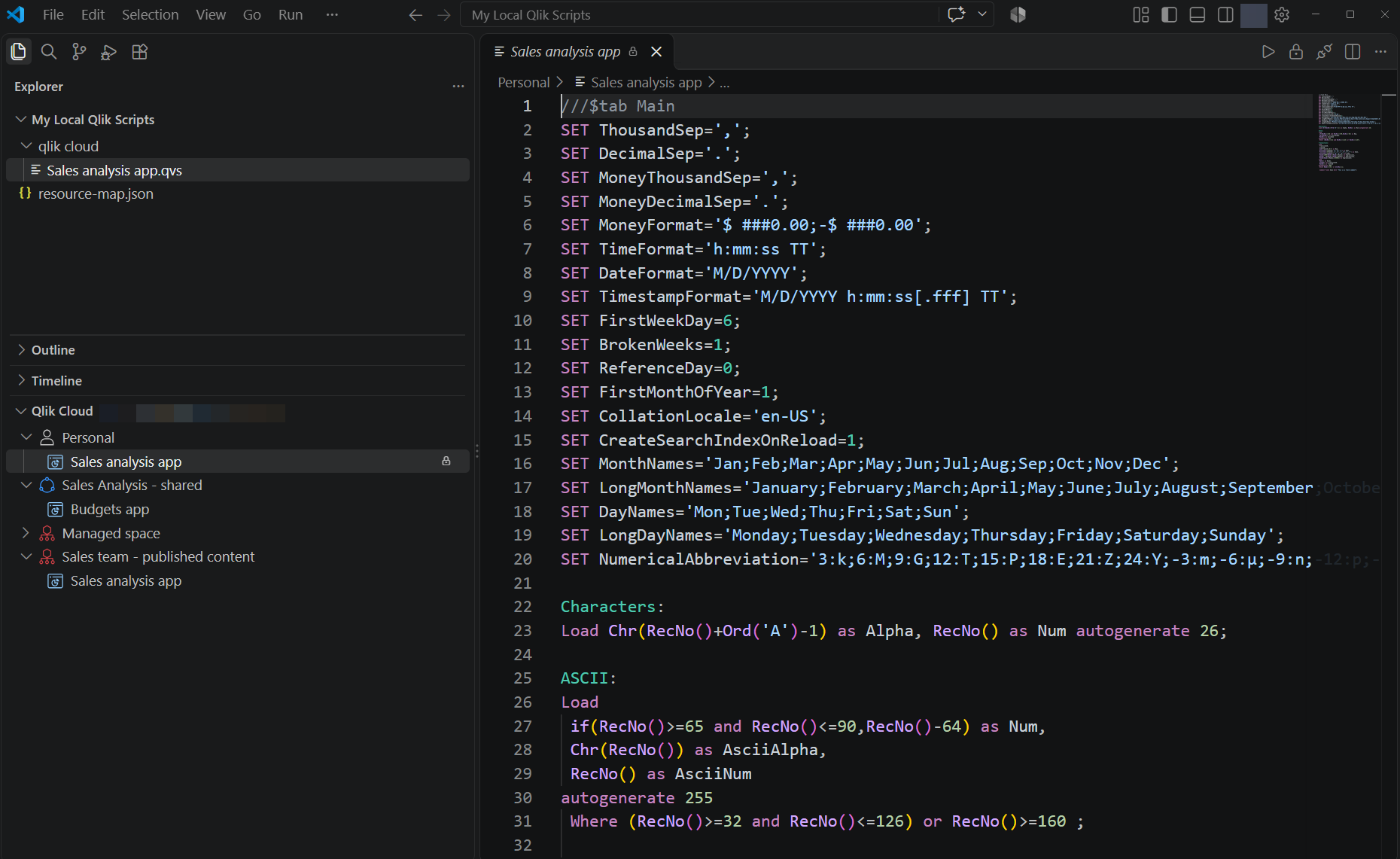
Last updated: 10/27/2026Qlik Code is a Visual Studio Code extension from Qlik that lets you edit Qlik load scripts using VS Code instead of the Data load editor in Qlik Cloud.
Qlik Code connects to your Qlik Cloud tenant so you can:
-
Browse spaces, apps, and scripts (QVF) in Qlik Cloud.
-
View, edit, and sync load scripts with Qlik Cloud using direct or local editing options.
-
Develop load scripts with full support for Qlik script language, including syntax highlighting, completions, hover help, and diagnostics.
-
Insert script content to load files from the data catalog, a data connection, or other existing script assets (QVS files, QVF Script assets) in Qlik Cloud.
-
Reload apps to validate and preview data.
-
View the data model and preview table data.
-
Open applications directly in Qlik Cloud via your internet browser.
Qlik Code is intended for developers who already work in Qlik Cloud and want a more capable script editing environment; it is not a replacement for the Qlik Cloud activity centers themselves— actions like managing spaces, sheets, or app permissions still happen there.
Qlik Code extension for Visual Studio Code
Get started with Qlik Code
The following help topics outline how you can install and work with the Qlik Code extension:
- System requirements and installation
- Authenticate with Qlik Cloud
- Browse spaces and apps
- Work with load scripts in Qlik Code
- Reload and preview apps
- Visualize the data model
- Preview data
- Troubleshooting and FAQ