
Last updated: 10/14/2026
To access your data stored on an Apache Hive database, you will need to know the server and database name that you want to connect to, and you must have access credentials. Once you have created a connection to an Apache Hive database, you can select data from the available tables and then load that data into your application or document.
In Qlik Sense, you connect to an Apache Hive database through the Add data dialog or the Data load editor.
Before you start
To work with data connections, your tenant administrator needs to assign you the required permissions for Data connections. For more information, see Assigning permissions for users to work with data connections.
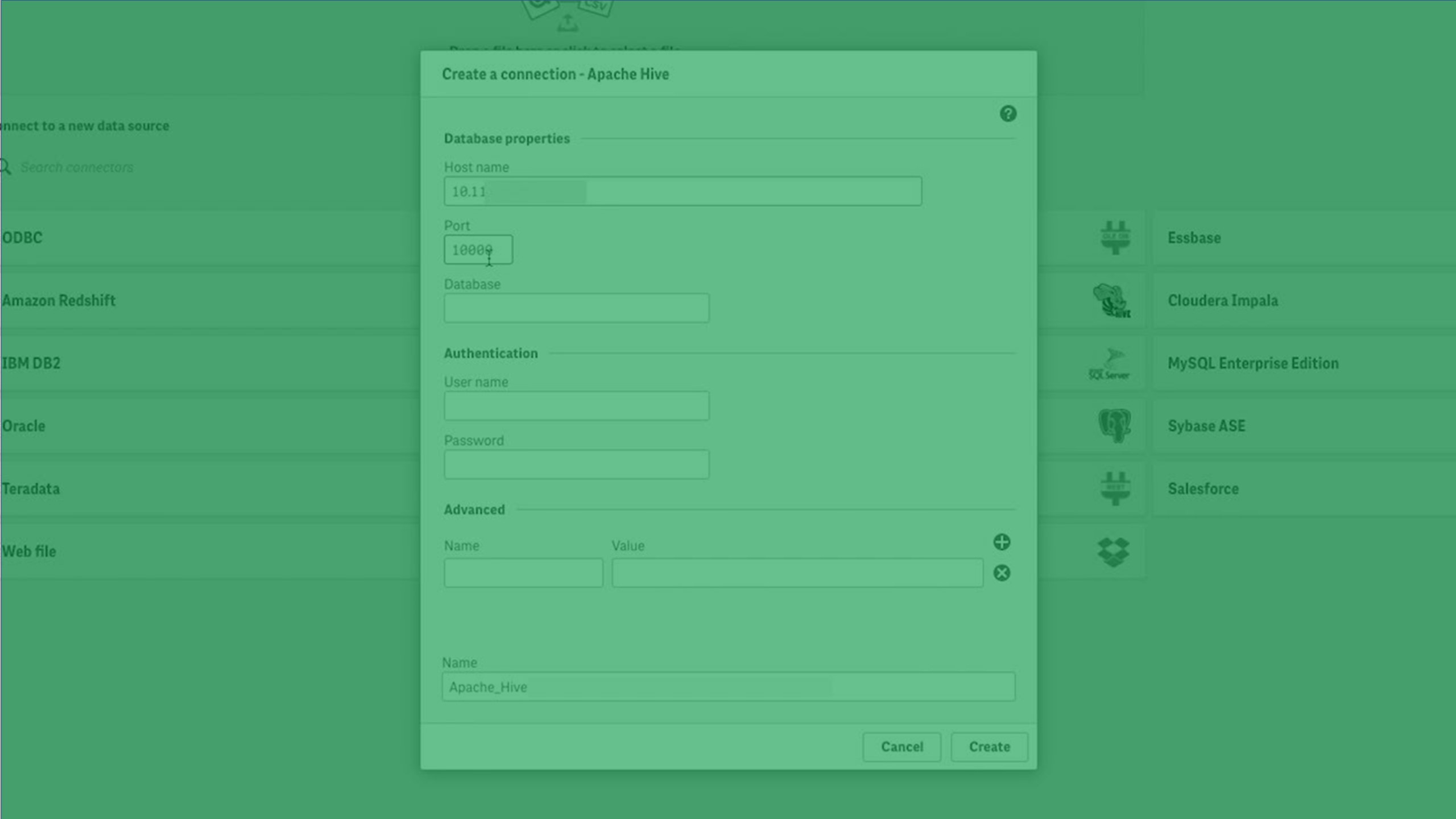
Setting up the database properties
| Field | Description | Required |
|---|---|---|
| Direct Gateway |
This field will only appear if you selected the "via Direct Access gateway" data connection. Select the data gateway through which you need to connect to your data source. Information noteUsers that need to leverage gateway-enabled data connections must have the Can Consume Data permission for the space in which the gateway resides.
|
Yes |
| Host name | Host name to identify the location of the Apache Hive database. | Yes |
| Port | Server port for the Apache Hive database. | Yes |
| Database | The name of the Apache Hive database. | Yes |
Authentication properties
The authentication properties differ, depending on whether you are using the Direct Access gateway connector or the regular Qlik Cloud connector.
Apache Hive authentication properties when not using Direct Access gateway
| Property | Description | Required |
|---|---|---|
| Mechanism |
Select User Name and Password, User Name, or allow connection with No Authentication. Selecting User Name and Password, or User Name gives you the option to set up Account properties. |
Yes |
| User name | User name for the Apache Hive connection. | Yes, when User Name and Password or User Name is selected. |
| Password |
Password for the Apache Hive connection. |
Yes, when User Name and Password is selected. |
| Name | Name of the Apache Hive connection. The default name will be used if you do not enter a name. | Yes |
Apache Hive authentication properties when using Direct Access gateway
| Property | Description | Required |
|---|---|---|
| Mechanism | Select Single Sign-On (Kerberos), User Name and Password, User Name only, or allow connection with No Authentication. Selecting User Name and Password, or User Name gives you the option to set up Account properties. | Yes |
| Kerberos FQDN | The fully qualified domain name (FQDN) of the Kerberos authentication server. | Yes, when Single Sign-On (Kerberos) is selected. |
| Kerberos Realm | The name of the Kerberos realm, which is the set of managed nodes that share the same Kerberos database. | Yes, when Single Sign-On (Kerberos) is selected. |
| KrbServiceName | The Kerberos service principal name (SPN) of the Apache Hive server. | Yes, when Single Sign-On (Kerberos) is selected. |
| SSO user name format | The user name format for SSO authentication. | |
| SSO user name casing | The user name case for SSO authentication. | |
| User name | User name for the Apache Hive connection. | Yes, when Single Sign-On (Kerberos) is not selected. |
| Password |
Password for the Apache Hive connection. |
Yes, when neither Single Sign-On (Kerberos) nor User Name is selected. |
| Name | Name of the Apache Hive connection. The default name will be used if you do not enter a name. | Yes |
Scheduled reload task delegation
| Property | Description | Required |
|---|---|---|
| Delegation UID |
The user ID to use for automatic reloads. If a Delegation UID is specified, it is also used to test the connection when it is created or edited. Information noteManual reloads always use the ID of the logged-in user, not the Delegation UID.
|
No, but the ID can be provided when Single Sign-On (Kerberos) is selected. Information noteBecause scheduled reloads are performed under a system account instead of a real user, Single Sign-On may not be necessary. The scheduled reloads can be performed using predefined NTLM authentication.
|
| Password |
The password for the user identified with the Delegation UID. If a user is not specified in the Delegation UID property, then the Password property must be left blank. |
Yes, when neither Single Sign-On (Kerberos) nor User Name is selected. |
Account properties
Credentials
Credentials are used to prove that a user is allowed to access the data in a connection.
There are two types of credentials that can be used when making a connection in Qlik Cloud. If you leave the User defined credentials check box deselected, then only one set of credentials will be used for the connection. These credentials belong to the connection and will be used by anyone who can access it. For example, if the connection is in a shared space, every user in the space will be able to use these credentials. This one-to-one mapping is the default setting.
If you select User defined credentials, then every user who wants to access this connection will need to input their own credentials before selecting tables or loading data. These credentials belong to a user, not a connection. User defined credentials can be saved and used in multiple connections of the same connector type.
In the Data load editor, you can click the  underneath the connection to edit your credentials. In spaces or Data manager, you can edit credentials by right-clicking on the connection and selecting Edit Credentials.
See which authentication type applies on each connector's page.
| Account property | Description |
|---|---|
| User defined credentials | Select this check box if you want users that access this connection to have to input their own credentials. Deselect this check box if credentials can be shared with anyone who has access to this connection. |
| New credentials | Drop-down menu item that appears if User defined credentials is selected. |
| Existing credentials | Drop-down menu item that appears if User defined credentials is selected. |
| User | User name for the connection. |
| Password | Password for the connection. |
| Credentials name | Name given to a set of user defined credentials. |
SSL options
| Property | Description | Required |
|---|---|---|
| Enable SSL | Require SSL authentication on the connection the Apache Hive server. | No |
| Full path of Trusted Certificates | The full path to the SSL certificate if it is not stored in the standard system location. This property can be selected only when SSL is enabled. | No |
| Allow Self-signed Server Certificate | Accept an SSL certificate from the server that is self-signed and not verified by a trusted authority. This property can be selected only when SSL is enabled. | No |
| Allow Common Name Host Name Mismatch | Allow a mismatch between the SSL certificate's common name and the name provided in Host name field. This property can be selected only when SSL is enabled. | No |
Miscellaneous properties
| Property | Description | Required |
|---|---|---|
| Allow non-SELECT queries | Allows the execution of load scripts that do not start with an SQL SELECT statement. | No |
| Query timeout | Amount of time before a data load query times out. Can be set from 30 seconds to 65535 seconds. Default = 60 seconds. | No |
Load optimization
| Property | Description | Required |
|---|---|---|
| Max String Length |
Maximum length of string fields. This can be set from 256 to 16384 characters. The default value is 4096. Setting this value close to the maximum length may improve load times, as it limits the need to allocate unnecessary resources. If a string is longer than the set value, it will be truncated, and the exceeding characters will not be loaded. |
No |
Advanced options
| Property | Description | Required |
|---|---|---|
|
Name |
Name of the custom property. You can add additional properties by clicking the |
No |
| Value |
Value of the property. |
No |
 .
.