
Loop and reduce in Qlik Cloud
With the loop and reduce functionality in Qlik Cloud, you can use a single master application to manage several related applications. All related applications can have their data updated from the master application.
How loop and reduce works
When you loop and reduce, you collect data by using a QVD generator application. The QVD generator application typically has a script that selects data only from a few fields in a larger data set, for example, the fields Region and Product from a data source, such as an Excel file. When you run the script in the master application, all the related applications that are stored in different managed spaces are automatically updated.
Loop and reduce example
The following example shows the master application stored in a shared space. An empty application is published to the managed spaces 1-4. The managed spaces can have local data files or data connections from which they can perform reloads. When new data is available, the master application is reloaded and the related applications are updated with the latest data.
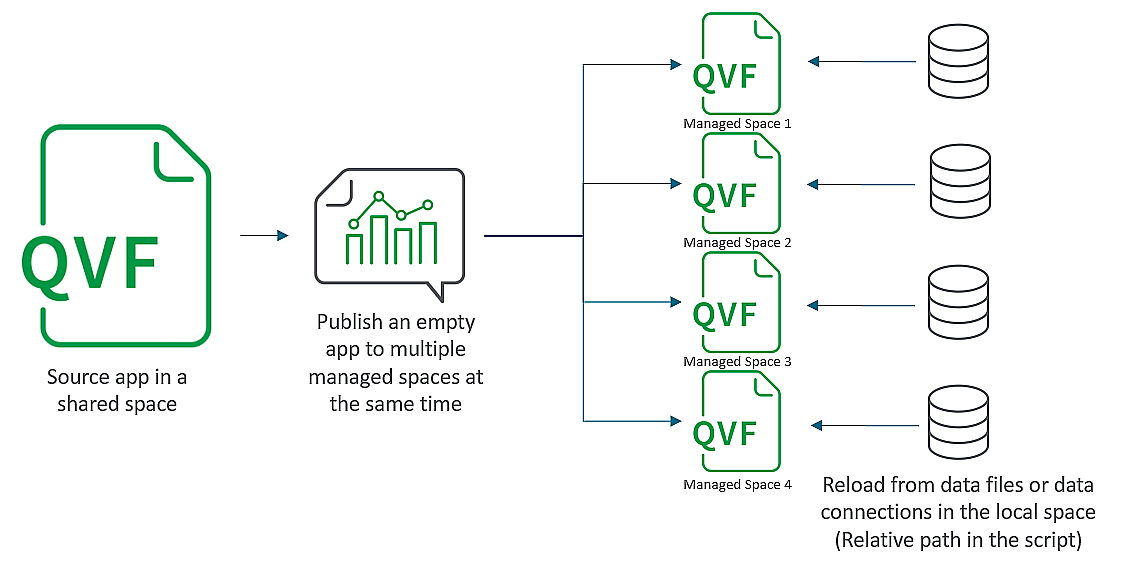
There are several benefits to this approach:
-
Single source – a master application, which is very light, because it doesn't contain any data, only the logic in the script.
-
Easy maintenance of the master application, due to its light weight.
-
Related applications in different managed spaces – supports flexibility; security can be set on the space, the application, or both.
How data is transferred into the spaces
The script in the QVD generator loops through the selected fields and stores the collected data in a QVD data file. The script then stores the data file in each of the managed spaces. When the master application is reloaded the related applications are updated with the latest data.
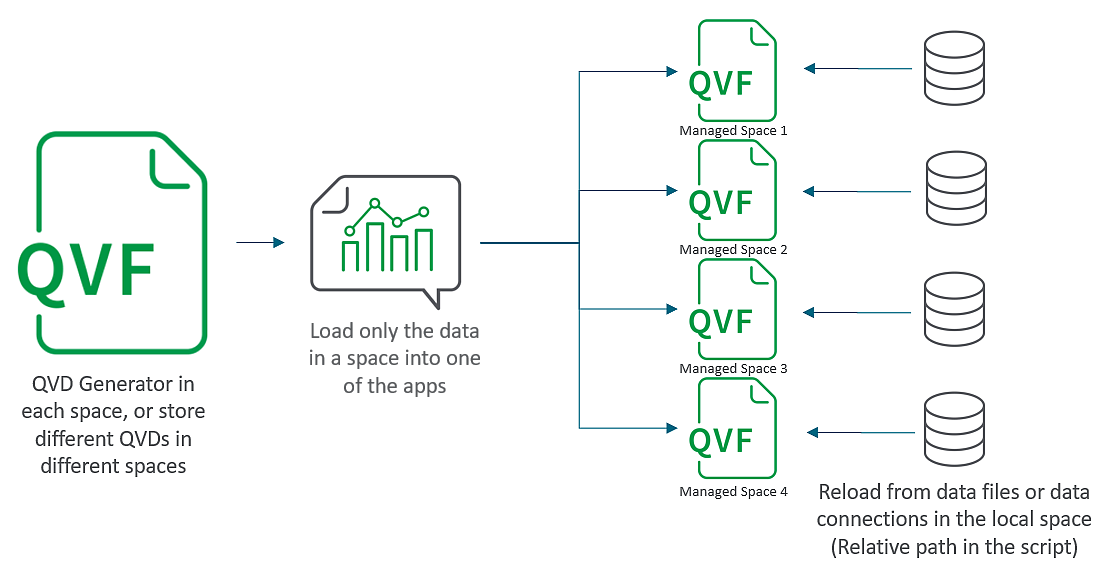
Setup of loop and reduce
The following is required to set up loop and reduce:
-
Master application, stored in a shared space
-
Managed spaces, one for each reduced application
-
Empty application, published to each managed space
-
QVD generator, an application that generates a data file