
Redeploying selected or all Microservice-type Data Services and Route tasks
Last updated: 10/1/2026Before you begin
- You must have the Operator (Execute) permission on the space to redeploy a task.
About this task
After the re-installation of a Dynamic Engine environment or its reassignment to a different Dynamic Engine, redeploy selected or all Data Services and Routes tasks (Microservices) in a single action.
During redeploy, the system monitors deployment status. After completion, you receive a notification indicating the number of succeeded and failed tasks.
Procedure
-
Click Redeploy for selected tasks or Redeploy
all for all tasks in your environment.
Example
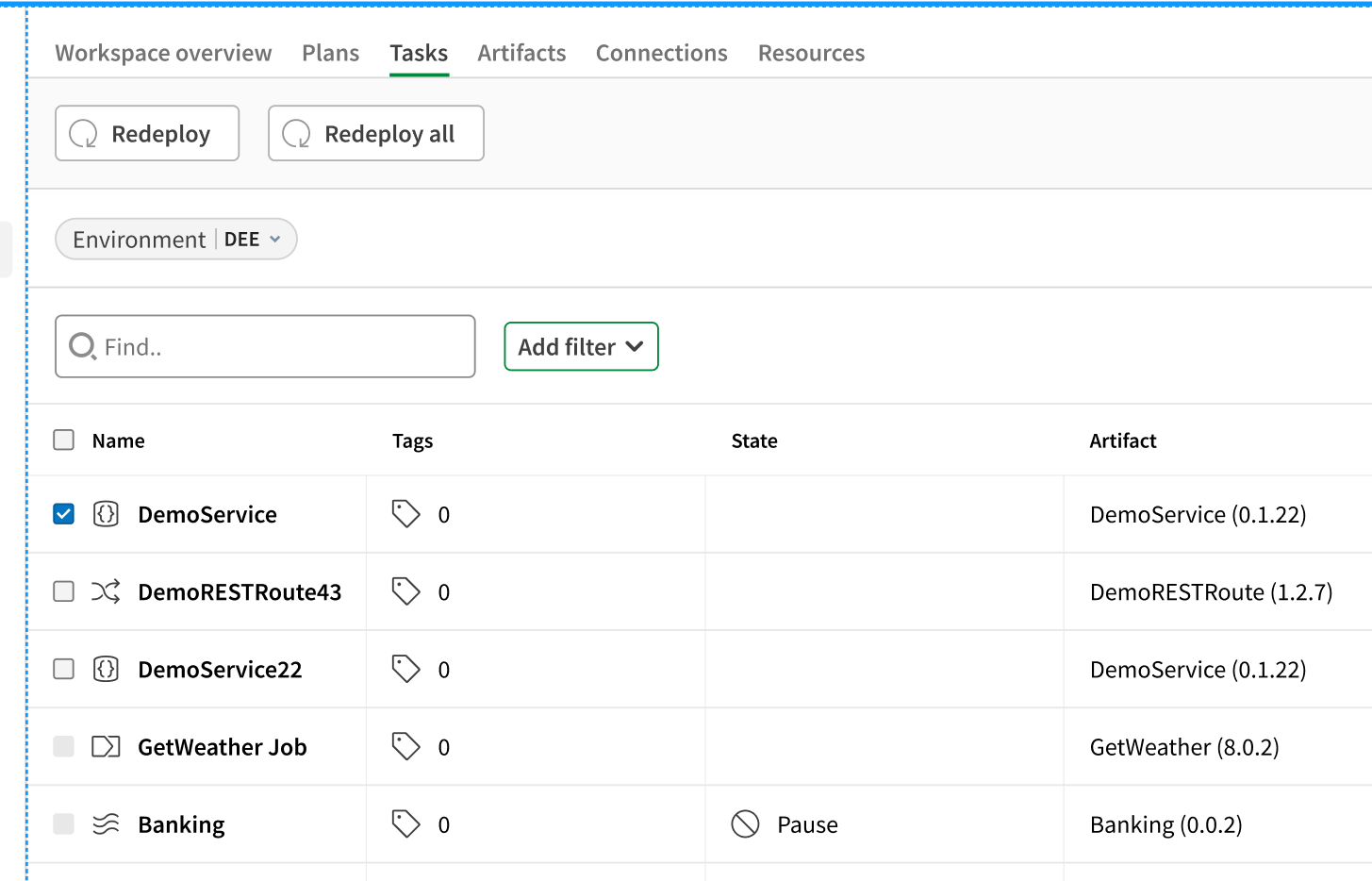
Results
After the redeploy operation completes, you receive a notification toast message with the deployment summary.
If any tasks failed, the notification includes an action link labeled Go to failed runs. Click this link to open the Operations page with a pre-applied filter showing only failed tasks. The filter reset ensures you see a clean view of the failed deployments without your previously saved filter settings interfering.
To view detailed logs for any task, navigate to the task details page and click Logs in the Deployments section.