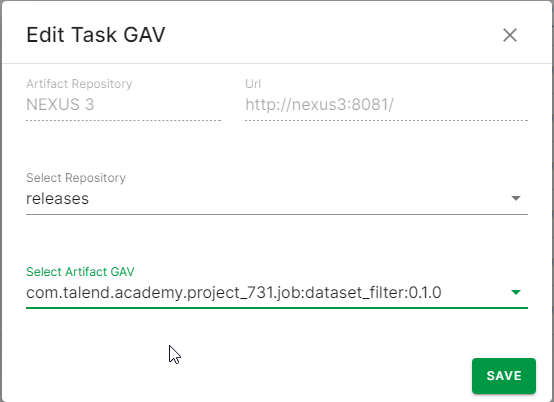
Displaying Artifact GAV in normal tasks
Last updated: 10/6/2026The TAC tasks page displays artifacts or all tasks based on the Task type switch. When disabling the switch, normal and artifact tasks are listed on the main page.
Procedure
- To edit normal tasks, click the pencil icon in the Actions
column. You can save repository and Artifact GAV information for the normal tasks.
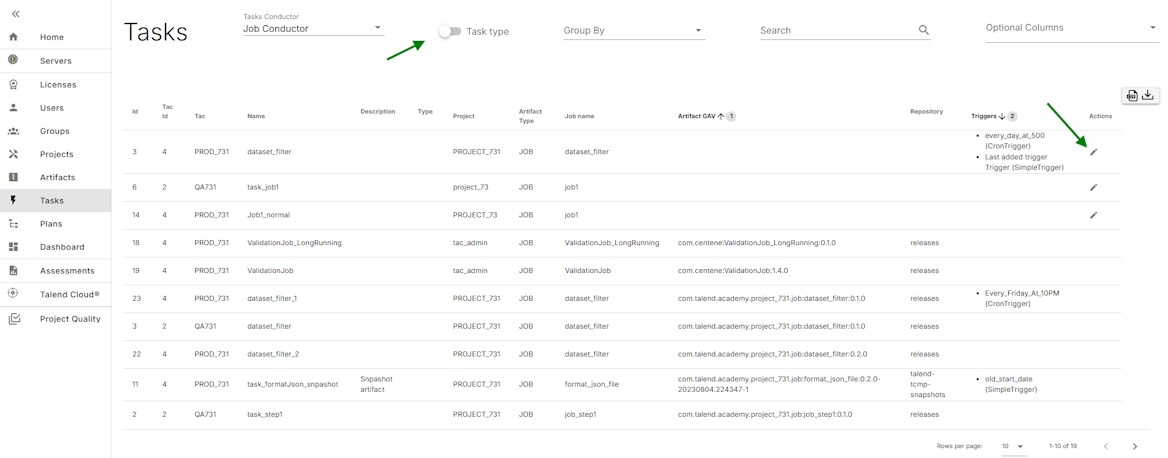
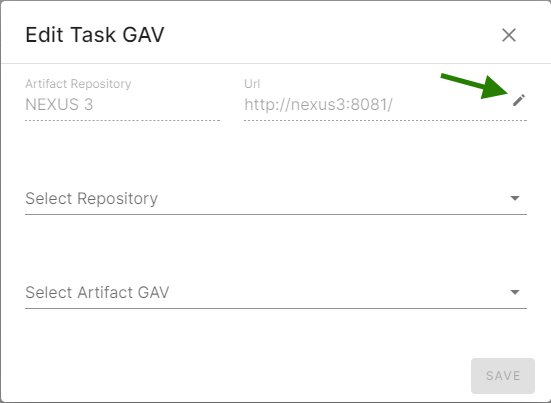
- Click the edit icon.
Edit Task GAV dialog appears. It displays the Artifact Repository information and lists all the repositories and artifact GAV (GroupId, ArtifactId, Version) fetched from Artifact Repository. For example, Nexus3 or Artifactory. ArtifactRepository can also be changed by clicking the pencil icon.
- After populating all the fields without any errors, you can save the Artifact
Repository information.
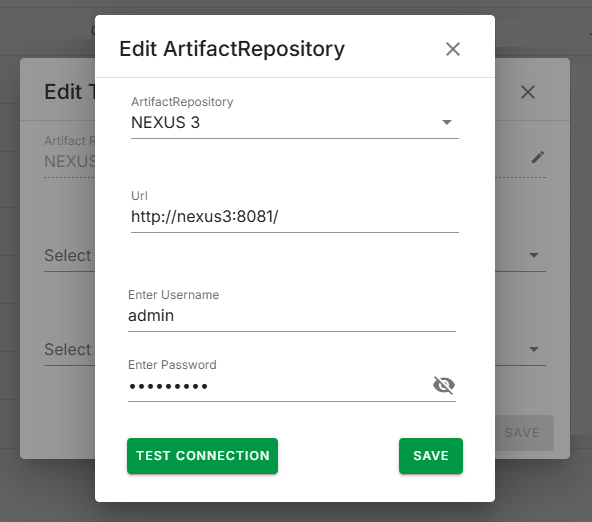 The updated Artifact Repository information is displayed. The repository and artifact GAV list is fetched from the updated Artifact Repository. The artifact GAV list is limited, as it is based on the artifacts selected in Talend Administration Center for normal task.
Results