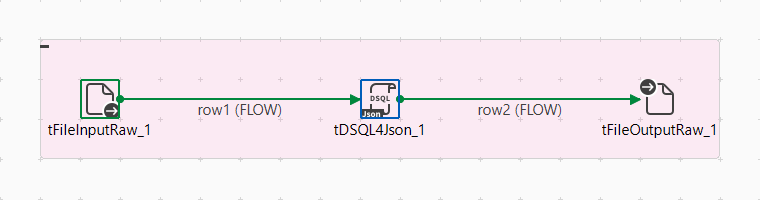
This scenario describes a Standard Job that transforms and analyzes JSON data
using the tDSQL4JSON component.
In this scenario, you have a JSON dataset that lists countries, their cities, and UTC
offsets. You want to produce a report of countries spanning multiple time zones,
organized by UTC offset and cities.
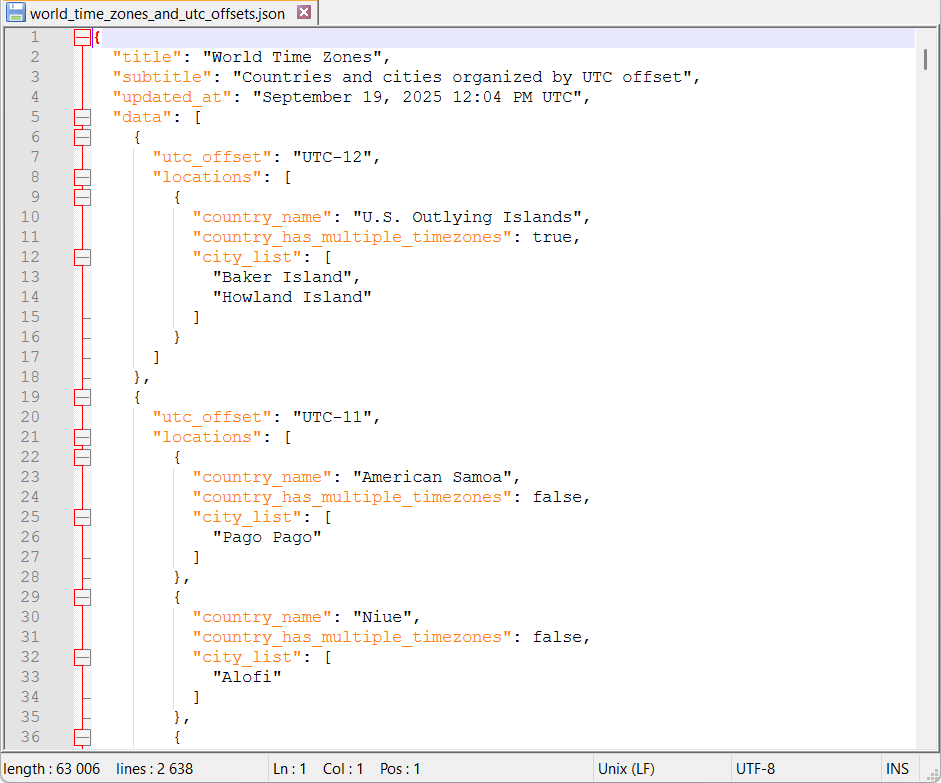
Here is a sample of the JSON dataset used for the purpose of this scenario:
Before you begin
You have a sample JSON data file for input.
Procedure
Create a Standard Job and add the following components:
Make sure the schema has a single column containing the JSON structure.
Configure the tDSQL4JSON component:
Paste the following script in the Script property to extract countries with multiple time zones:
SELECT {
   countries = (
      // Iterate on the main input data collection.
      FROM data
	  // Expand each country locations into individual records.
      UNNEST locations
	  // Group location records by country name.
      GROUP BY country_name
	  // Name this group for reference in subsequent clauses.
      GROUP AS g_country_name
	  // Count the number of time zones per country with the use of a variable.
      LET $nbr_of_time_zones = count(country_name)
	  // Filter to keep only countries with more than one time zone.
      HAVING $nbr_of_time_zones > 1
	  // Sort results by number of time zones in descending order.
      ORDER BY $nbr_of_time_zones DESC
      SELECT {
         country_name,
         nbr_of_time_zones = $nbr_of_time_zones,
		 // Build a nested list of time zones for each country.
         time_zones = (
		    // Iterate over location records within each country group.
            FROM g_country_name
            SELECT {
               utc_offset,
			   // Build a nested list of cities for each time zone.
               main_cities = (
			      // Expand the city_list array, an implicit alias city_list is automatically defined and can be used to select items.
                  FROM city_list
                  SELECT city_list
               )
            }
         )
      }
   )
}
In Sample data file, select your input JSON file to preview and validate output.
Select the Enable Test Run
checkbox to verify the results before running the full Job.
Configure the tFileOutputRaw component:
In the Filename property, enter the output file
path to the location where you want to store processed results.
Use a single-column schema if your output is structured as a JSON field.
Run the Job.
Results
An output file is created documenting all countries with more than one time zone,
including their UTC offsets and associated cities:
{
   "countries" : [
      {
         "country_name" : "Russia",
         "nbr_of_time_zones" : 11,
         "time_zones" : [
            {
               "utc_offset" : "UTC+2",
               "main_cities" : [ "Kaliningrad" ]
            },
            {
               "utc_offset" : "UTC+3",
               "main_cities" : [ "Kazan", "Moscow", "Nizhny Novgorod", "Rostov-on-Don", "Saint Petersburg" ]
            },
    // List of other countries with more than one time zone.
  ]
}