Viewing the code and executing the Route
Procedure
-
Click the Code tab at the bottom of the
design workspace to check the generated code.
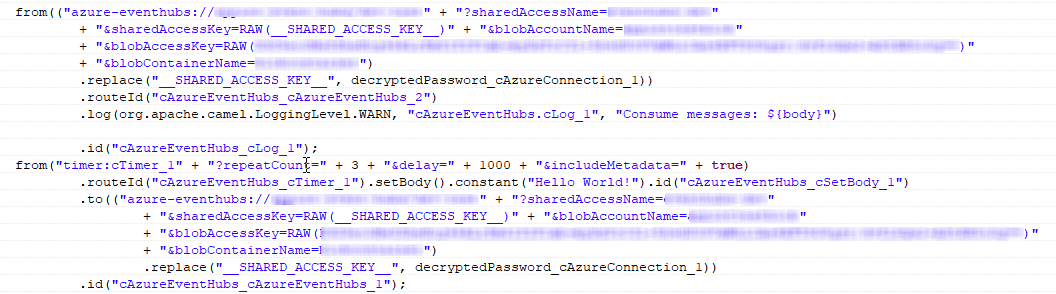
As shown above, one message flow is routed from cTimer_1 to cAzureEventHubs_1, the other is routed from cAzureEventHubs_2 to cLog_1.
-
Click the Run view to display it and click the
Run button to launch the execution of your Route. You can
also press F6 to execute it. In the execution console you can
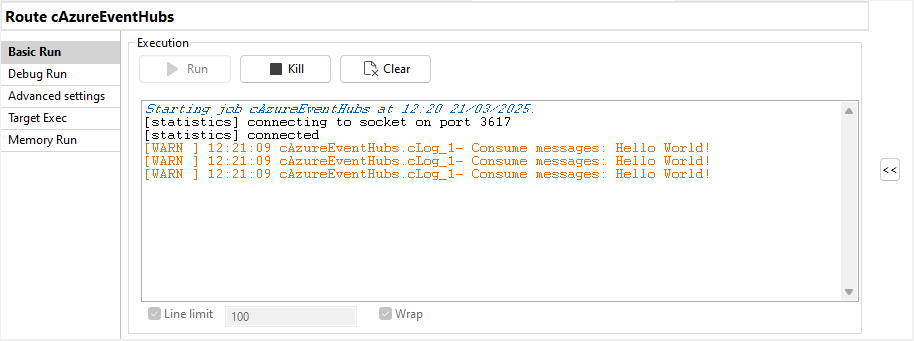
see that three messages are published and then consumed from Azure Event Hubs.