Inserting and updating data using OData web services
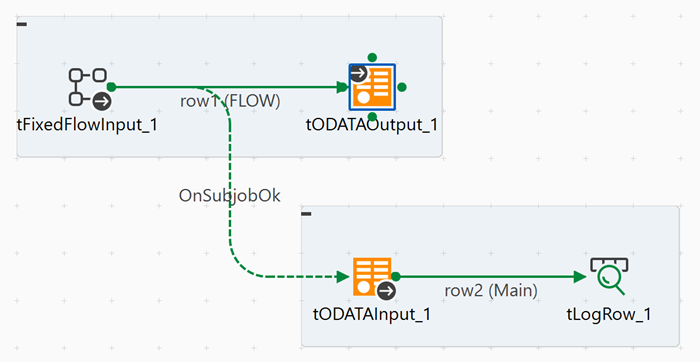
The following Job demonstrates how to insert data into an OData service using fixed
data, then update inserted records using tODataInput and tODataOutput
components.
Before you begin
Linking the components
Procedure
-
Connect tODATAInput to tLogRow
using a Row > Main connection.
Configuring the components
Procedure
-
In the Basic settings view, configure the fixed data to insert into the OData service.
Click Edit schema and define the schema matching the OData entity structure. For example, for a Person entity:
- UserName (String)
- FirstName (String)
- LastName (String)
- Email (String)
In the Mode area, select Use Single Table and click the [+] button to add sample records with appropriate values for each column.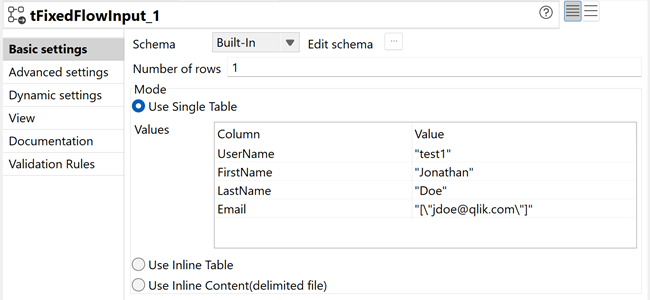
-
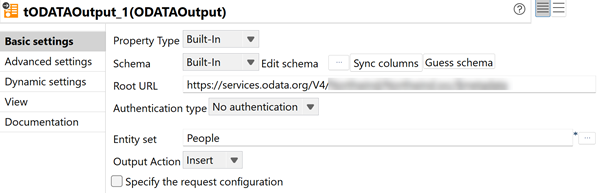
In the Basic settings view, configure the output operation.
- In the Root URL field, enter the URL of your OData service, for example: https://services.odata.org/V4/ABCD for the TripPin reference service.
- In the Authentication type list, select the appropriate authentication method, for example No authentication.
- Click Sync columns to retrieve the schema from the previous component.
- In the Entity set field, enter or select the target entity set, for example: People.
- In the Output action list, select Insert to add the new records to the OData service.
-
In the Basic settings view, configure the connection to retrieve the inserted data.
- In the Root URL field, enter the same OData service URL used in tODATAOutput.
- In the Authentication type list, select the same authentication method.
- In the Entity set field, enter the same entity set, for example: People.
- In the Return type list, select Record to parse the response into individual records.
Click Guess schema to automatically retrieve the schema based on the entity set.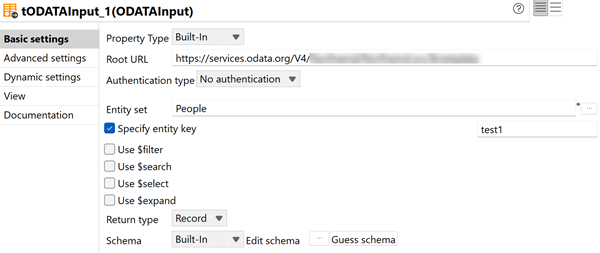
Executing the Job
Procedure
- Press Ctrl + S to save your Job.
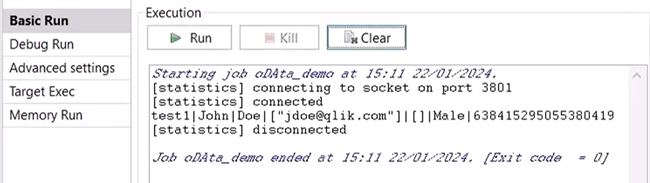
- Press F6 to execute it.
Results
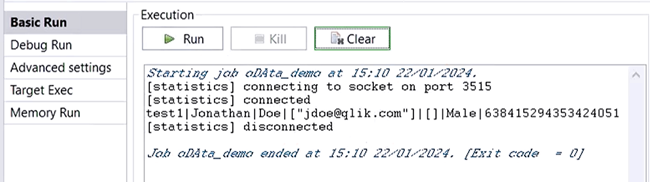
The Job inserts the fixed data records into the OData service, then retrieves all records from the same entity set and displays them in the console. This demonstrates a complete write-and-read cycle using OData web services for data integration.
What to do next
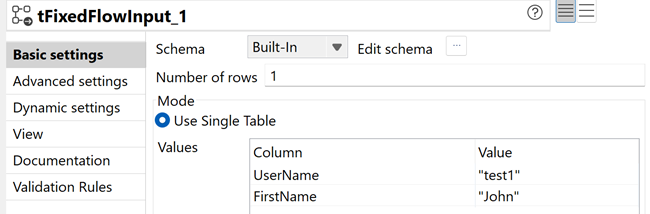
- Edit the tFixedFlowInput component configuration to keep
only the entity and name to be changed, for example changing
Johnathan to John.
- Edit the tODATAOutput component configuration to select Update as Output action and Patch as Update type, in order to overwrite the existing record.
- Execute the Job again. The person record has been updated and the new first name
value is displayed in the Run console.