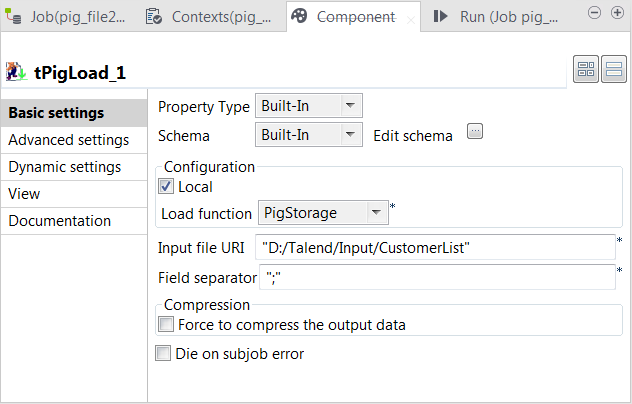
Double-click tPigLoad to open its
Basic settings view.
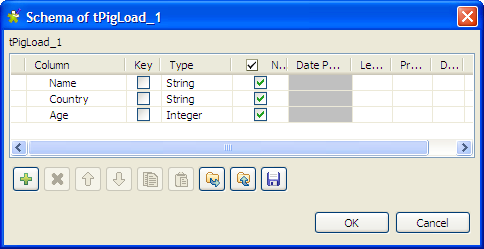
Click the [...] button next to Edit schema to open the Schema dialog box.
Click the [+] button to add three columns
according to the data structure of the input file: Name
(string), Country (string) and Age
(integer), and then click OK to save the
setting and close the dialog box.
Click Local in the Mode area.
Fill in the Input file URI field with the
full path to the input file.
Select PigStorage from the Load function list, and leave rest of the
settings as they are.
Double-click tPigDistinct to open its
Basic settings view, and click
Sync columns to make sure that the
input schema structure is correctly propagated from the preceding
component.
This component will remove any duplicates from the data flow.
Did this page help you?
If you find any issues with this page or its content – a typo, a missing step, or a technical error – please let us know!