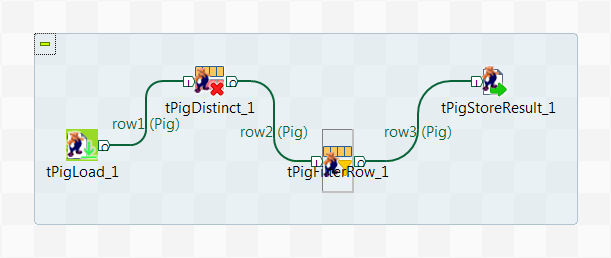
Drop the following components from the Palette to the design workspace: tPigLoad, tPigDistinct,
tPigFilterRow, and tPigStoreResult.
Right-click tPigLoad, select Row > Pig
Combine from the contextual menu, and click tPigDistinct to link these two components.
Repeat this operation to link tPigDistinct to tPigFilterRow, and tPigFilterRow to tPigStoreResult using Row >
Pig Combine connections to form a Pig
process.
Did this page help you?
If you find any issues with this page or its content – a typo, a missing step, or a technical error – please let us know!