Skip to main content Skip to complementary content

Saving and executing the Job

Availability-noteDeprecated

Procedure

  1. Press Ctrl+S to save your Job.
  2. Press F6 or click the Run button on the Run tab to run the Job.
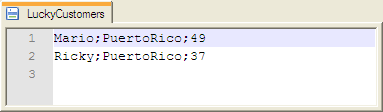
    The result file contains the information of customers from the specified country.

Did this page help you?

If you find any issues with this page or its content – a typo, a missing step, or a technical error – please let us know!