
Generating SQL code with the AI assistant (Qlik Answers)
Last updated: 10/1/2026
Use a prompt to generate or refine SQL in supported SQL-editing contexts in
Talend Studio.
About this task
The AI assistant (Qlik Answers) can generate SQL wherever SQL can be edited, including tDBInput, tDBRow, and other supported components.
Procedure
-
Open
 Qlik Answers, and enter a prompt that describes
the SQL code you need, or the query you want to refine. For example:
Generate the SQL to join these tables together, and filter out
films from before 1990.
Qlik Answers, and enter a prompt that describes
the SQL code you need, or the query you want to refine. For example:
Generate the SQL to join these tables together, and filter out
films from before 1990.
- Review the generated SQL and adapt it to your database and Job.
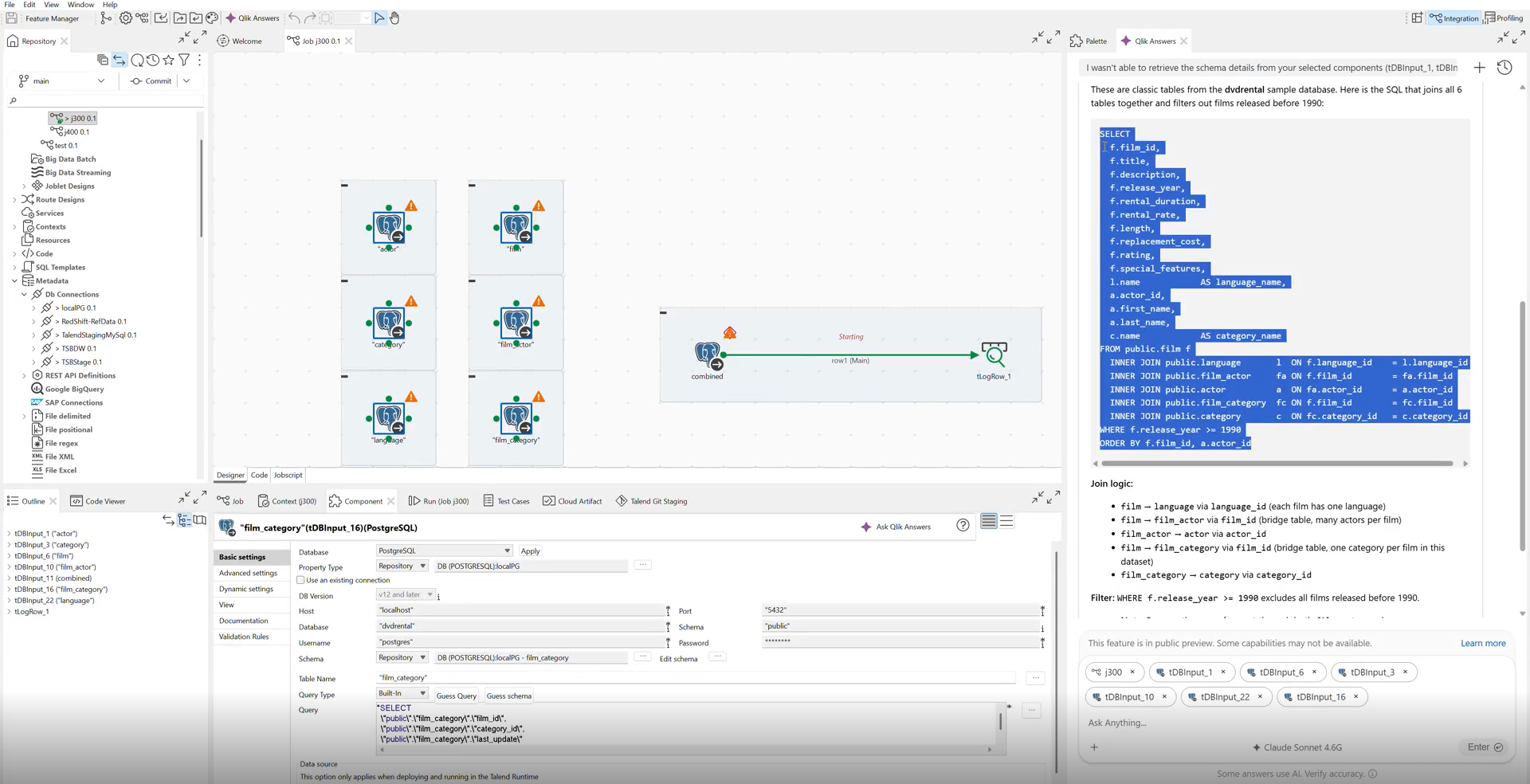
Results
The SQL-editing context contains SQL code proposed by the AI assistant.