Two tPigStoreResult components are used to write
each of the sorted data into HDFS.
Procedure
Double-click either the first tPigStoreResult component to open its Component view to write the data sorted by name.
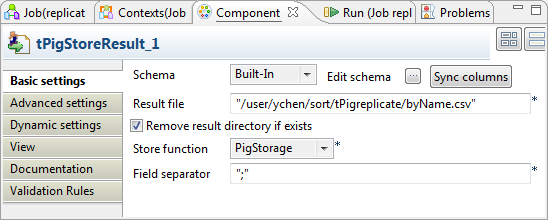
In the Result file field, enter the
directory where the data will be written. This directory will be created if
it does not exist. In this scenario, we put /user/ychen/sort/tPigreplicate/byName.csv.
Select Remove result directory if
exists.
In the Store function list, select
PigStorage.
In the Field separator field, enter the
semicolon ;.
Do the same for the other tPigStoreResult
component but set another directory for the data sorted by state. In this
scenario, it is /user/ychen/sort/tPigreplicate/byState.csv.
Did this page help you?
If you find any issues with this page or its content – a typo, a missing step, or a technical error – please let us know!