Migrating Talend projects
Last updated: 10/6/2026The Talend project migration upgrades project code and publishes artifacts to an artifact repository.
This is the second step in the on-premises migration workflow and requires the administrative assets migration to be completed first.
Installing the CI/CD sandbox environment
A local Talend 8
CI/CD Sandbox environment is required before migrating or upgrading project artifacts.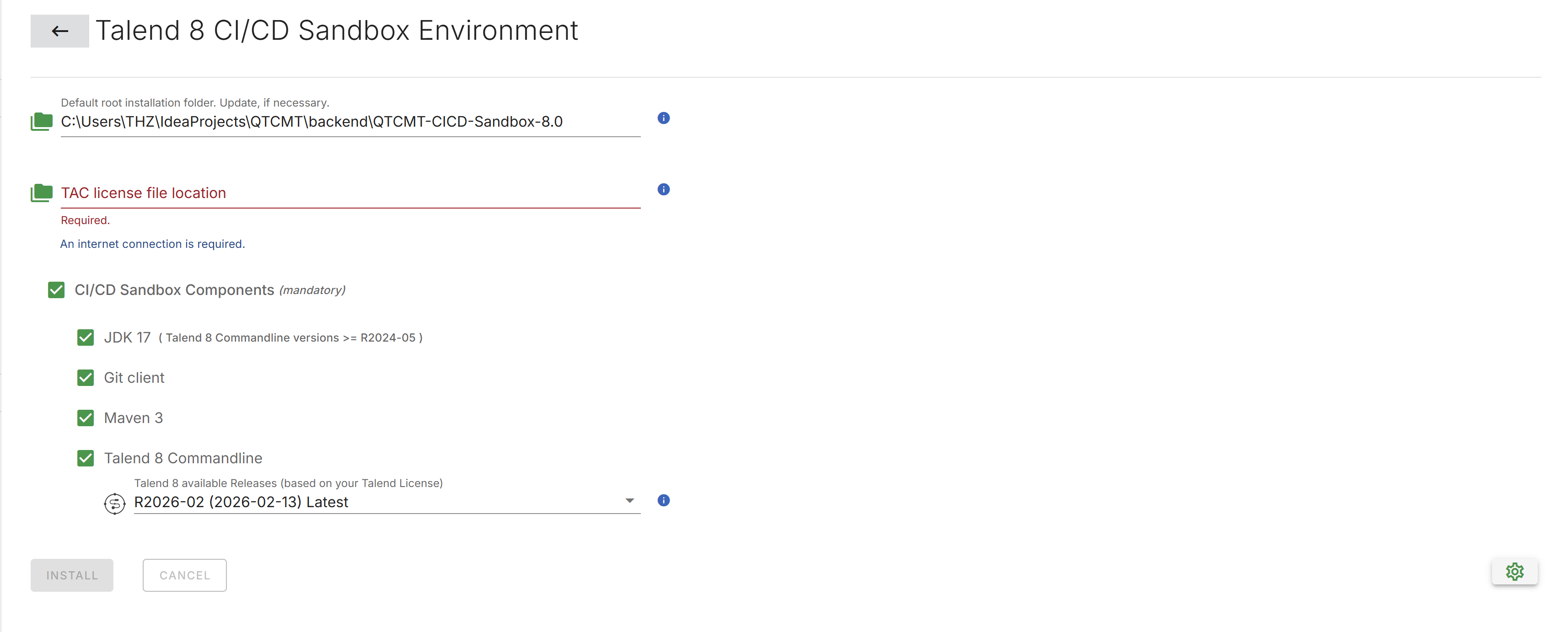
- Navigate to .
- Optionally, update the installation directory.
- Provide the path to the license file associated with the target TAC.
- Select a command line version. The latest version is recommended.
- Click Install to begin the installation.
Creating a manifest
- Select Migration in the left navigation drawer to open the migration selection page.
- Click the Talend Projects tile.
- Click Create a Manifest.
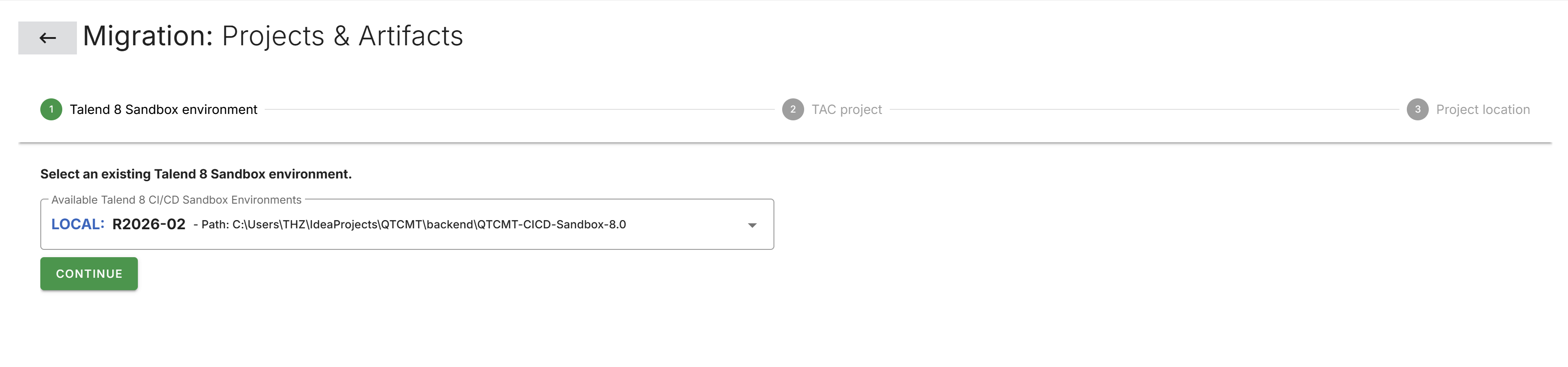
- Confirm the installed CI/CD sandbox environment is selected.
- Select the project to migrate.
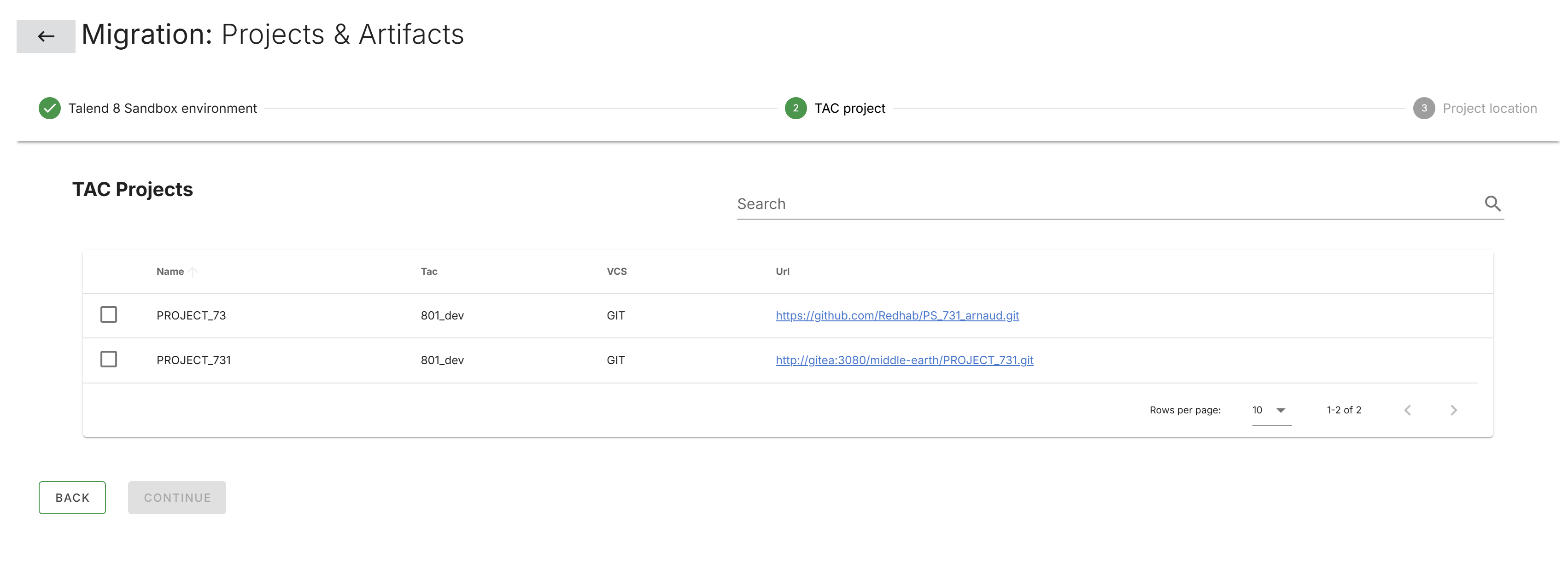 Information noteNote: Only projects previously migrated in the administrative assets step are available.
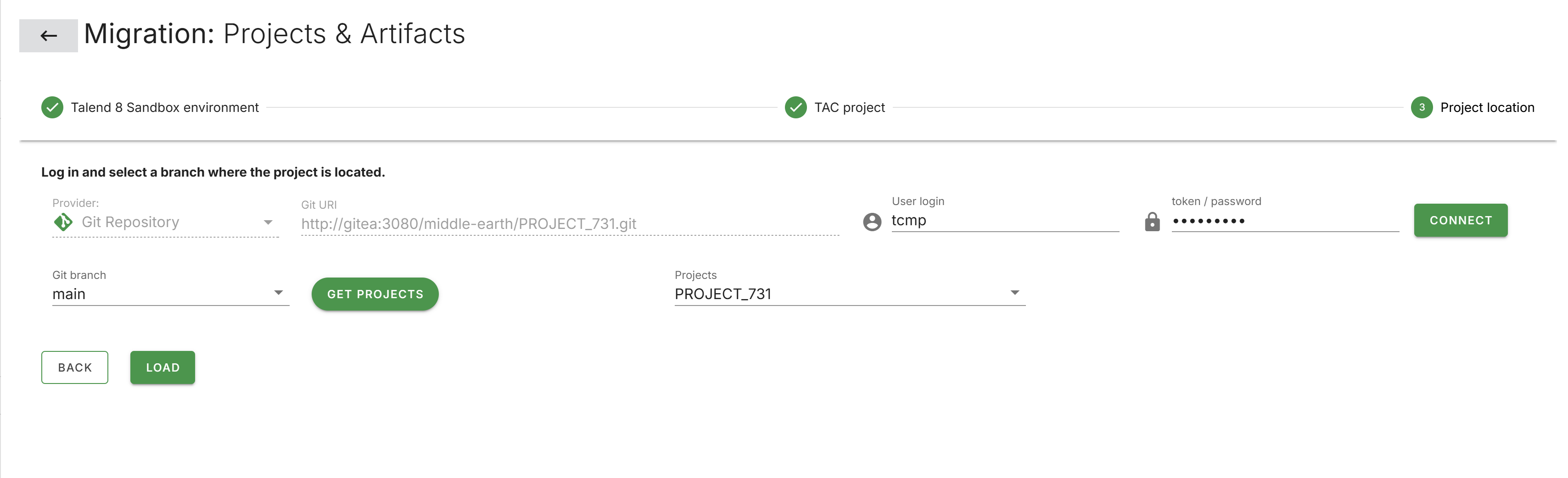
 - Enter the project credentials and click CONNECT.
- Select the appropriate branch, click GET PROJECTS.
- Select the project and click LOAD.
- Choose from the available pipeline options: Artifact Repository, CVE Report, and Project Code Upgrade.
- Use the tree view on the left to select the specific Jobs and Routes to include
in the migration.
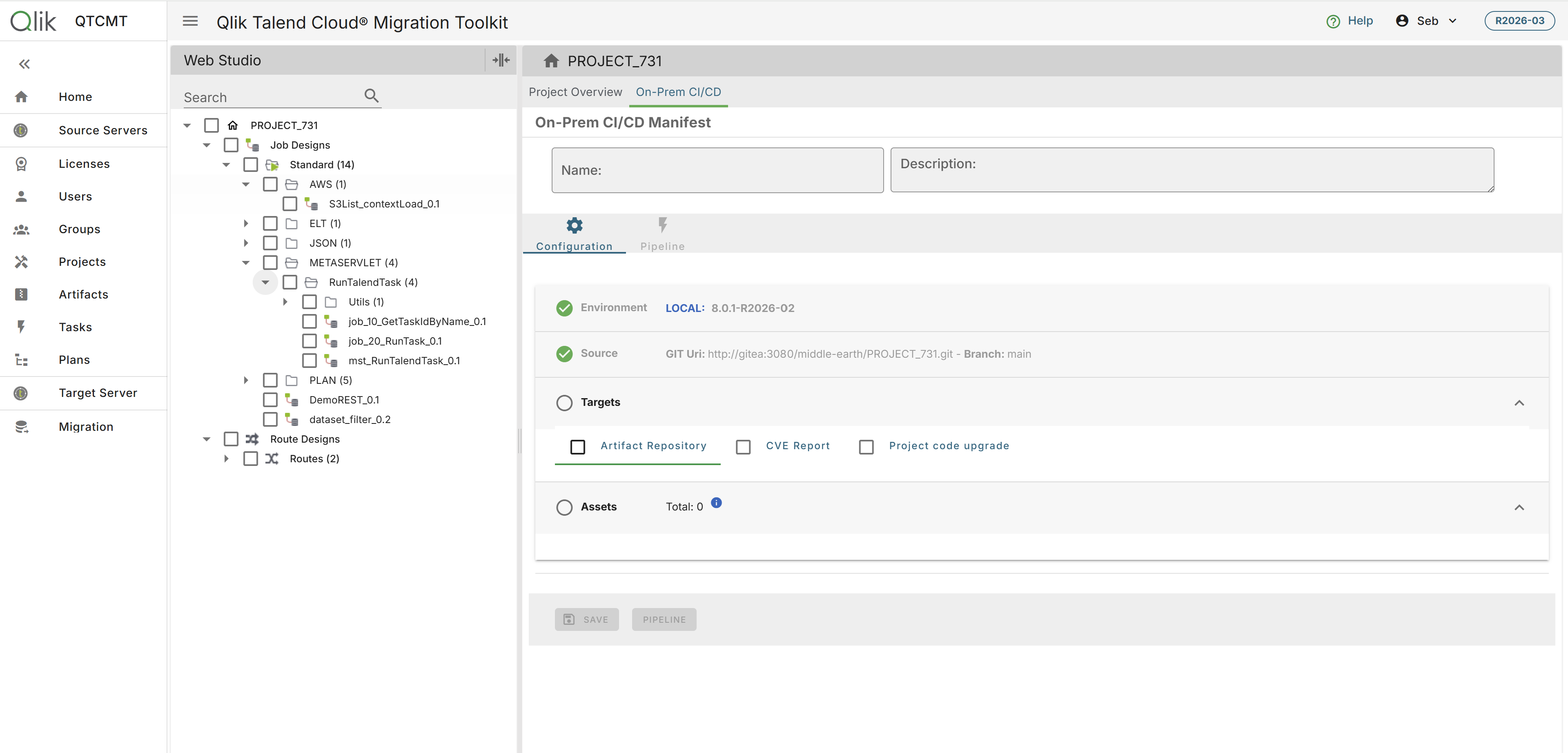
Pipeline options
Artifact repository
The artifact repository option publishes project artifacts to a Nexus or JFrog
Artifactory repository.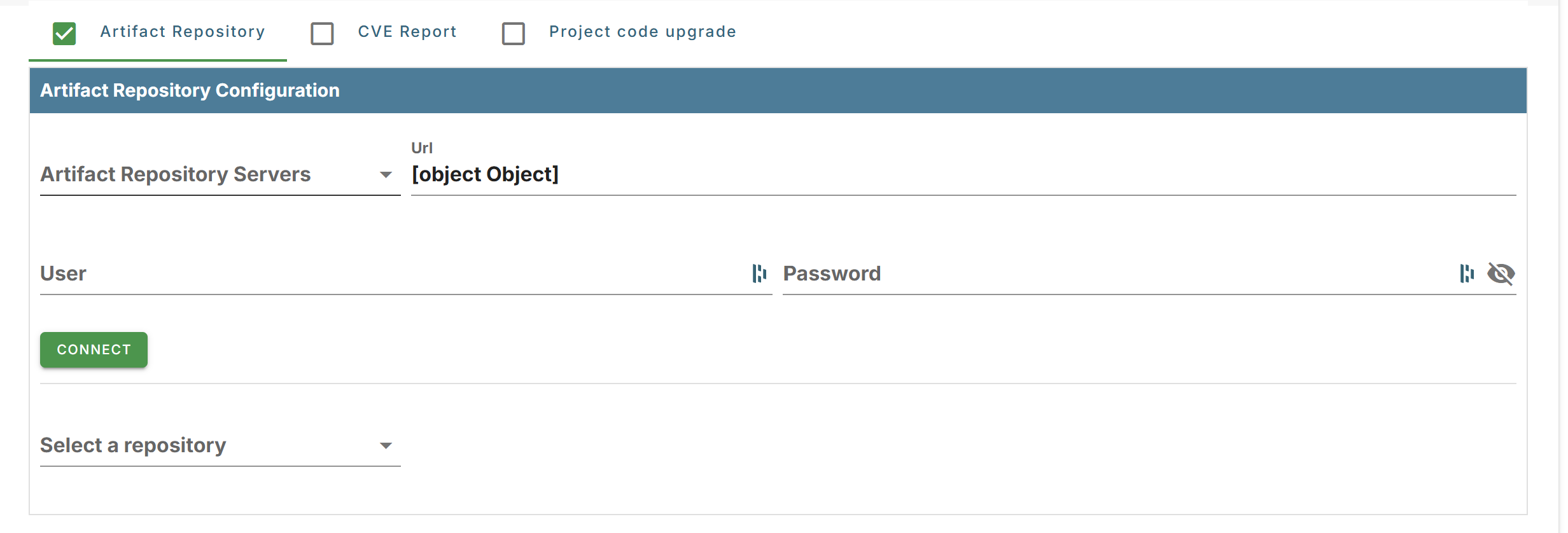
- Provide the repository URL, credentials, and target repository name.
- If Project Code Upgrade is also enabled, the upgraded artifacts are published to the repository.
CVE report
When enabled, a Common Vulnerabilities and Exposures (CVE) report is generated after the
pipeline execution completes.
Project code upgrade
The project code upgrade option upgrades project code to Talend 8.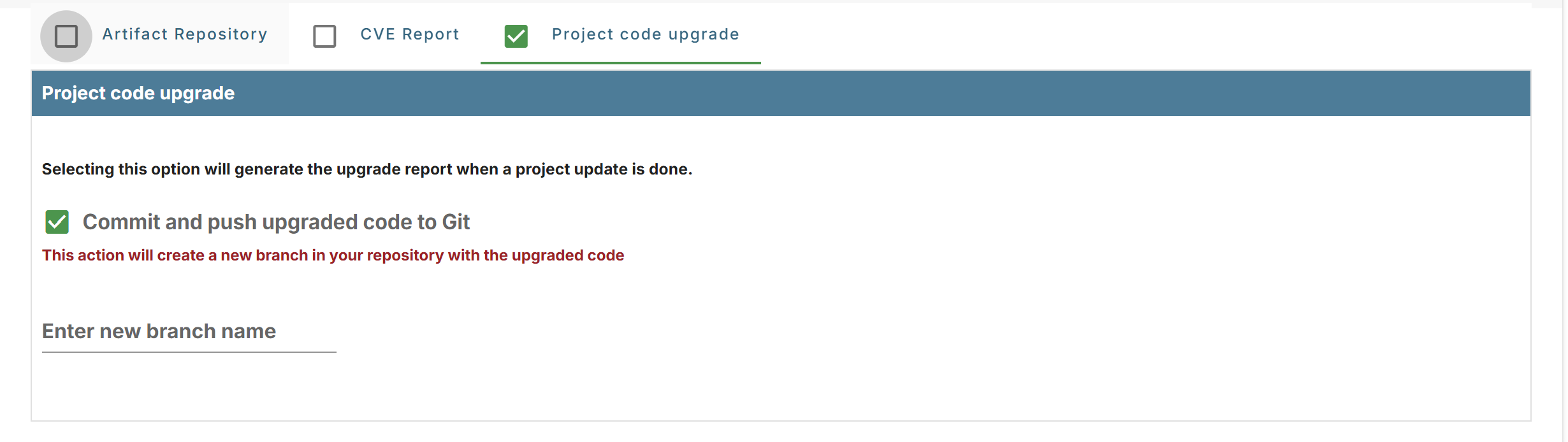
- Enable Commit and Push Upgraded Code to Git to push the upgraded code to a new branch in the Git repository.
- Specify the branch name in the text field provided below the checkbox.
The branch name must be unique and must not already exist in the repository.
The naming convention is flexible, for example upgrade/talend8-projectname or migration-2026-03.
Running the pipeline
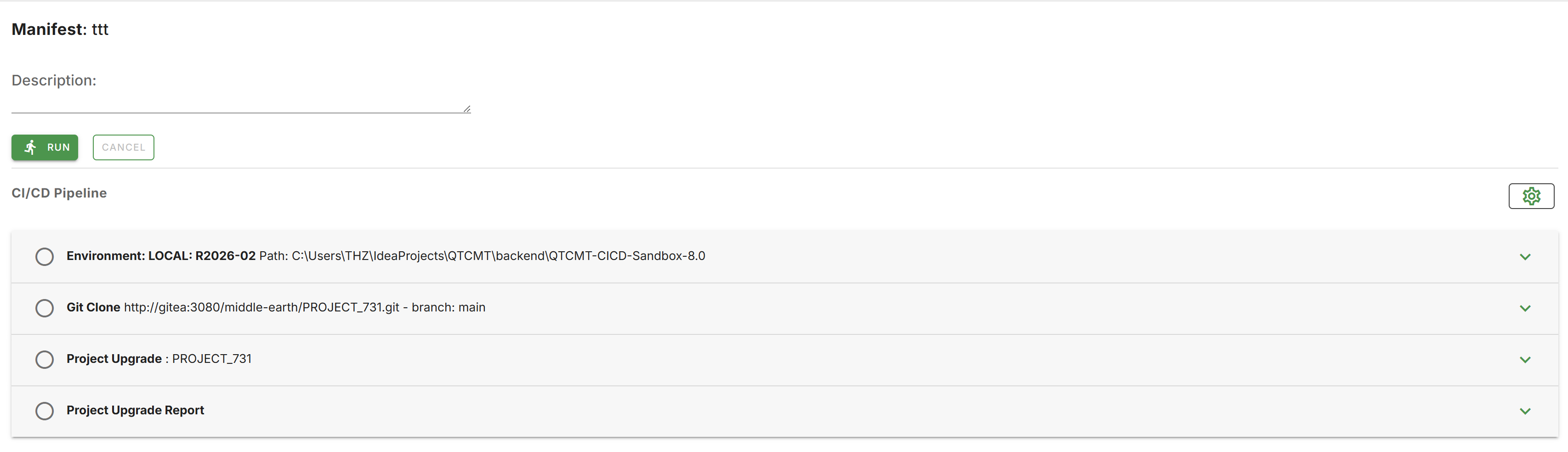
- After saving the manifest, navigate to the Pipeline page.
- Click RUN to execute the CI/CD migration pipeline.