
Migrating administrative assets
Last updated: 10/6/2026The administrative assets migration transfers users, groups, projects, and associated authorizations from the source tenant to the target tenant. This is the first step in the tenant migration workflow.
Selecting assets
Two tree views are displayed: the source tree on the left and the target tree on the right.
- Select the assets to migrate by selecting the corresponding check boxes.
- Click the right arrow button to move the selected assets to the target tree.
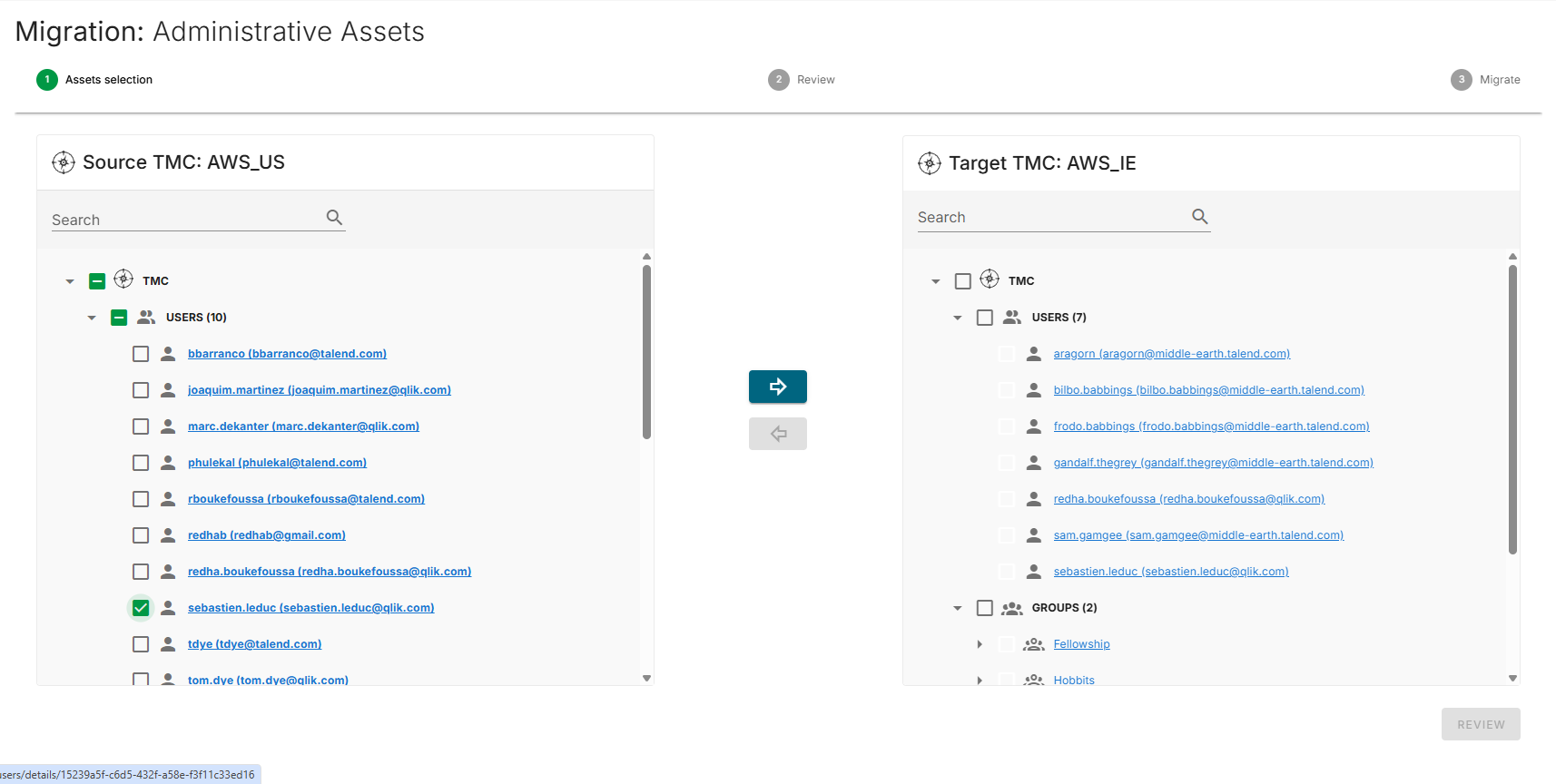
To remove an asset that has not yet been migrated from the target tree, select the asset and click the left arrow button.
Reviewing the selection
- Click Review to display a summary of the selected assets.
- Review the counts on the review screen:
- Total Users
- Total Groups
- Total Projects
- Total User authorizations
- Total Group authorizations
- Optionally, enter a comment in the Comment field.
- Verify the target tree structure in the right panel.

Running the migration
Click Migrate to begin the migration.
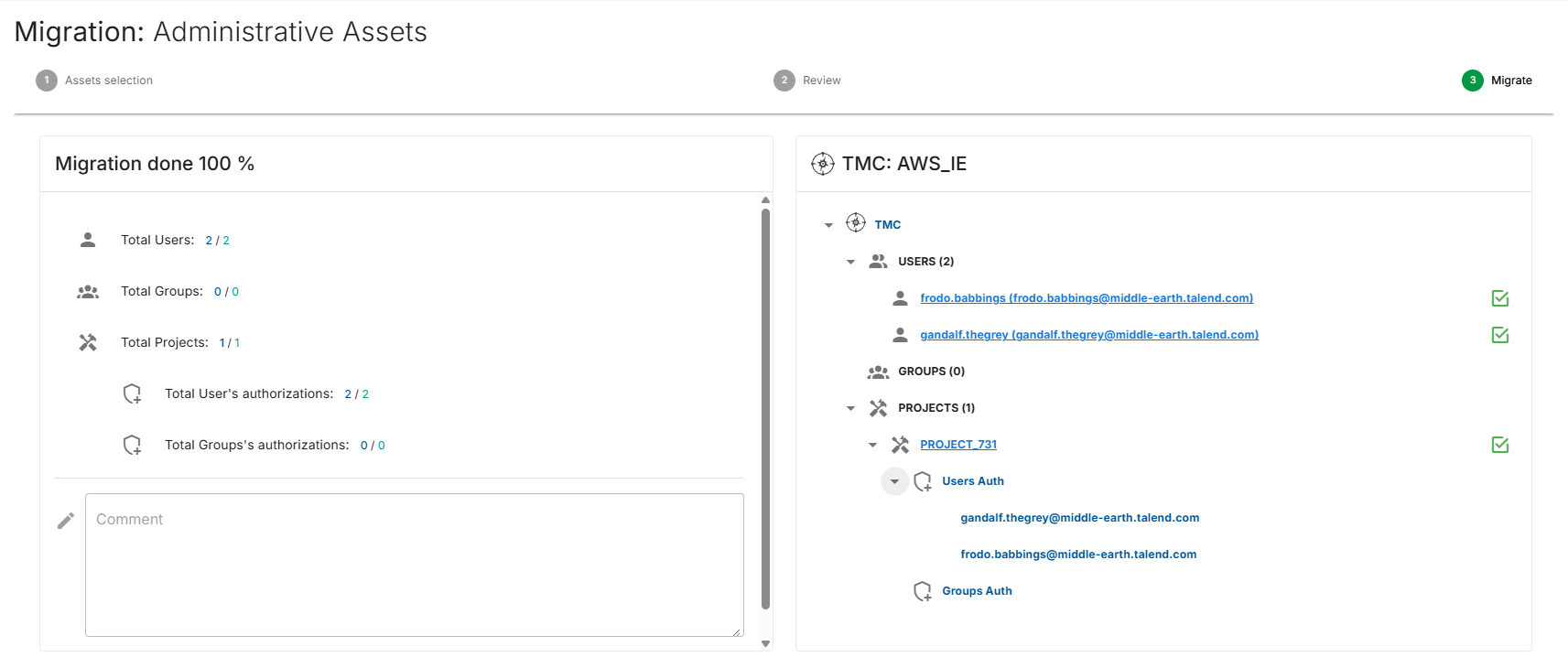
The migration progress screen displays real-time status updates for each asset.
The migration status of each asset is indicated by the following icons:
- Green checked checkbox: Migrated successfully.
- Blue information box: Migrated successfully with additional information. Hover over the icon to display the details.
- Red exclamation circle: Migration failed. Hover over the icon to display the error message.
Migration behavior
- Authorizations: User and group project authorizations are migrated together with the associated users, groups, and projects.
- Duplicates: If a user, group, or project with the same name already exists in the target tenant, the existing entry is overwritten with the source values.