Manual migration | Migration Center Help
Skip to main content Skip to complementary content

Manual migration

Last updated: 2026-11-03
A manual migration consists of three stages: selecting the assets, reviewing the selection, and running the migration.

Selecting assets

About this task

Two tree views are displayed: the source tree on the left and the target tree on the right.

Procedure

  1. In the source tree, select the checkboxes of the assets to migrate.
  2. Click the right arrow button.
    The selected assets are moved to the target tree.
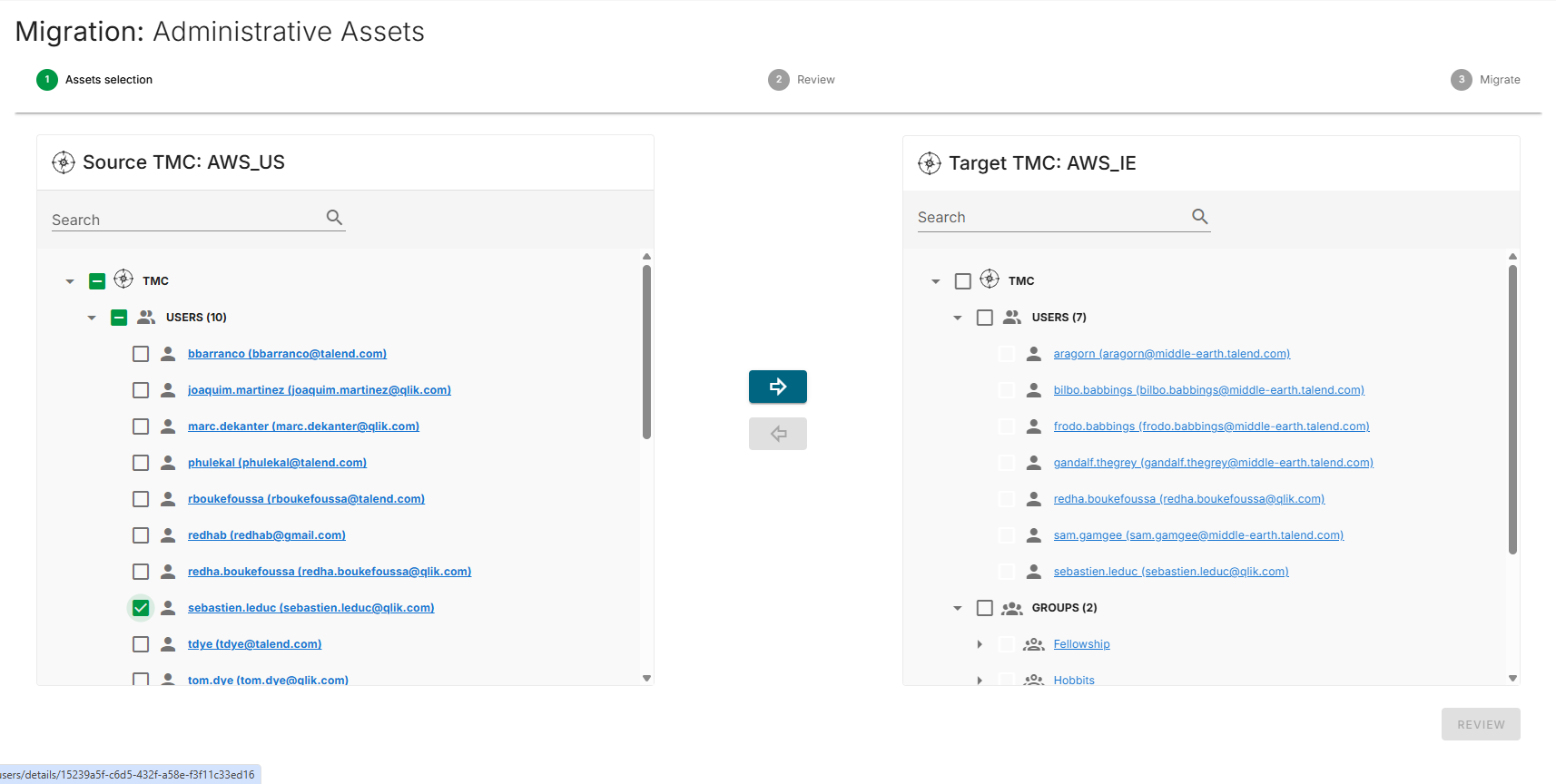
    Selecting assets.
    To remove an asset that has not yet been migrated from the target tree, select the asset and click the left arrow button.

Reviewing the selection

Procedure

  1. Click Review.
    A summary of the selected assets is displayed.
  2. Review the counts on the review screen:
    • Total Users
    • Total Groups
    • Total Projects
    • Total User authorizations
    • Total Group authorizations
  3. Optionally, enter a comment in the Comment field.
  4. In the right panel, verify the target tree structure.
    Assets review.

Running the migration

Procedure

Click Migrate to begin the migration.
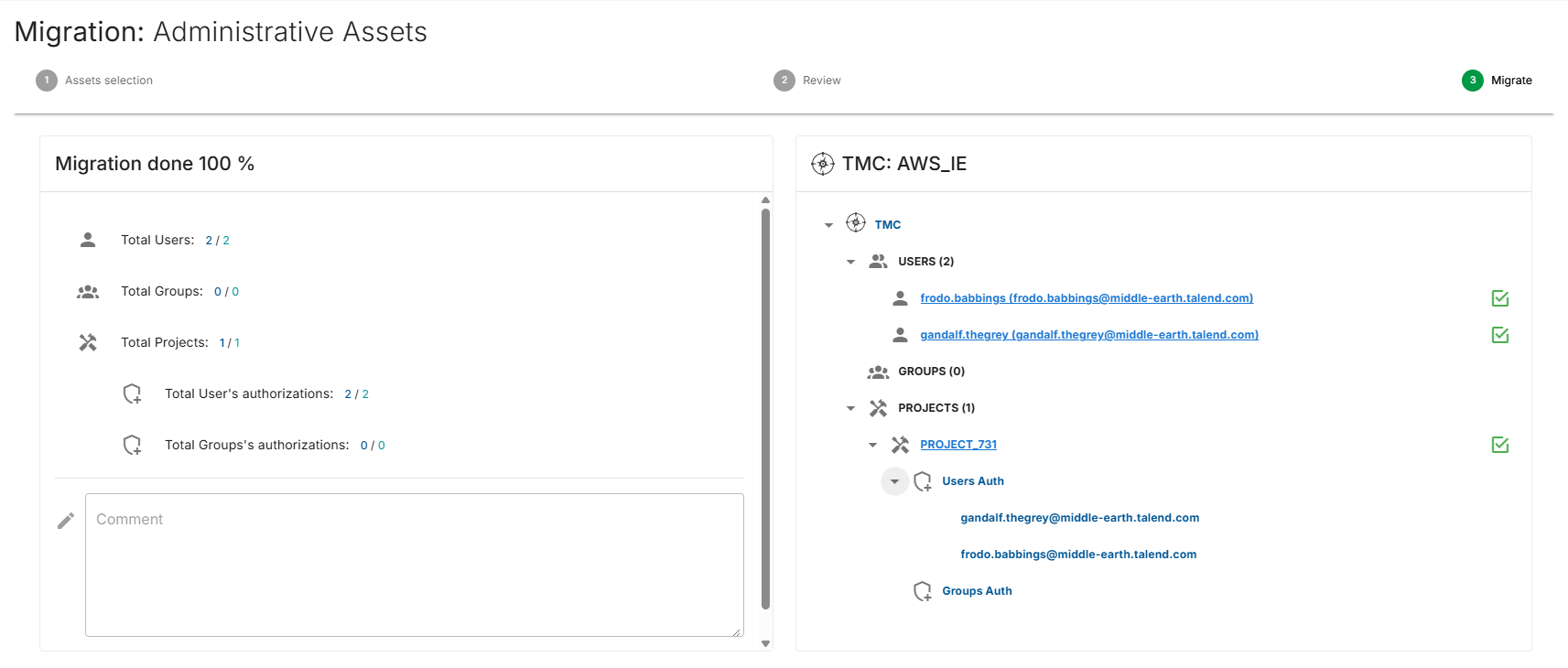
The migration progress screen displays real-time status updates for each asset. For more information, see Migration behavior.
Administrative asset migration.

Visit the discussion forum at community.qlik.com

Did this page help you?

If you find any issues with this page or its content – a typo, a missing step, or a technical error – please let us know!