An operation is the action that can be performed on your resources.
Click Create new in the top-right corner.
Information noteTip: If you want to create your operation directly in a previously
created section, you can do so by clicking the + button to
the right of the section name. If you have already created a resource, you can
click the + button to the right of the resource path to
create an operation for this resource.
Click Operation, or click the type of operation, for
example GET if you are creating it in an existing
resource.
If you create an operation in an existing resource, the method
and the path of the operation are filled automatically.
Enter a Name for your operation, Get list of
contacts for example.
Select the Method and enter a
Path.
If you enter a path that does not match an existing resource, a new resource will
be created.
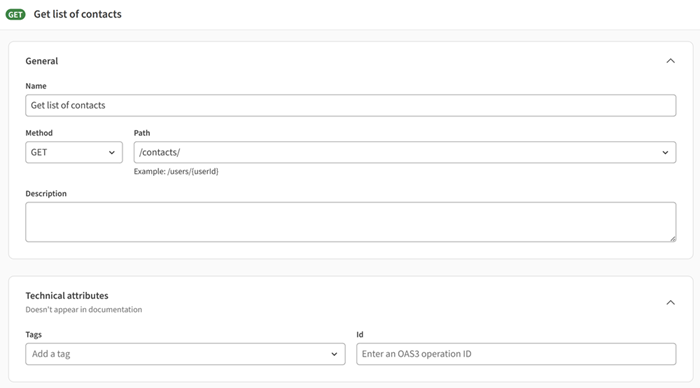
Optional: Enter a Description.
Optional: Enter Tags and an Id.
If you want to add a different security scheme than the whole API, in the
Security section, select Customize security for
this resource.
Select your security scheme(s).
Information noteNote: Security schemes are defined in the
Security section of your API.
Optional: Add Request and Responses
parameters.
Reusable request bodies are not supported.
Did this page help you?
If you find any issues with this page or its content – a typo, a missing step, or a technical error – please let us know!