Skip to main content Skip to complementary content

Defining the general properties of the UN/EDIFACT schema

Last updated: 6/1/2026

About this task

In this step, define the general properties of the schema metadata such as the Name, Purpose and Description.

Procedure

  1. In the Repository tree view, right-click the UN/EDIFACT tree node, and select Create EDI from the pop-up menu.
  2. Enter the general properties of the schema, such as its Name and Description. The Name field must be filled.
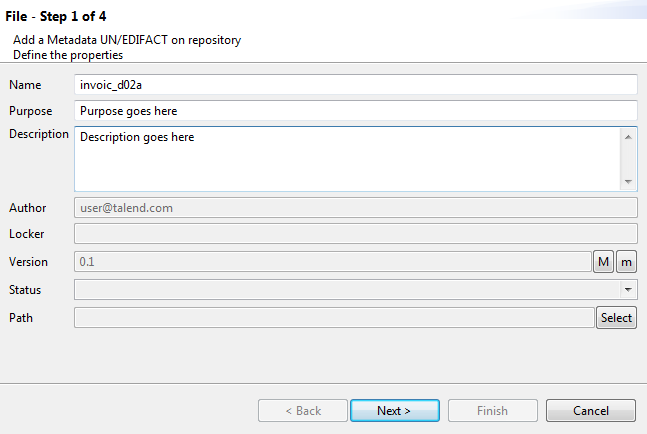
    File - Step 1 of 4 dialog box.
  3. Click Next to set the UN/EDIFACT standard and release.

Did this page help you?

If you find any issues with this page or its content – a typo, a missing step, or a technical error – please let us know!