
Drag and drop to create the Route link
Last updated: 5/18/2026Procedure
-
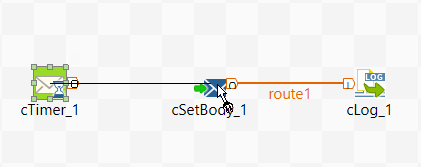
Drag and drop the arrow icon displayed onto the destination component,
cSetBody in this example.
A Row > Route connection is automatically created between the two components.
 While this method requires less operation steps, it works only with the Row > Route connection.