
Talend Management Console
New features
| Feature | Description |
|---|---|
| New required CDN URL in allowlist | As previously announced, a new Content Delivery Network (CDN) URL is now
introduced to support the Talend Management Console
UI. Network administrators must update the firewall allowlist for user traffic.
Without adding this URL to your allowlist, Talend Management Console
cannot load.
For all the required allowlist URLs, see Adding URLs to your proxy and firewall allowlist. If you have questions about this change, contact your CSM (Customer Success Manager) or the Support team. |
| New Unified Administration between Qlik Cloud and Talend Cloud |
The resources including users, roles, permissions, environments, and spaces can be synchronized and shared between your Qlik Cloud and Talend Cloud, so you are able to manage users, roles, permissions, environments, and spaces in a unified way. For more information, see Synchronization between Qlik Cloud and Talend Cloud. The unified administration apply to all Talend Cloud regions, except the Azure US West region, and will be progressively
available to all customers starting from February 2026. For more information,
contact Qlik Support team.
|
| Behavior changes for environments and workspaces |
To align Talend Management Console with Qlik Cloud, Default environments are no longer created automatically. Existing Default environments can be renamed and deleted. Shared and Personal workspaces are not created, assigned, and deleted automatically any longer. Existing Shared and Personal workspaces and their assigned permissions are kept. We recommend Administrators to run regular cleanups. To delete environments from the UI or API, you must delete all spaces before. For more information, see Managing environments. These changes apply to all Talend Cloud regions including the Azure US West region and will be progressively available. |
| Renaming of workspaces and workspace permissions |
To align Talend Management Console with Qlik Cloud, Workspaces are renamed Spaces. Workspace permissions are renamed and their order is changed to align with the Qlik space permissions: Viewer (View), Editor (Author), Operator (Execute) and Publisher (Publish). For more information, see About space permissions. These changes apply to all Talend Cloud regions including the Azure US West region and will be progressively available. |
| Renaming of terms in Talend Management Console UI |
To align with Qlik Cloud, the following terms have been renamed in the user interface:
These changes apply to all Talend Cloud regions including the Azure US West region. |
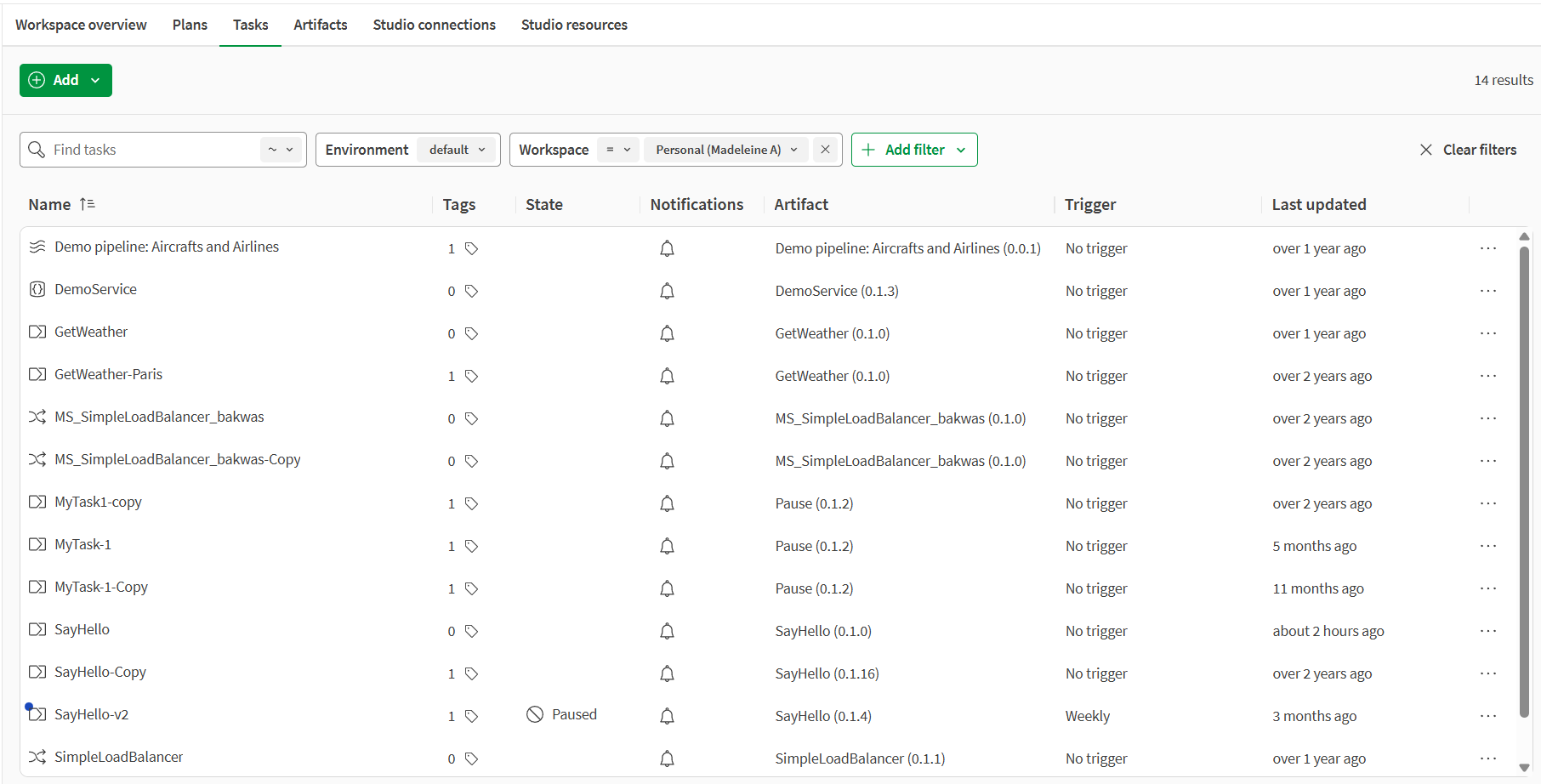
| New design in the Management page |
The new design applies to the Plans, Tasks, Artifacts, Studio connections and Studio resources tabs of the Management page. The new table format allows you to show, hide, or resize columns easily. The
new menu for rows can be opened by right-clicking the row or using the
Open menu button in the last cell of each row.
|
|
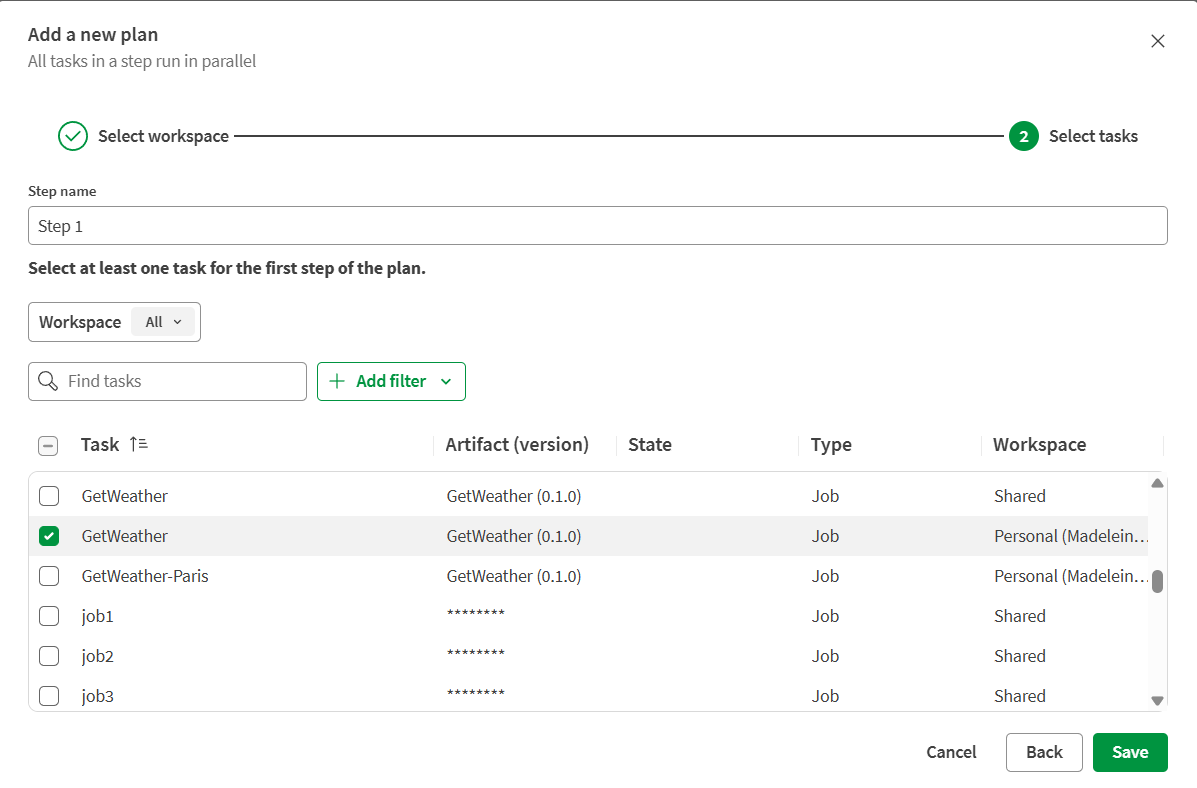
New design for dialogs |
You can see the new table format in the following dialogs:
|
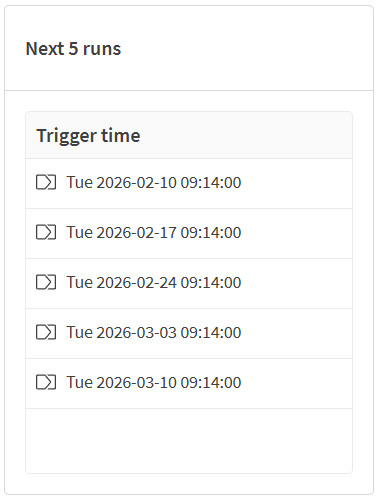
| New design for the date and time picker | You can see the new design of the date and time picker in the
Period filter in the Operations
or Run overview pages, or when adding a trigger.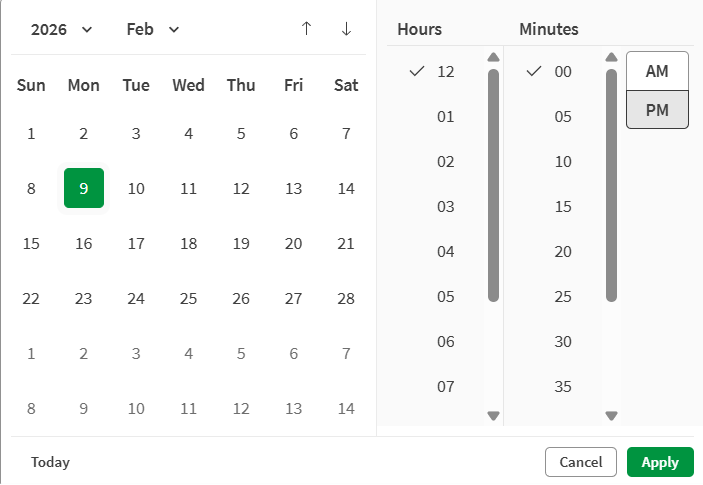
|
Notable fixes and known issues
| Issue | Description |
|---|---|
| TMC-8362 | Recently viewed items are not displayed anymore when using the quick search bar in the Operations and Management pages. |
| DLS-664 | If you enter only one digit manually in the Day,
Month, Year,
Hour, or Minute fields, for
example when using the Period filter, then the new date
is not saved and the previous date is displayed. You must enter two digits manually or use the date and time picker, so the new date is saved and displayed. |