
New features
Last updated: 9/22/2026Application Integration
| Feature | Description |
|---|---|
|
New AI examples added to the Application Integration demos |
New AI examples for Routes are added to Application Integration demos. |
|
New cTextTemplate component for Routes |
The new cTextTemplate component is now available in Routes allowing you to process messages using templates. |
|
Enhancement of cRabbitMQ to support auto declaration option and context-ready UI fields |
The Auto declare option is now available in the cRabbitMQ component. It allows you to auto declare binding between exchange, queue and routing key. You can now define all parameters of cRabbitMQ using context variables.  |
|
Enhancement of cSetHeader to support configurable header removal order |
The order of header removal and addition is now configurable in cSetHeader with the new Cleanup order options. 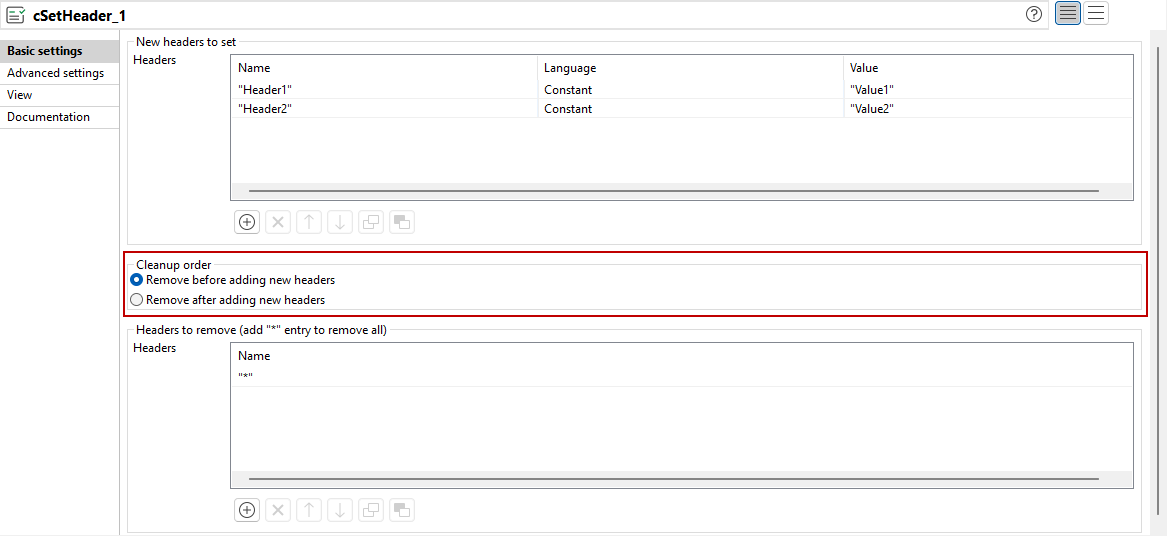
|
|
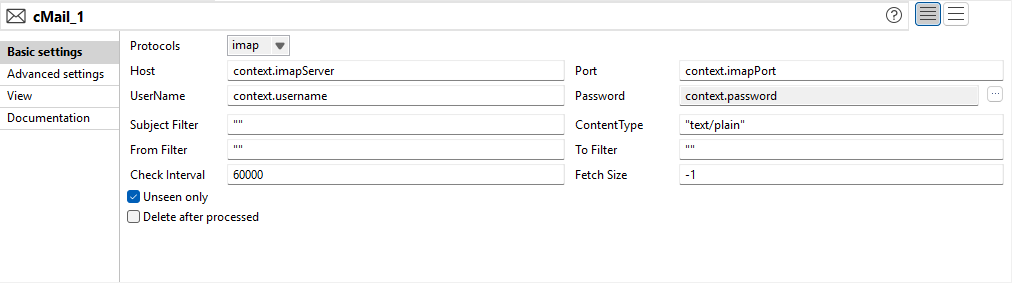
Enhancement of cMail for IMAP/POP3 to improve filtering and config cleanup |
The configuration options for IMAP and POP3 protocols in cMail are updated:
|
Big Data
| Feature | Description |
|---|---|
| Support for CDP Private Cloud Base 7.3.1 with Spark Universal 3.x | You can now run your Spark Jobs on a CDP Private Cloud Base 7.3.1 cluster
with JDK 17 using Spark Universal with Spark 3.x in Yarn
cluster mode. You can configure it either in the Spark
Configuration view of your Spark Jobs or in the Hadoop
Cluster Connection metadata wizard.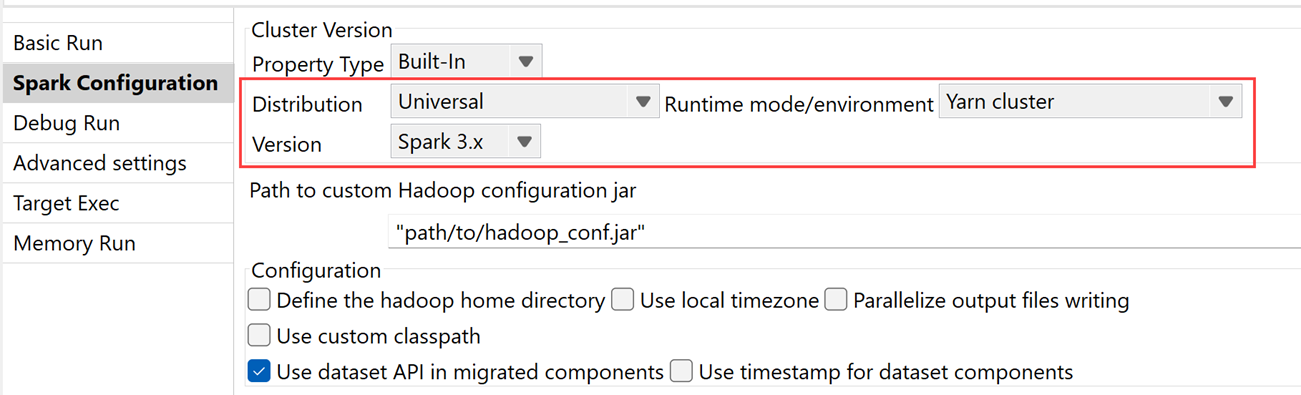
|
|
Support for Cloudera runtime mode in the Spark Universal user interface |
You can now use Cloudera runtime mode for your Spark
Jobs in the Spark Universal user interface, with support for Spark 3.x only.
|
Data Integration
| Feature | Description |
|---|---|
|
Support for Salesforce API version 64 for Salesforce components in Standard Jobs |
The Salesforce components have been updated to support API version 64, enabling compatibility with the latest Salesforce features and enhancements. |
|
Support for Azure Database for MySQL - Flexible Server for MySQL components in Standard Jobs |
The MySQL components have been updated to support Azure Database for MySQL – Flexible Server, expanding cloud compatibility and deployment options. |
|
New option to convert NULL numeric values to 0 for tSAPADSOInput in Standard Jobs |
The new option Convert NULL numeric values to zero has been added to the tSAPADSOInput component to allow automatic conversion of NULL numeric fields to zero during data extraction. |
|
Authentication token is now sent in the header to comply with updated Marketo API requirements in Standard Jobs |
The Marketo components have been updated to send the authentication token in the header instead of in query parameters, ensuring compliance with the latest Marketo API requirements. |
Data Mapper
| Feature | Description |
|---|---|
| Support for DSQL map editor as the default map editor | The DSQL map editor is now the default map editor in Talend Data Mapper. When you create a new map or when you work with data mapping components, the DSQL map is selected by default, but you can still select manually the Standard map. |
| Support for recursive parameterized expressions in DSQL maps | The parameterized expressions now support recursion, meaning that you can call a parameterized expression in the parameterized expression itself. |
| Support for the test run feature on unrolled and split elements in DSQL maps | You can now use the Test Run option on specific
unrolled and split elements in DSQL maps.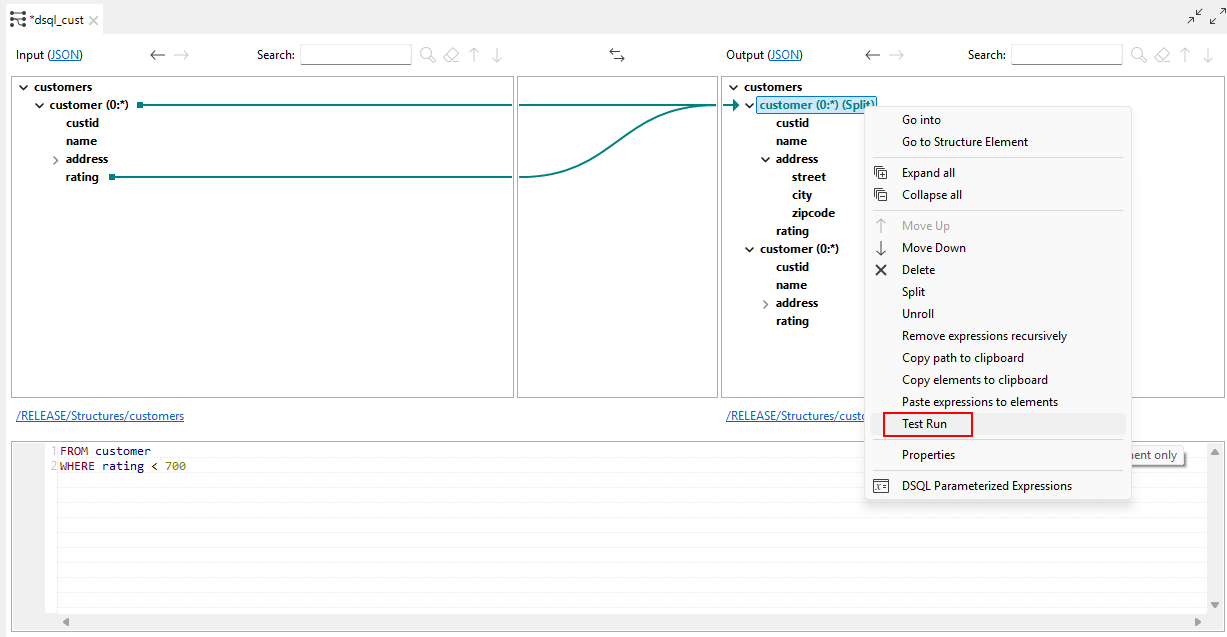
|
| Ability to drag and drop functions and map elements into parameterized expressions in DSQL maps | You can now drag and drop a function and an input map element in the content of a parameterized expression. |
| Ability to drag and drop parameterized expressions in the expression editor in DSQL maps | You can now drag and drop a parameterized expression in the expression
editor of your DSQL map. The behavior is the same as when you drag and drop a
function in the expression editor.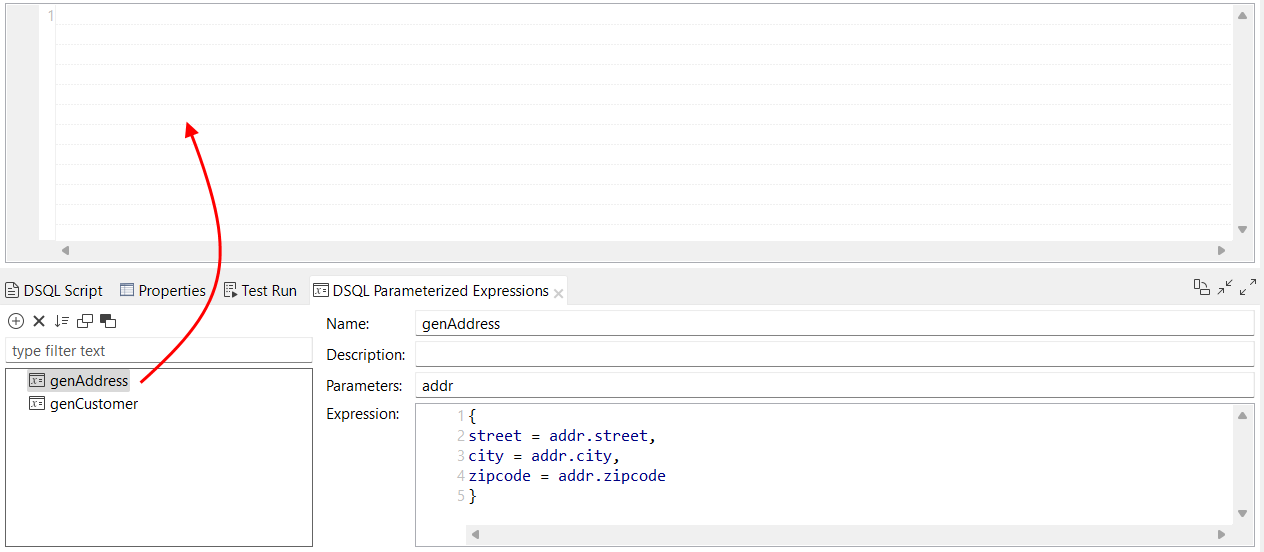
|
| New options to copy and paste parameterized expressions in DSQL maps | You now have the possibility to copy one or more parameterized expressions
and paste them either in your current DSQL map, or in another DSQL map. The
Name, Description,
Parameters and Expression options
are copied. If a parameterized expression with the same name already exists in the destination map, the copy is renamed automatically with a suffix, for example genAddress_2. 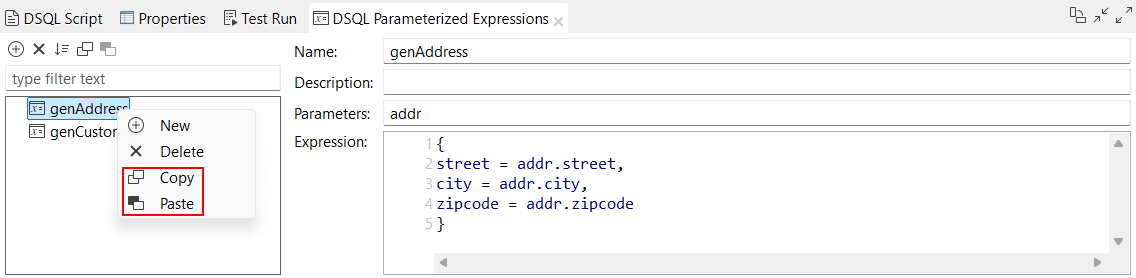
|
| New Create Parameterized Expression option available for Unknown function error in DSQL maps | When a DSQL map contains a fragment with an Unknown
function error, a Create Parameterized
Expression option is now available when you right-click the error,
allowing you to create a parameterized expression with the unknown name. 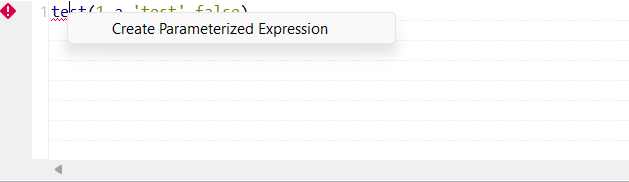
|