
New features
Last updated: 9/24/2026Application integration
| Feature | Description |
|---|---|
| New microservice configuration to override authentication activation and configuration | You can now use parameters in an additional properties file to override the authentication configuration for BASIC and JWT Bearer Token types in cREST and tRESTRequest components. This security configuration and the Prometheus endpoint activation in the properties file can be overwritten by using the relevant parameter in Commandline when running the Microservice. For more information, see Running a Microservice. |
| New Route component available for Azure Service Bus | The cAzureServiceBus component is now available in Routes allowing you to send messages to, or consume messages from Azure Service Bus. |
Big Data
| Feature | Description |
|---|---|
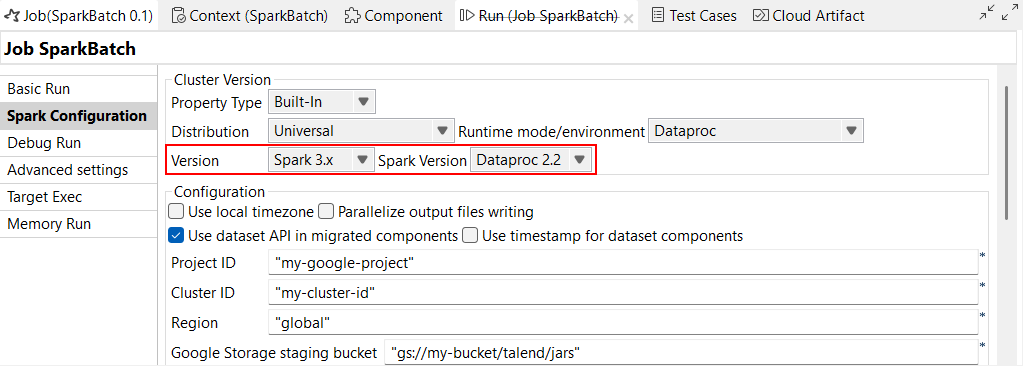
| Support for Dataproc 2.2 with Spark Universal 3.x | You can now run your Spark Jobs on a Google Dataproc cluster using Spark
Universal with Spark 3.x. You can configure it either in the Spark
Configuration view of your Spark Jobs or in the Hadoop
Cluster Connection metadata wizard. When you select this mode,
Talend Studio is compatible with Dataproc 2.1 and 2.2 versions.
|
| Support for CDP Private Cloud Base 7.3.1 with Spark Universal 3.x | You can now run your Spark Jobs on a CDP Private Cloud Base 7.3.1 cluster
with JDK 17 using Spark Universal with Spark 3.x in Yarn
cluster mode. You can configure it either in the Spark
Configuration view of your Spark Jobs or in the Hadoop
Cluster Connection metadata wizard. With the beta version of this feature, Jobs with Iceberg and Kudu components do not work. 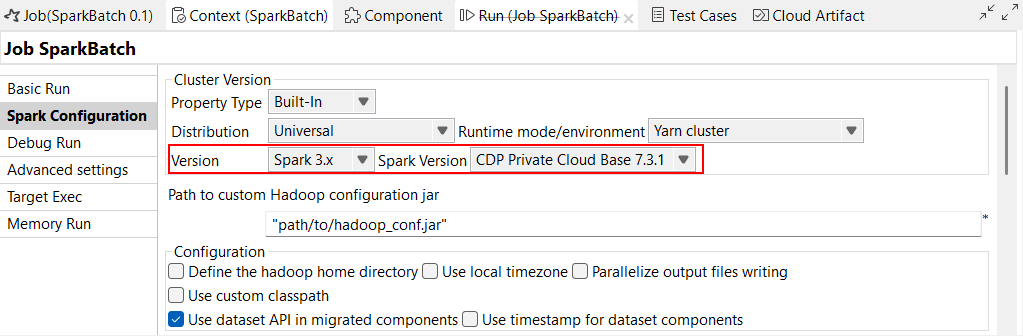
|
| Enhancement of tS3Configuration to support multi-buckets with AWS Assume Role | You can now add a role to multiple buckets in your Job with Assume Role in tS3Configuration component. |
| Support for schema evolution in tIcebergTable in Spark Batch Jobs | New actions are now available in the Action on table
property in tIcebergTable component: Add columns,
Alter columns, Drop columns,
Rename columns and Reorder
columns.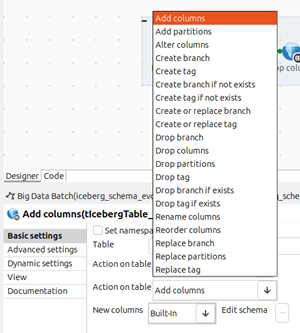
|
Data Integration
| Feature | Description |
|---|---|
|
Support for OData API capabilities for SAP in Standard Jobs |
New SAP components are now available to read and write data from an SAP OData web service:
|
Data Mapper
| Feature | Description |
|---|---|
| DSQL map editor | The support for DSQL map editor is now generally available (GA). The DSQL map editor allows you to create a map based on Data Shaping Query Language. Like standard maps, you can create DSQL maps to map one or multiple input files to one or multiple output files, using all the representations supported by standard maps. For more information, see Differences between standard and DSQL maps. |
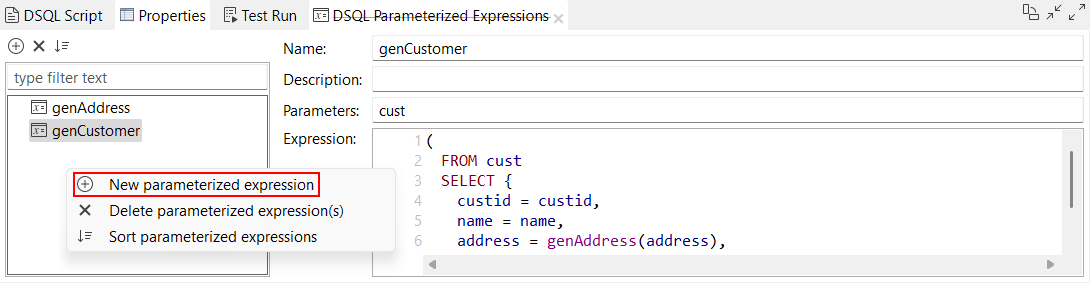
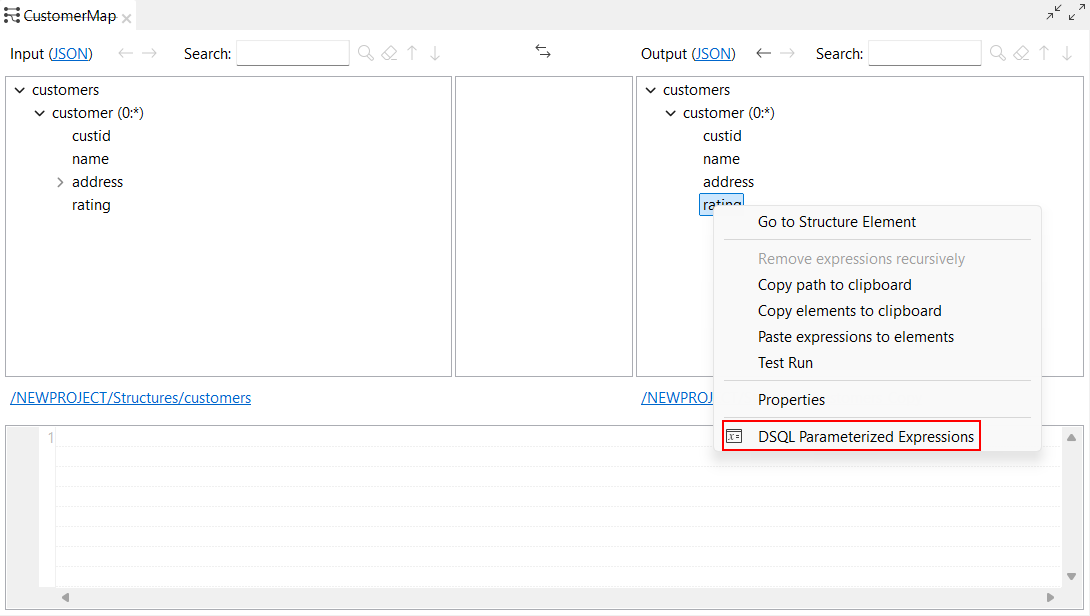
| New options to create a new parameterized expression | New options are now available in the DSQL map editor to create a new
parameterized expression:
|
| New option to store the Test Run results on the file system in DSQL maps | A new option, Execute Test Run to File, is now
available in Test Run view in the DSQL map editor and
allows you to save the output results of your DSQL map in your file system.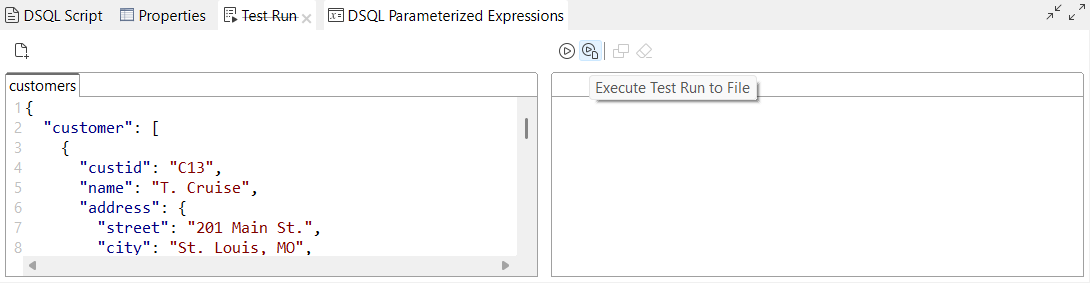
|
Data Quality
| Feature | Description |
|---|---|
| Validating data using validation rules from Qlik Talend Data Integration | The new tDQRules Standard component lets you connect Talend Studio to Qlik Talend Data Integration and use validation rules. |