
New features
Last updated: 10/9/2026Shared features
| Feature | Description |
|---|---|
| New search engine to filter repository items | You can now filter repository entries using the search field on top of the
Repository tree view.
|
| Perspective name is shown by default | The names of the opened perspectives are now shown by default in the
upper-right corner of Talend Studio. 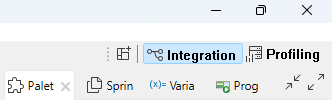
|
Application integration
| Feature | Description |
|---|---|
| New cAzureEventHubs and cAzureConnection components in Routes | The new cAzureEventHubs and cAzureConnection components are now available in Routes allowing you to send messages to or consume messages from Azure Event Hubs. |
| New cReplicateEnvelope component in Routes (Beta) | The new cReplicateEnvelope component is now available in Beta version in Routes allowing you to decode messages created by Qlik Replicate. |
Big Data
| Feature | Description |
|---|---|
| Support for Unity Catalog | Unity Catalog is now supported in Spark Batch Jobs when you use Spark
Universal 3.4.x with Databricks 13.3 LTS and Spark Universal 3.x with Databricks
15.4 LTS. You can configure it either in the Spark Configuration view of your Spark Batch Jobs or in the Hadoop Cluster Connection metadata wizard. 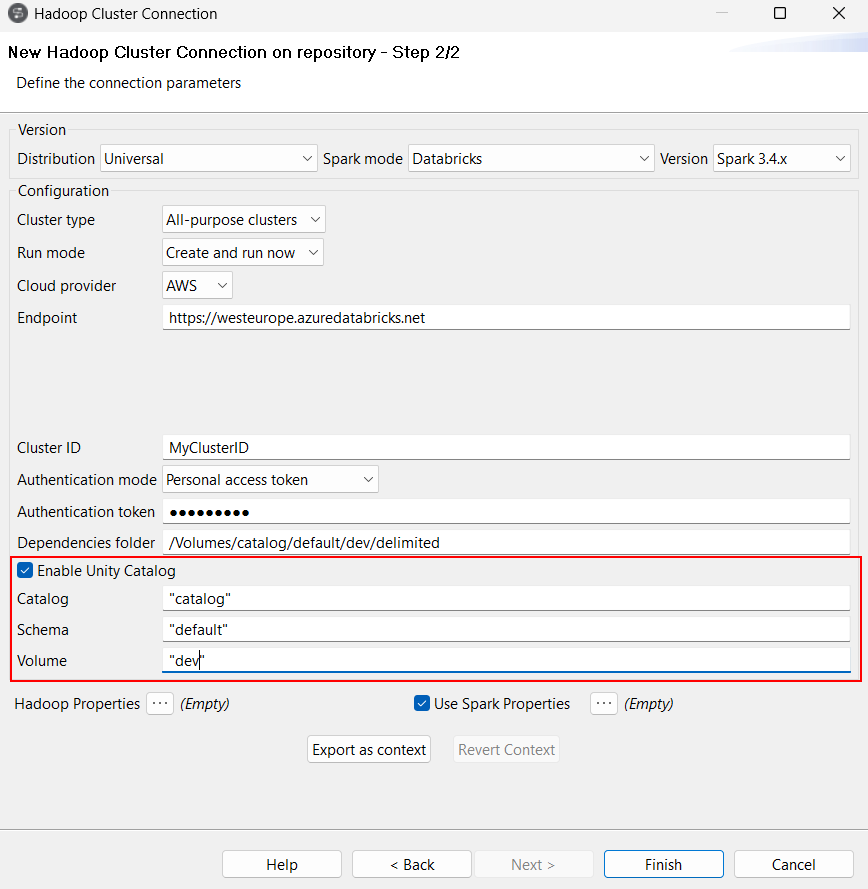
You can also configure Unity Catalog in Processing and extract components, but also in all input and output components available in Spark Batch Jobs by specifying the full path to Unity Catalog in the Folder parameter, containing the catalog, schema, and volume names. Note that only the components that use Dataset (DS) API are supported with Unity Catalog. With the beta version of this feature, Hive components are not supported. 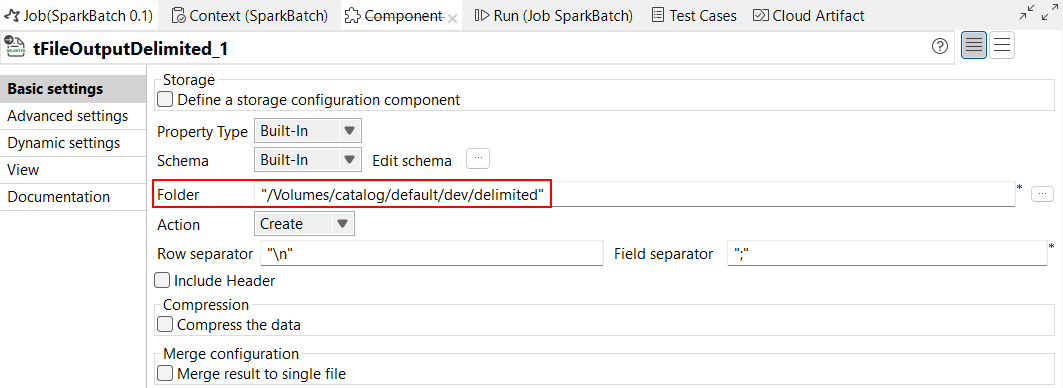
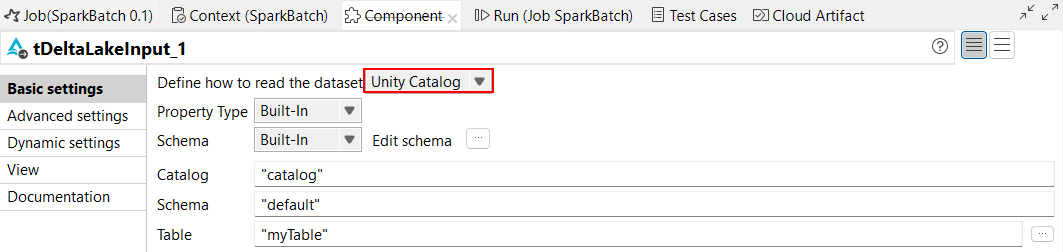
For tDeltaLakeInput and tDeltaLakeOutput components, you can use Unity
Catalog to work with managed tables.
|
| Support for Workspace location for Databricks |
For Databricks, the DBFS option is no longer supported for script location. It
is replaced by Workspace.
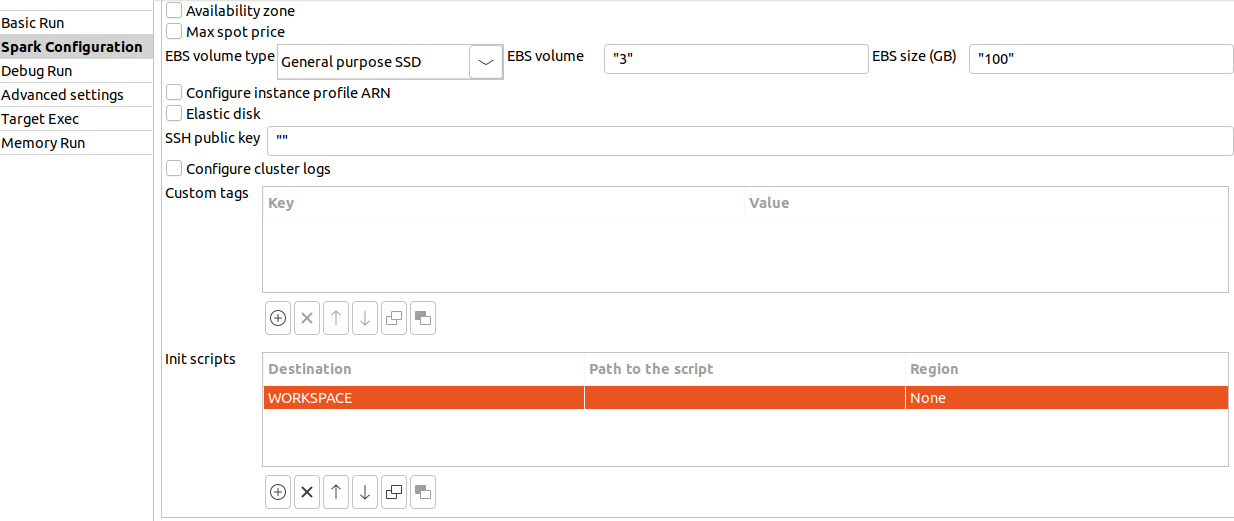
From Databricks 15.4 LTS, DBFS is no longer used to store application libraries. The Dependencies folder parameter uses the path to Workspace instead as default library location. |
| Support for Databricks 15.4 LTS with Spark Universal 3.x |
You can now run your Spark Batch and Streaming Jobs on job and all-purpose Databricks clusters on Google Cloud Platform (GCP), AWS, and Azure using Spark Universal with Spark 3.x. You can configure it either in the Spark Configuration view of your Spark Jobs or in the Hadoop Cluster Connection metadata wizard. When you select this mode, Talend Studio is compatible with Databricks 15.4 LTS version. 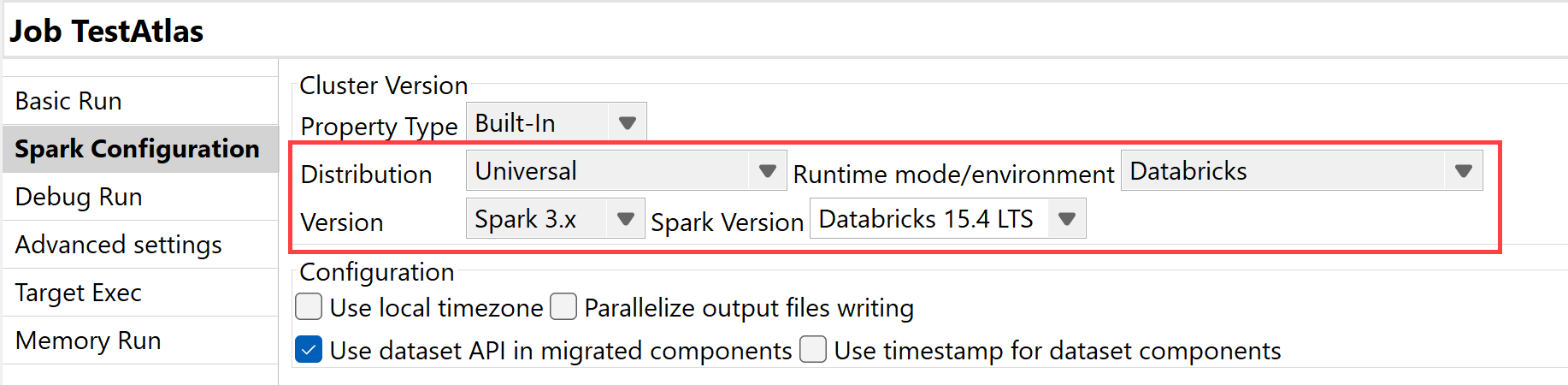
|
Data Integration
| Feature | Description |
|---|---|
|
Support for vector search capabilities for Delta Lake components in Standard Jobs |
The Delta Lake components can now use the Databricks vector search capabilities. |
|
tOllamaClient component is now supported as an input component in Standard Jobs |
The tOllamaClient component can now be used as a start component in a Job. |
|
Improvements in tHTTPClient options to download and save resources in Standard Jobs |
The Use custom attachment name and Use cache to save resource options have been added to the tHTTPClient component, and allow you to define the file name of the attachment, as well as to save the data in the cache to improve performances. |
Data Mapper
| Feature | Description |
|---|---|
| Support for parameterized expressions in DSQL map editor (DSEL) | Talend Studio
now supports parameterized expressions in DSQL map editor, which allow you to
create flexible and adaptable expressions.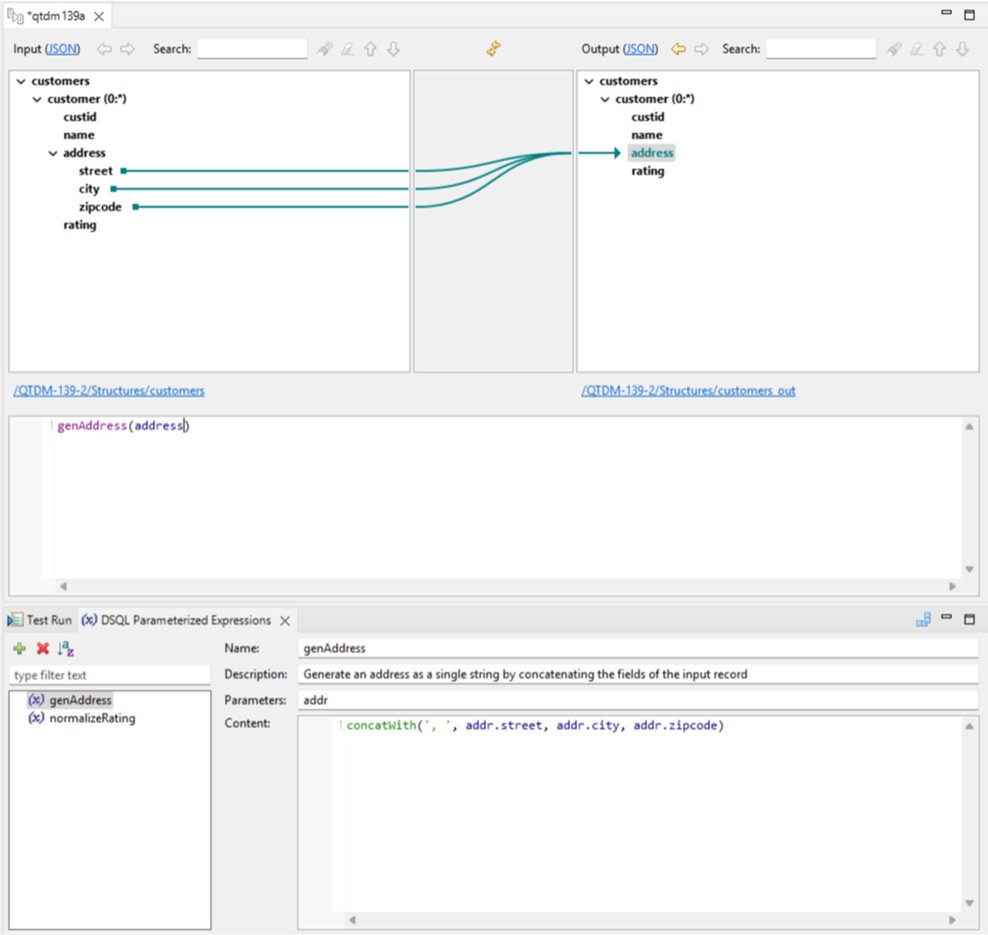
|
| Support for DSQL maps export as CSV | You can now export a DSQL map as a CSV file, with the Maps as
CSV option. The exported file is also compatible with Excel. For more information, see Exporting a map. 
|
| Support for Avro schema (Confluent registry) with structure import | You can now create a structure from an Avro schema stored in a Confluent
Schema Registry. For more information, see Working with Avro schema (Confluent Registry). 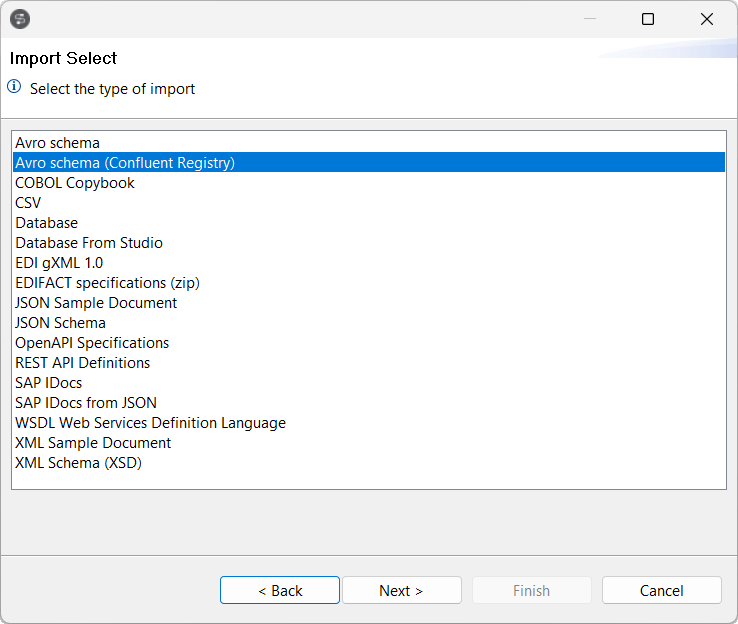
|
| Support for Flattening DSQL maps | Talend Studio
now supports flattening DSQL maps. This feature replaces the previous flattening
standard maps support. For more information about flattening DSQL map, see Creating a flattening map. 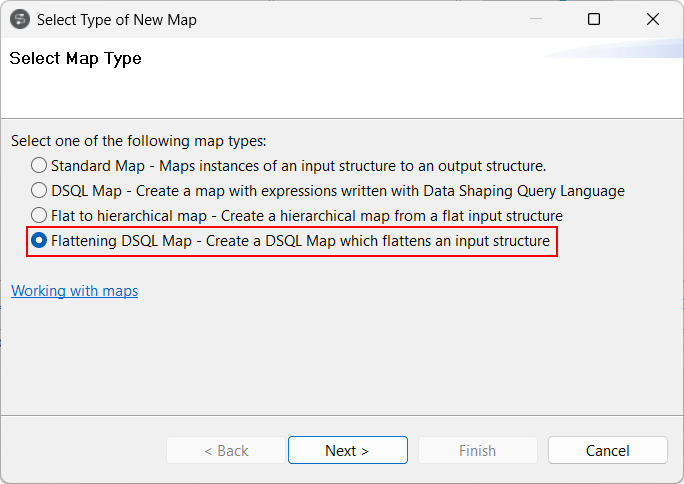
|
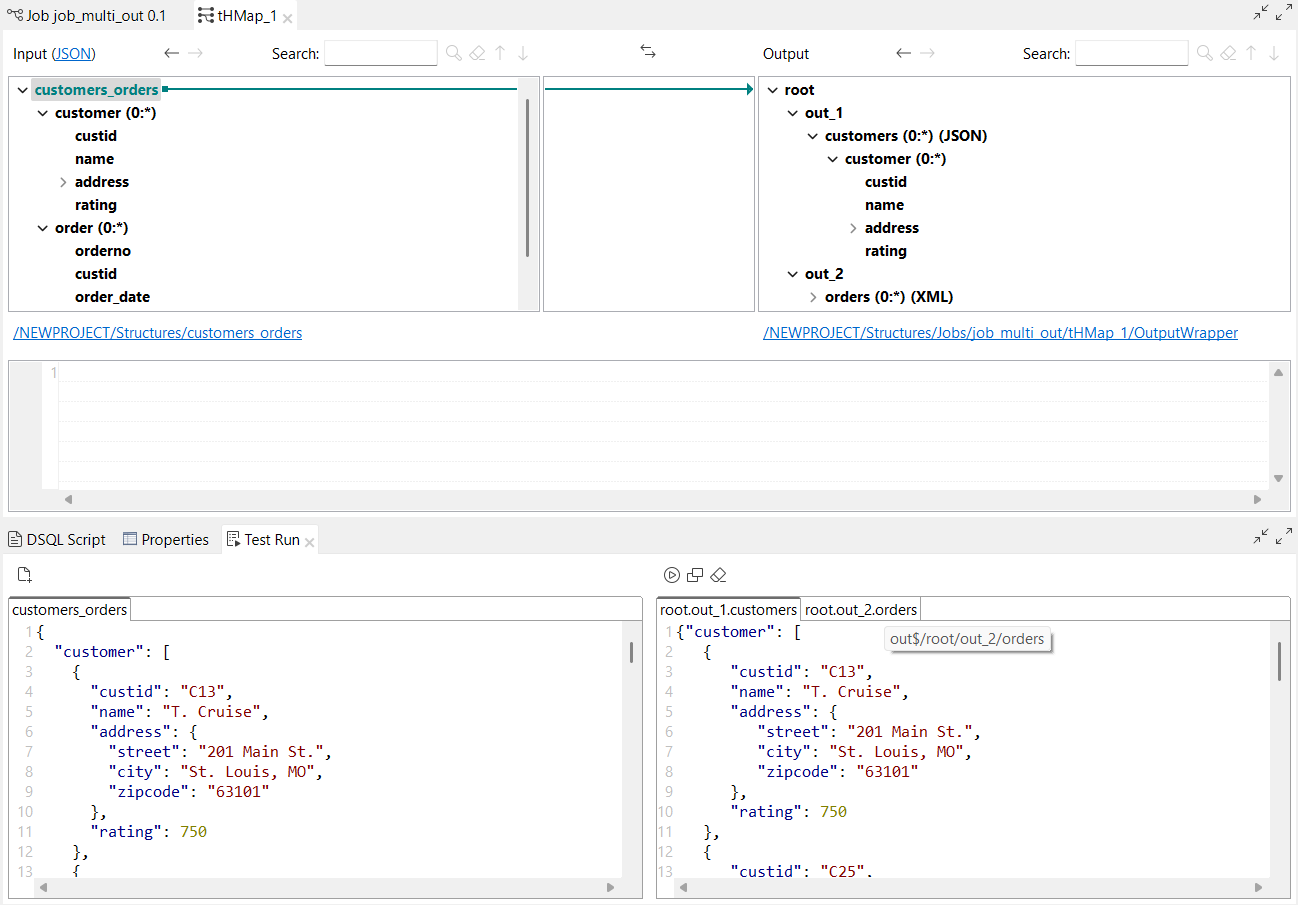
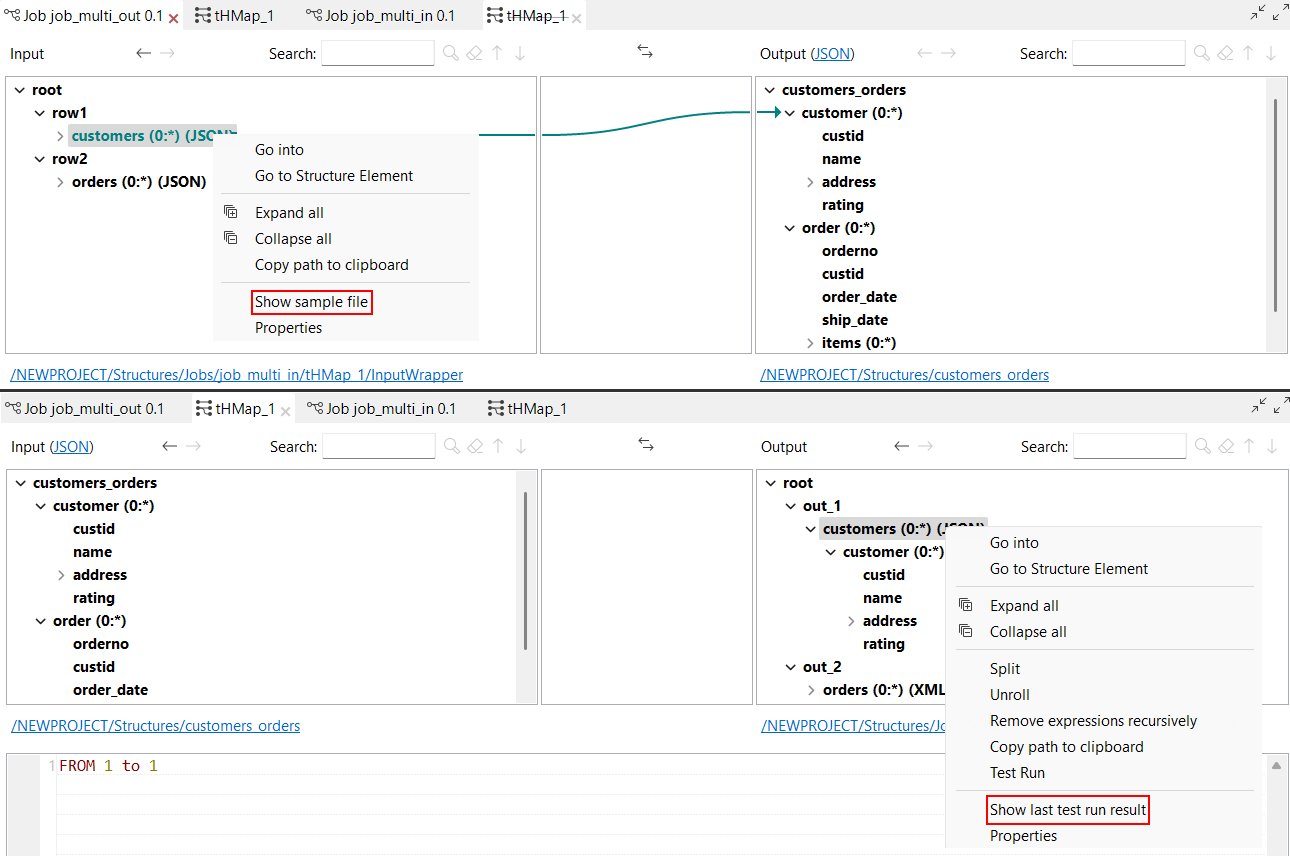
| Support for multiple inputs and outputs in DSQL maps Test Run view | The Test Run feature can now be used on DSQL maps
with multiple inputs and multiple outputs. In the Test Run view:
With this feature, two new options are available when you right-click the structure:
|
| New array functions in DSQL maps | The following arrays functions are now available in DSQL maps:
|
| New getValueFromExternalMap and putValueToExternalMap functions in DSQL maps | The following functions are now available in DSQL maps:
|
| New option to set a description to split and unrolled loops in Standard maps | The Set description... parameter is now available for
split and unrolled elements in a Standard map. It allows you to set a description
for these elements, which can be different from the base looping map element. 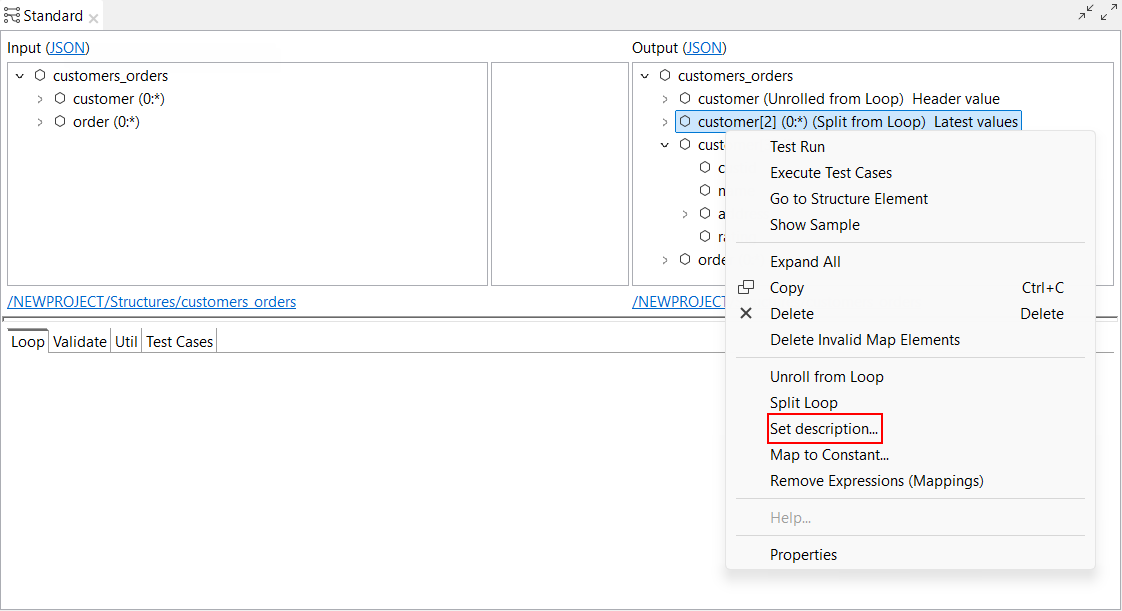
|
| Support for ELSE IF and THEN keywords in conditional expressions in DSQL maps | Talend Studio
now supports the ELSE IF and THEN keywords in
conditional expressions in DSQL maps.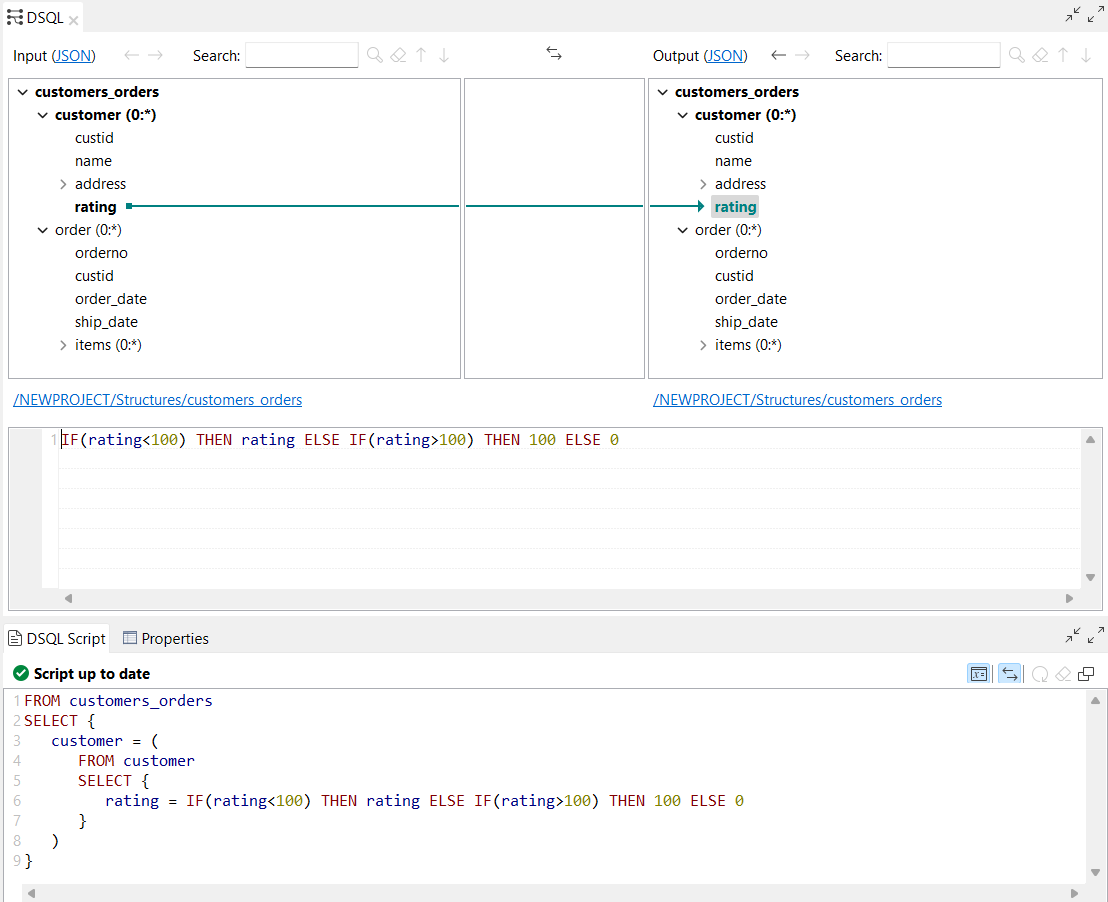
|
| New shortcut to open and execute test run in DSQL map editor | A new keyboard shortcut Ctrl + T is now available to open and execute a test run in DSQL map editor. |
| Update of the COBOL reader choice resolution strategy | The COBOL reader choice resolution strategy is updated at runtime when your
structure contains a choice between multiple alternatives. The fallback strategy
now works as follows:
A new option is available in the Cobol Properties dialog box, Apply default Choice resolution strategy to all alternatives, allowing you to apply the default choice resolution strategy, which means that the fallback strategy is always applied to all alternatives when no alternative could be selected using an isPresent expression. 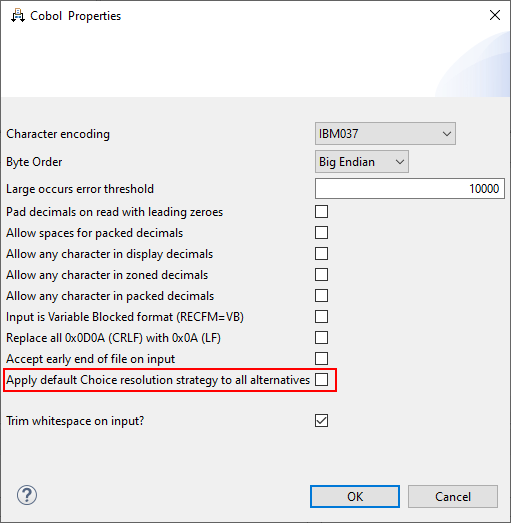
|
| Support NULL literal as an expression in DSQL maps | Talend Studio
now supports the NULL keyword as a literal in DSQL maps expressions.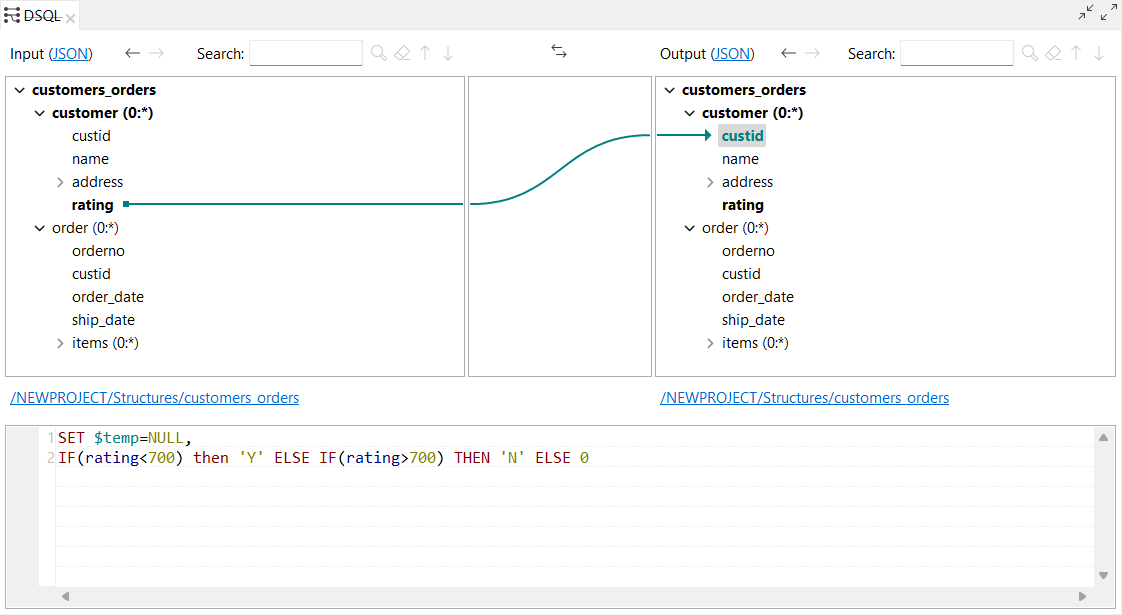
|
| New option to remove a structure from a DSQL map | The Remove structure is now available when you right
click the root element of a structure in a DSQL map. It allows you to remove the
input or output structure.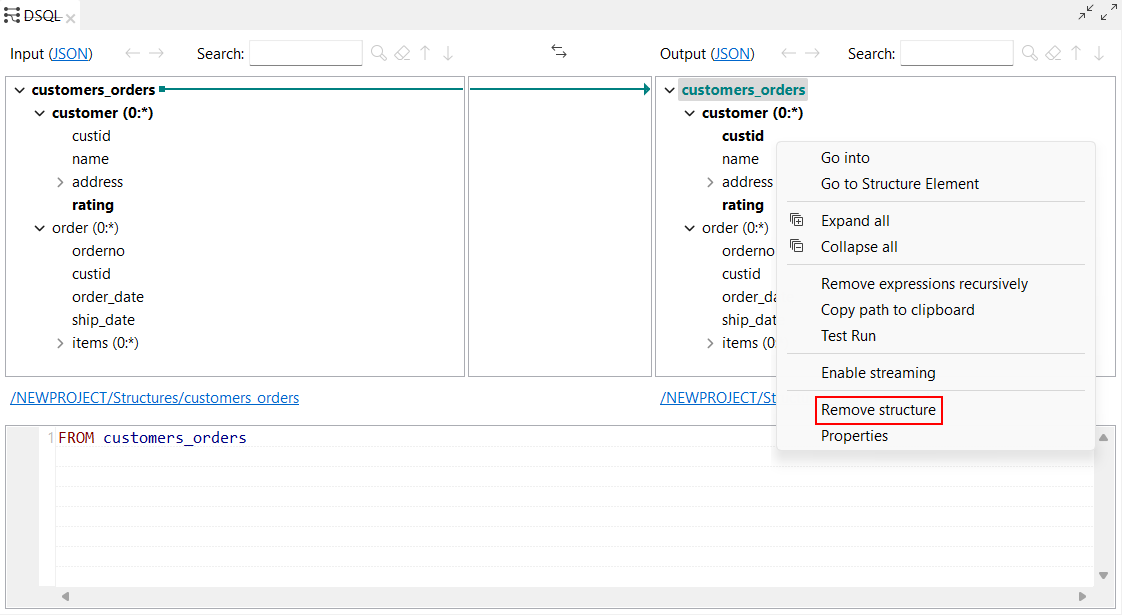
|
Data Quality
| Feature | Description |
|---|---|
| Support for Snowflake as a database connection on the repository | You can now create a Snowflake connection in the Profiling perspective and profile column analyses. |