Skip to main content Skip to complementary content

Saving and executing the Job

Availability-noteDeprecated

Procedure

  1. Press Ctrl+S to save your Job.
  2. Press F6 or click Run on the Run tab to run the Job.
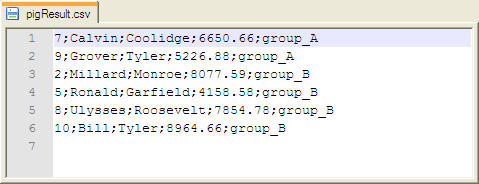
    The result file includes all the information related to people of group A and group B, except their group IDs.

Did this page help you?

If you find any issues with this page or its content – a typo, a missing step, or a technical error – please let us know!