Skip to main content Skip to complementary content

Configuring the tPigCode component

Availability-noteDeprecated

Procedure

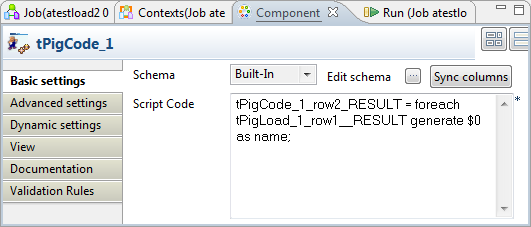
  1. Double-click tPigCode component to open its Basic settings view.
  2. Click Sync columns to retrieve the schema structure from the preceding component.
  3. Fill in the Script Code field with following expression:
    tPigCode_1_row2_RESULT = foreach tPigLoad_1_row1_RESULT generate $0 as name;
    This filter expression selects column Name from CustomerList.

Did this page help you?

If you find any issues with this page or its content – a typo, a missing step, or a technical error – please let us know!