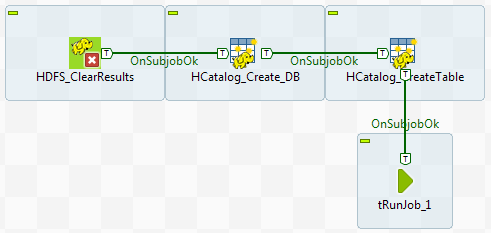
It is possible to run all the Jobs in the required order at one click.
Procedure
Drop a tRunJob component onto the design
workspace of the first Job, A_HCatalog_Create in this
example. This component appears as a subjob.
Link the preceding subjob to the tRunJob
component using a Trigger > On Subjob Ok connection.
Double-click the tRunJob component to
open its Basic settings view.
Click the [...] button next to the
Job field to open the Repository Content dialog box. Select the Job
that should be triggered after successful execution of the current Job, and
click OK to close the dialog box.
The next
Job to run appears in the Job field.
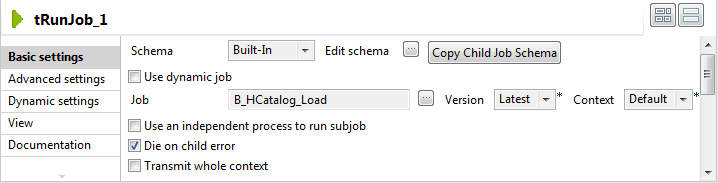
Double-click the tRunJob component again
to open the next Job. Repeat the steps above until a tRunJob is configured in the Job E_Pig_Count_IPs to trigger the last Job, F_Read_Results.
Run the first Job.
The successful execution of each Job triggers the next Job, until all the
Jobs are executed, and the execution results are displayed in the console of
the first Job.
Did this page help you?
If you find any issues with this page or its content – a typo, a missing step, or a technical error – please let us know!