Running the Jobs at one click
After the six Jobs are properly set up and configured, click the Run button on the Run tab or press F6 to run them one by one in the alphabetic order of the Job names.
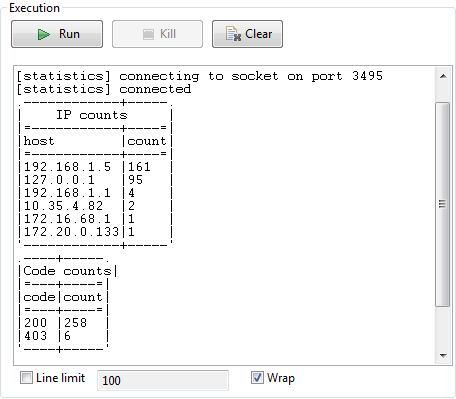
You can view the execution results on the console of each Job.
Upon successful execution of the last Job, the system console displays IP addresses and codes of successful service calls and their number of occurrences.