
Sharing APIs in Default repository
Share API contracts and API contract versions. This option is available only in Default repository.
Sharing an API contract
Add owners or editors to all versions of an API, including future versions.
Before you begin
Procedure
-
In the left panel, click
 next to the API name.
-
Select the user or group that you want to grant access to the API.
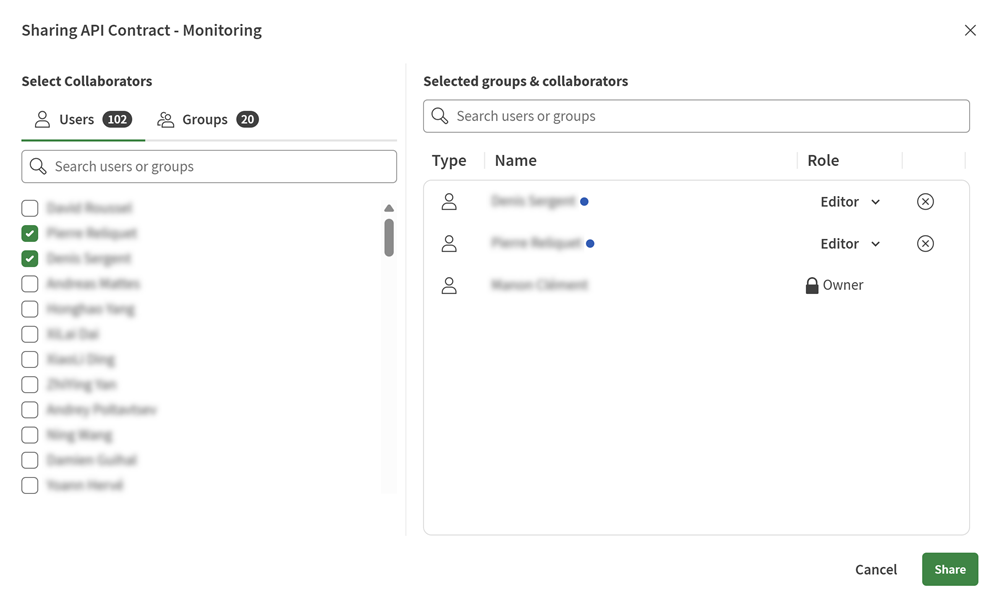
Results
Sharing an API contract version
Add a user or group as an editor of a specific API version.
Before you begin
Procedure
-
You can share an API version:
- From the left panel under the API contract, click next to the version, and click
Share.
- From an open API version, click
 .
.
- From the left panel under the API contract, click
-
Select the user or group that you want to grant access to the API
version.
At the version level, you can only add users or groups as editors.
