
Creating a data type
Last updated: 9/23/2026
A data type is a description of the data that is exchanged over the
network. It can be reused throughout the API version.
Procedure
-
Click Create new in the top-right corner.

-
Click Edit next to your newly created data type to edit the
type or add a description and examples.
 Information noteNote: Only the object type supports properties. Types such as string or integer do not support adding properties.
 - Optional:
If the type is object, click Add
property.
- Enter a Name and select a Type for your property.
- Fill in the fields that appear. The available fields depend on the selected type.
- Click Add.
Example
Define the firstName property as a required property of type string, described as Customer's first name.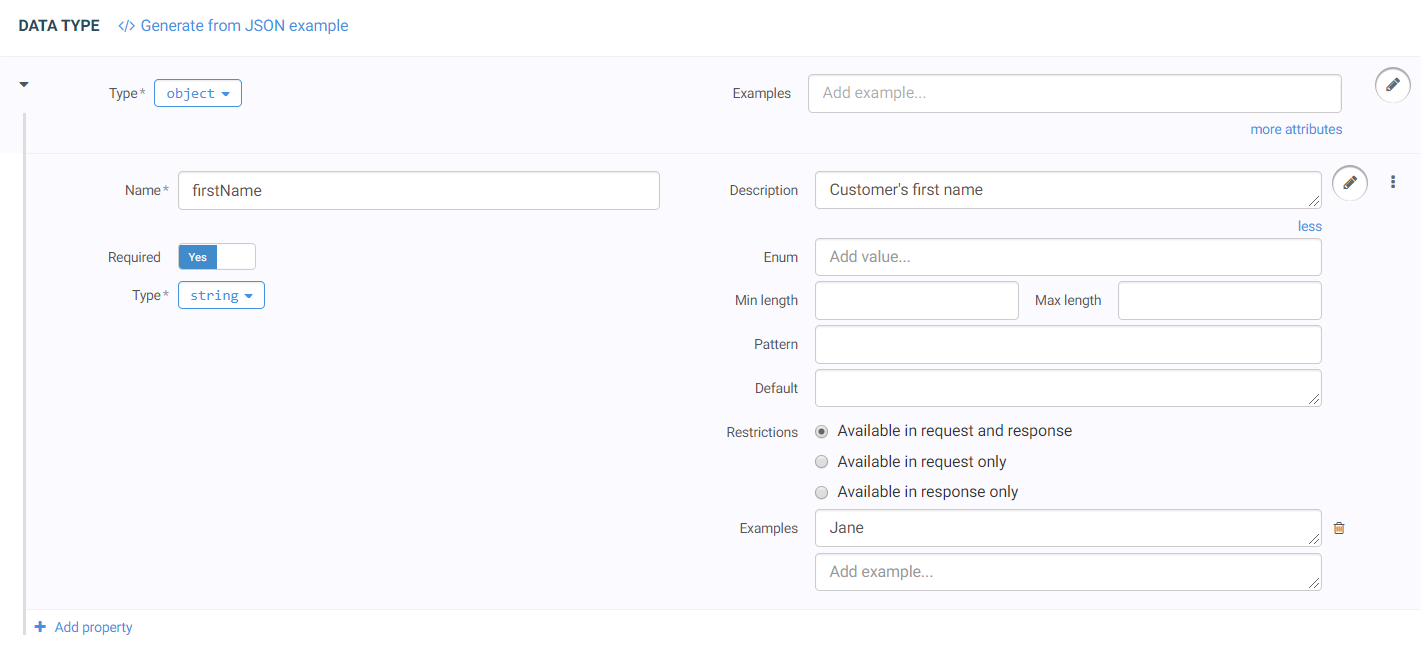 You can add as many properties as needed to an object data type.