Click the Register a server button to open a dialog box to
register a new Qlik
Enterprise Manager (QEM) server.
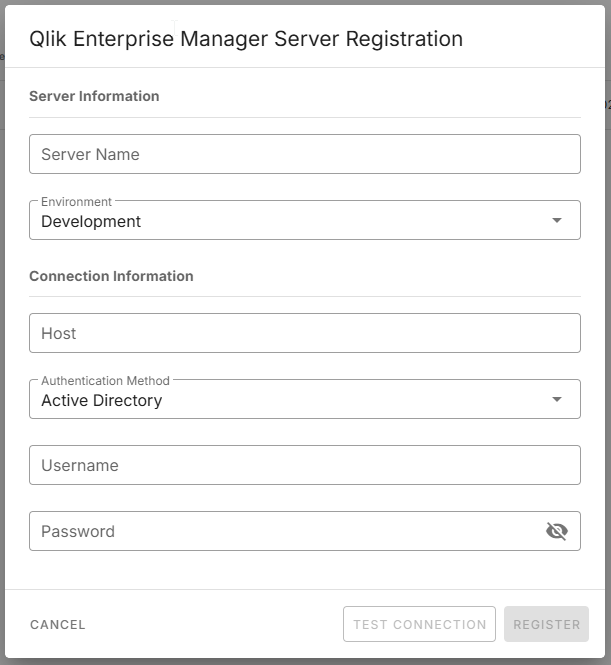
Enter a unique and symbolic name to identify the server in the
Name field.
You can use spaces.
Select an environment type which will be used to group the QEM servers.
If your environment is not listed, select the closest one from the list.
Add the server host: FQDN or IP address.
Select how Qlik Talend Cloud Migration Toolkit
will authenticate against Qlik
Enterprise Manager.
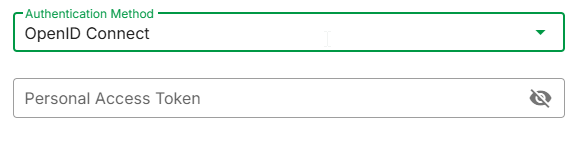
Default is Active Directory. Other options (if enabled by
your admin) are OpenID Connect or
JWT.
Credentials for the selected authentication method.
For Active Directory and local logins, supply a service
account with a minimum of Read-Only Admin privileges.
For OpendID Connect or JWT, provide
a Personal access token or JWT Token.
Test the connection to validate your inputs.

Click Register to register the Qlik
Enterprise Manager server.
The registration process triggers the collection of the inventory of the server
assets. For large Enterprise Manager (in number of assets), the inventory can take
several minutes.