The Talend project
migration upgrades project code, uploads artifacts to the target tenant, publishes
artifacts to an artifact repository, and generates a CVE report.
Installing the CI/CD sandbox environment
A local Talend 8
CI/CD Sandbox environment is required before migrating or upgrading project
artifacts.
Navigate to Manage > Add CI/CD Environment.
Optionally, update the installation directory.
Select a command line version. The latest version is recommended.
Click Install to begin the installation.
Creating a manifest
A manifest is the configuration of a Talend
project migration run.
Select Migration in the left navigation drawer to open the
migration selection page.
Click the Talend Projects tile.
Click Create a Manifest.
Confirm the installed CI/CD sandbox environment is selected.
Select whether the artifacts being migrated are from the target tenant or
imported manually.
If TMC registered Project was selected, select the project
to migrate.
If Imported Talend Project was selected, skip to step 7.
Information noteNote: Only projects previously migrated in the
administrative assets step are available.
Enter the project credentials and click CONNECT.
Select the appropriate branch, click GET PROJECTS.
Select the project and click LOAD.
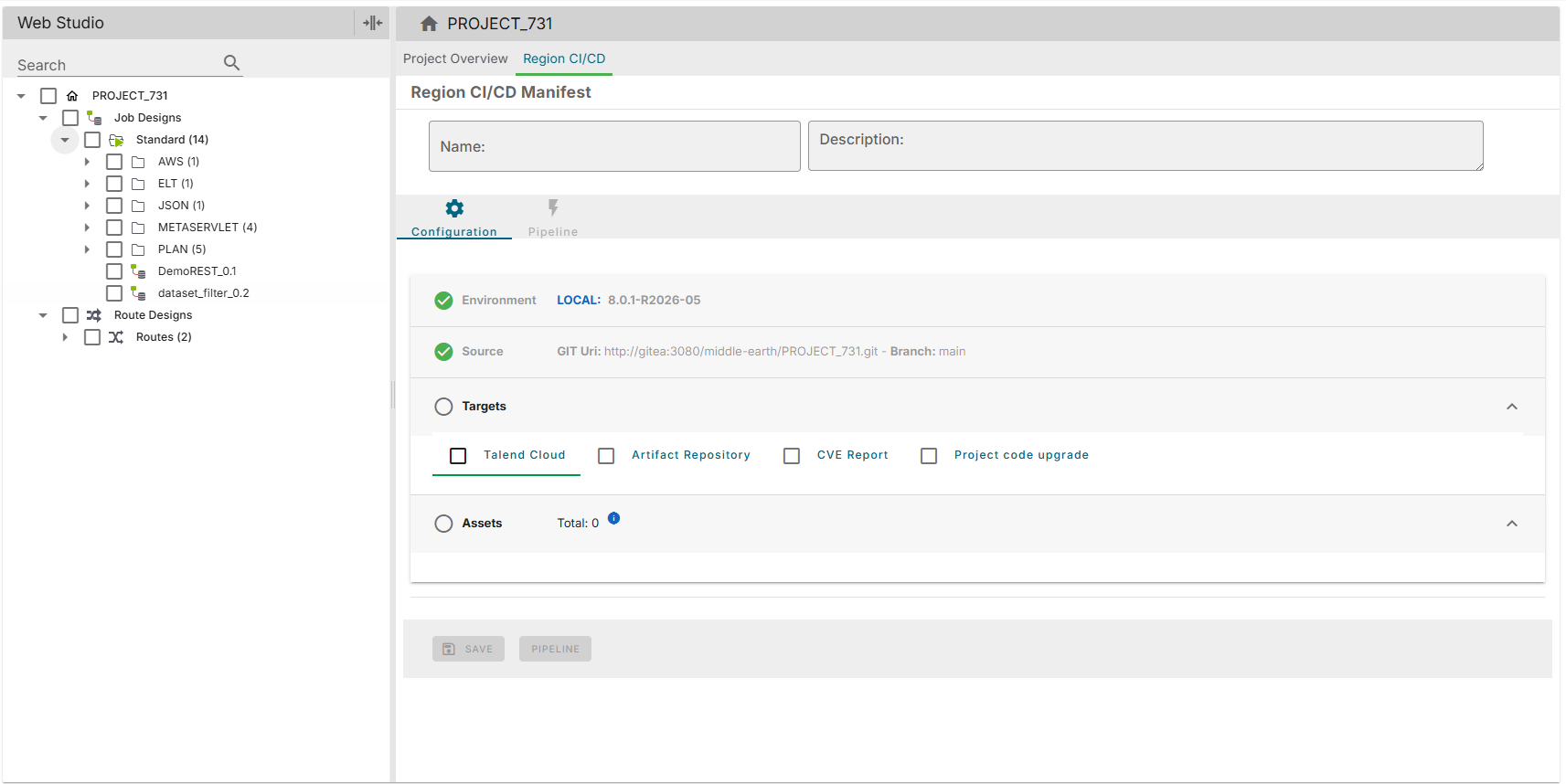
Choose from the available pipeline options: Talend Cloud, Artifact Repository, CVE
Report, and Project Code Upgrade.
Use the tree view on the left to select the specific Jobs and Routes to include
in the migration.
Pipeline options
Talend Cloud
The Talend Cloud option
publishes the selected artifacts to the target tenant and generates a task to associate
the artifact with.
For Talend Cloud, provide the environment, space, task name, task description, and
engine to assign the new artifact and task to.
Artifact repository
The artifact repository option publishes project artifacts to a Nexus or JFrog
Artifactory repository.
Provide the repository URL, credentials, and target repository name.
If Project Code Upgrade is also enabled, the upgraded
artifacts are published to the repository.
CVE report
When enabled, a Common Vulnerabilities and Exposures (CVE) report is generated after the
pipeline execution completes.
Project code upgrade
The project code upgrade option upgrades project code to Talend 8.
Enable Commit and Push Upgraded Code to Git to push the
upgraded code to a new branch in the Git repository.
Specify the branch name in the text field provided below the checkbox.
The
branch name must be unique and must not already exist in the repository.
The naming convention is flexible, for example
upgrade/talend8-projectname or
migration-2026-08.
Running the pipeline
After saving the manifest, navigate to the Pipeline
page.
Click RUN to execute the CI/CD migration pipeline.


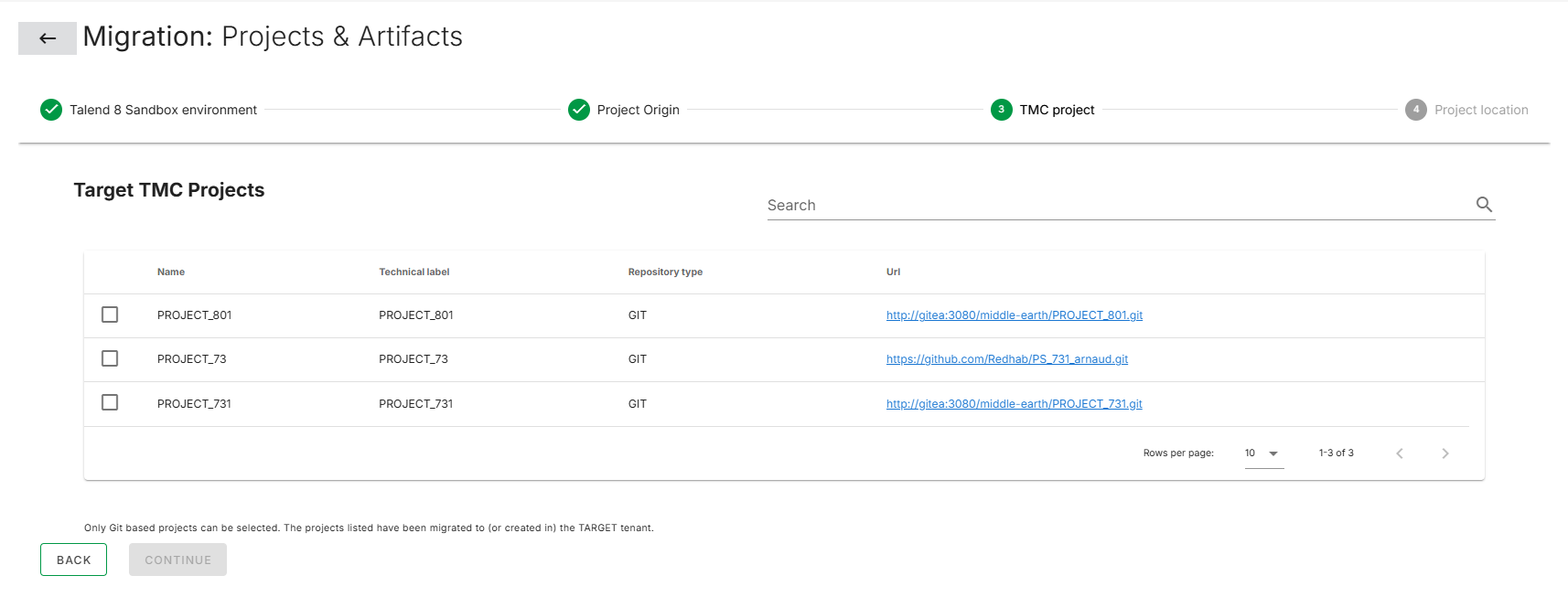 Information noteNote: Only projects previously migrated in the administrative assets step are available.