
Setting up the Java version to build artifacts in Talend Studio
Last updated: 9/17/2026
You can configure the Java version used for compiling Routines and Jobs to match
your target execution environment.
Procedure
-
Click
 on the toolbar of the Talend Studio main window, or click from the menu bar to open the Project
Settings dialog box.
on the toolbar of the Talend Studio main window, or click from the menu bar to open the Project
Settings dialog box.
-
Expand the Build node and click Java
Version to open the Java Version settings.
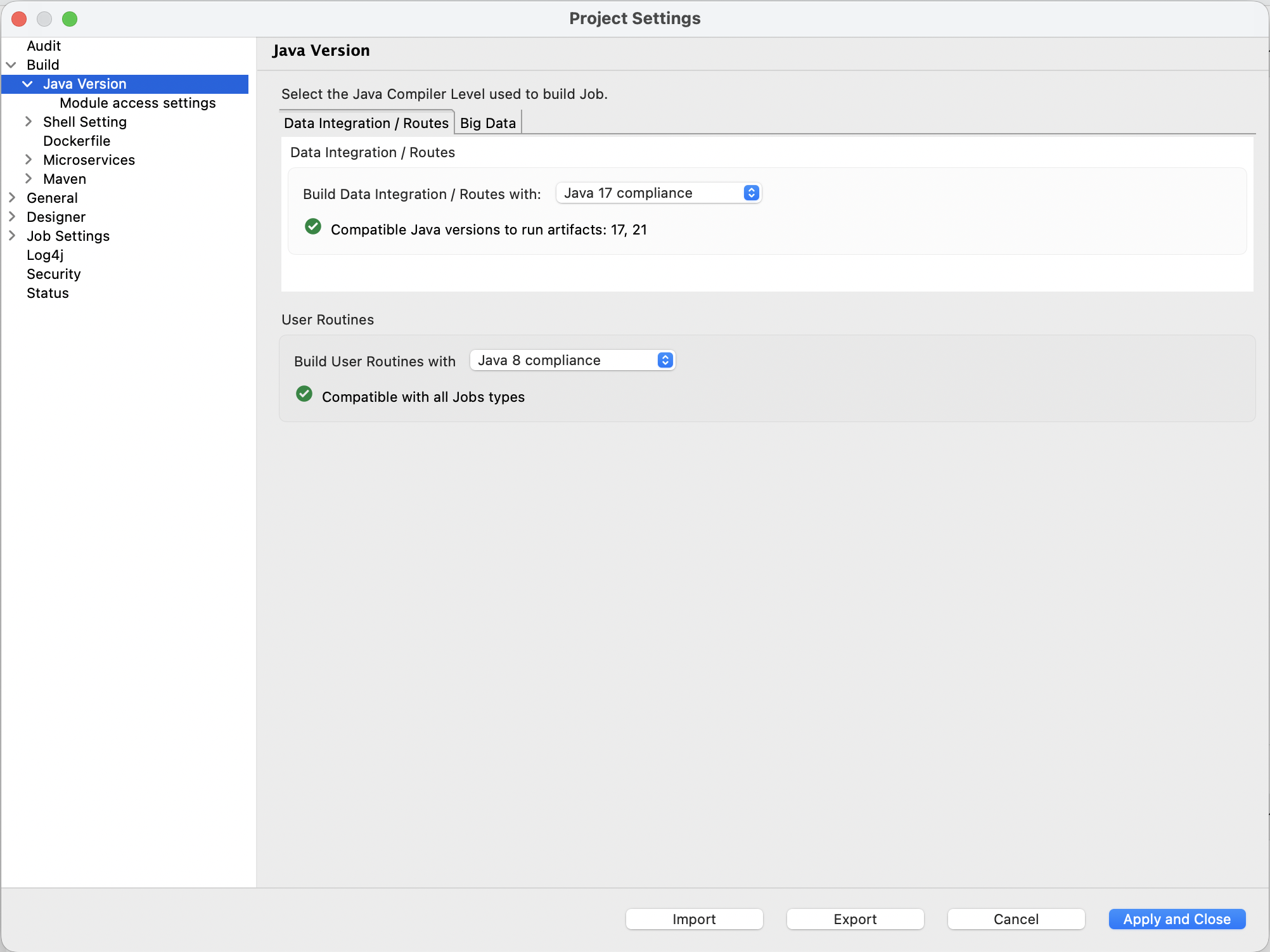
The available settings depend on whether Big Data features are installed in Talend Studio:
- Without Big Data features, the Java Version
view shows the following settings:
- Build Data Integration / Routes with: Java 17 or Java 21. Supported Java versions for runtime: Java 17 and Java 21.
- Build User Routines with: Java 8, Java 17, or Java 21.
- With Big Data features installed, the Java
Version view shows two tabs:
- Data integration / Routes: shows the same settings as the view without Big Data features.
- Big Data: shows the Spark compilation
options and supported Java versions for each Spark type:
- Big Data Spark Batch < 3.5 / Streaming: compiled with Java 8 compliance only. Supported Java version for launcher: Java 17. Supported Java versions in cluster: 8, 11, and 17.
- Big Data Spark Batch 3.5 and 3.x: compiled with Java 8 or Java 17 compliance. Supported Java versions for runtime: 17 and 21. Supported Java versions in cluster: 8, 11, and 17.
- Big Data Spark Batch 4.0: compiled with Java 17 compliance only. Supported Java versions for launcher: 17 and 21. Supported Java versions in cluster: 17.
Information noteNote: The Routine compilation level must not exceed the Job compilation level. If it does, Studio displays a warning listing the incompatible Job types. - Without Big Data features, the Java Version
view shows the following settings: