Defining foreign keys to link entities in a data model
Last updated: 9/1/2026
The following procedure shows how to define foreign keys to link entities created
in Creating business entities in the data model in the Movie data model.
Procedure
-
In the Data Model Entities
panel, right-click the element you want to set as a foreign key and select
Set the Foreign Key from the contextual
menu.
In this example, right-click the Director attribute from the Movie entity.
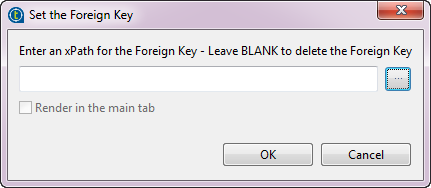
The Set the Foreign Key dialog box pops up.
Note that a Foreign Key must always be a string.
-
Click the [...] button to open
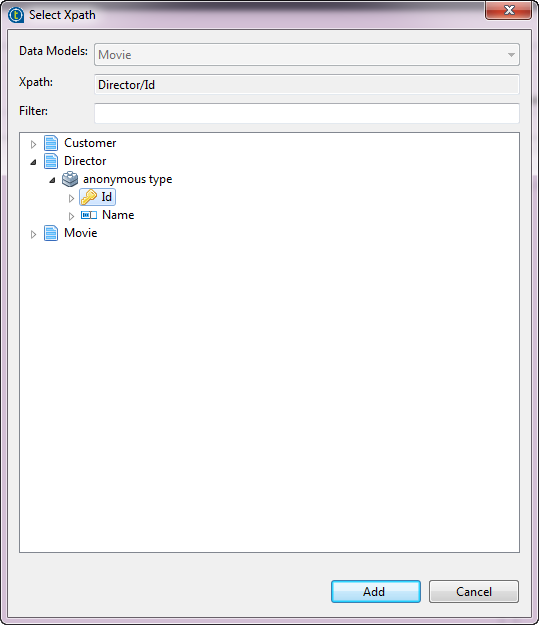
the Select Xpath dialog box.
-
Click OK to finish setting the
foreign key.
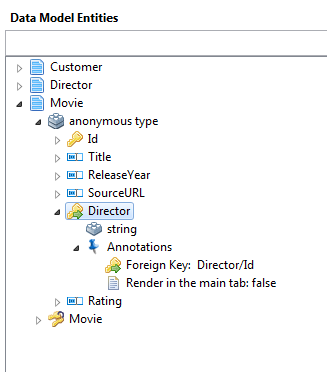
The foreign key is set to Director/Id under the Annotations node of the Director attribute in the Movie entity.
-
Follow the same steps to set the Movie attribute in the Customer entity as a foreign key which points to the Movie entity.
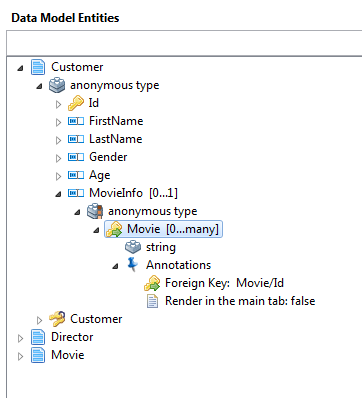
Results
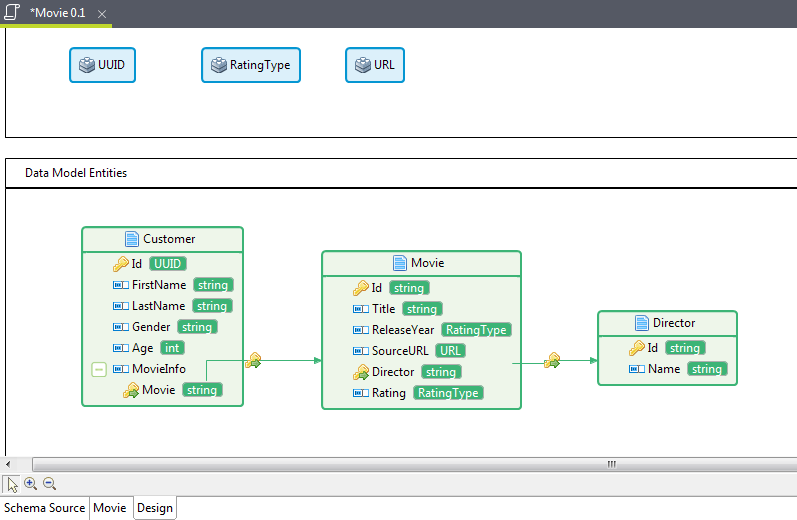
In the Movie data model, the foreign keys are added to link entities in the data model. You can also click the Design tab to view the relationships between entities in a data model in a graphical designer. For more information, see Talend Studio User Guide.