Customer Service Provider
Procedure
-
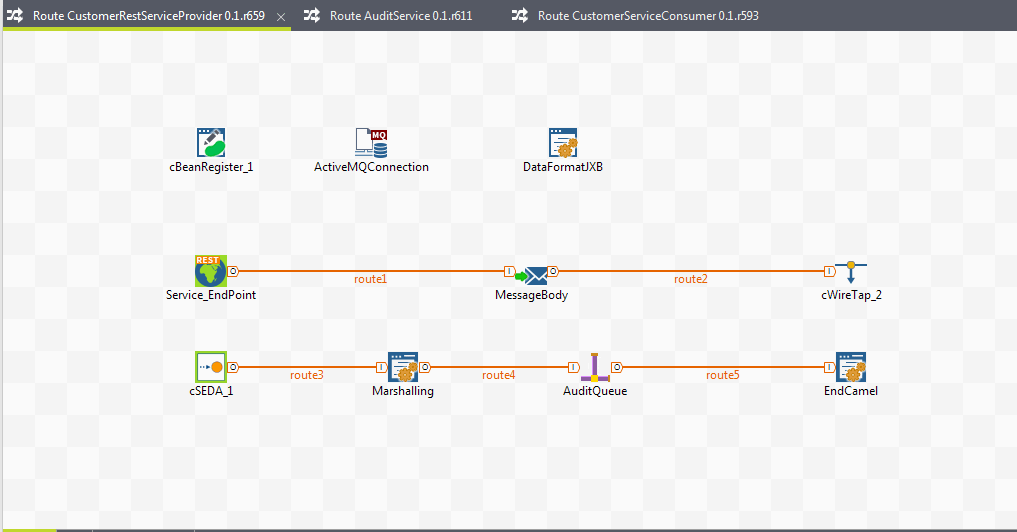
Place the following components as shown in the screenshot below:
-
cBeanRegister - cMQConnectionFactory - cConfig
-
cREST - cSetBody - cWireTap
-
cSEDA - cJavaDSLProcessor - cJMS - cJavaDSLProcessor
-
-
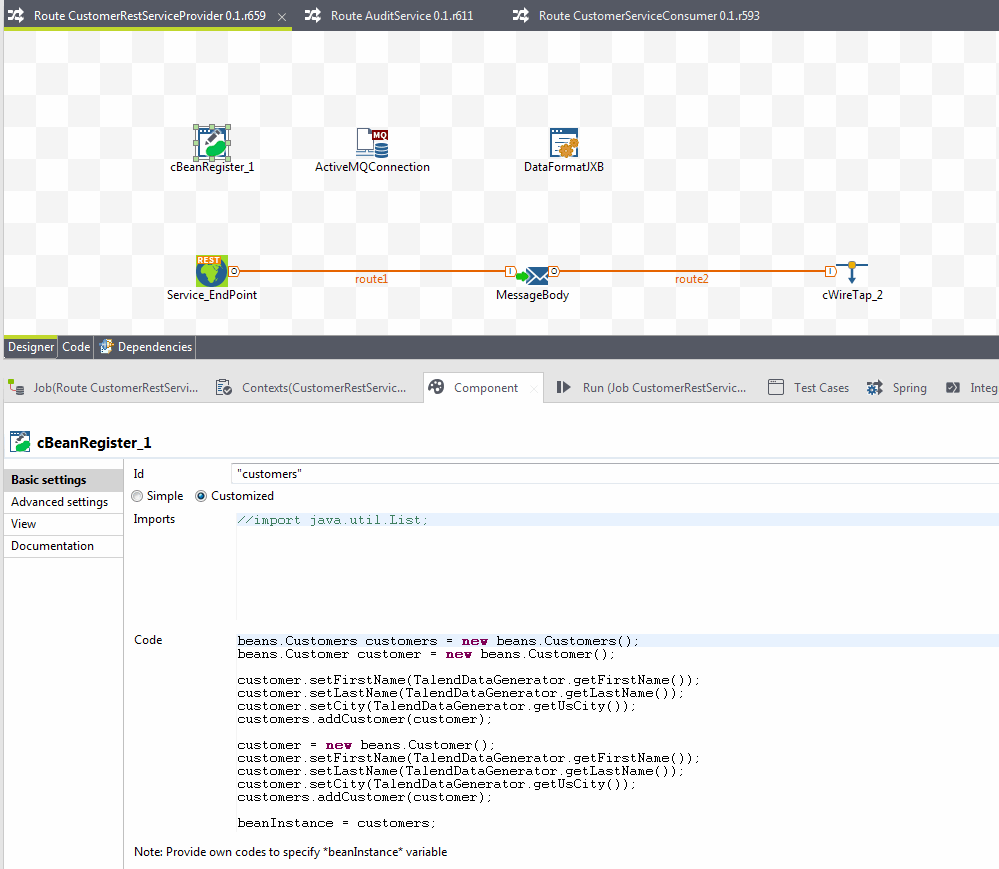
Configure the cBeanRegister component to
customers as a Bean Id. In the
code section, we are going to populate some random data.
beans.Customers customers = new beans.Customers();
                        beans.Customer customer = new beans.Customer();
                        customer.setFirstName(TalendDataGenerator.getFirstName());
                        customer.setLastName(TalendDataGenerator.getLastName());
                        customer.setCity(TalendDataGenerator.getUsCity());
                        customers.addCustomer(customer);
                        customer = new beans.Customer();
                        customer.setFirstName(TalendDataGenerator.getFirstName());
                        customer.setLastName(TalendDataGenerator.getLastName());
                        customer.setCity(TalendDataGenerator.getUsCity());
                        customers.addCustomer(customer);
                        beanInstance = customers;
You have created two Beans namely Customer and Customers.
The following is the code for the Customers Bean:
@XmlRootElement
public class Customers {
                    ArrayList<Customer> customers = new ArrayList<Customer>();
                    @XmlElement
                    public ArrayList<Customer> getCustomers() {
                                        return customers;
                    }
                     public void setCustomers(ArrayList<Customer> customers) {
                                this.customers = customers;
                    }
                      public void addCustomer(Customer customer) {
                                if (this.customers == null) {
                                         customers = new ArrayList<Customer>();
                                }
                                this.getCustomers().add(customer);
                                }
                                }
and the following code is for the Customer Bean:
@XmlRootElement @XmlType(propOrder = { "firstName", "lastName", "city" }) public class Customer { private String firstName; private String lastName; private String city; @XmlElement(name = "firstName") public String getFirstName() { return firstName; } public void setFirstName(String firstName) { this.firstName = firstName; } @XmlElement(name = "lastName") public String getLastName() { return lastName; } public void setLastName(String lastName) { this.lastName = lastName; } @XmlElement(name = "city") public String getCity() { return city; } public void setCity(String city) { this.city = city; } } -
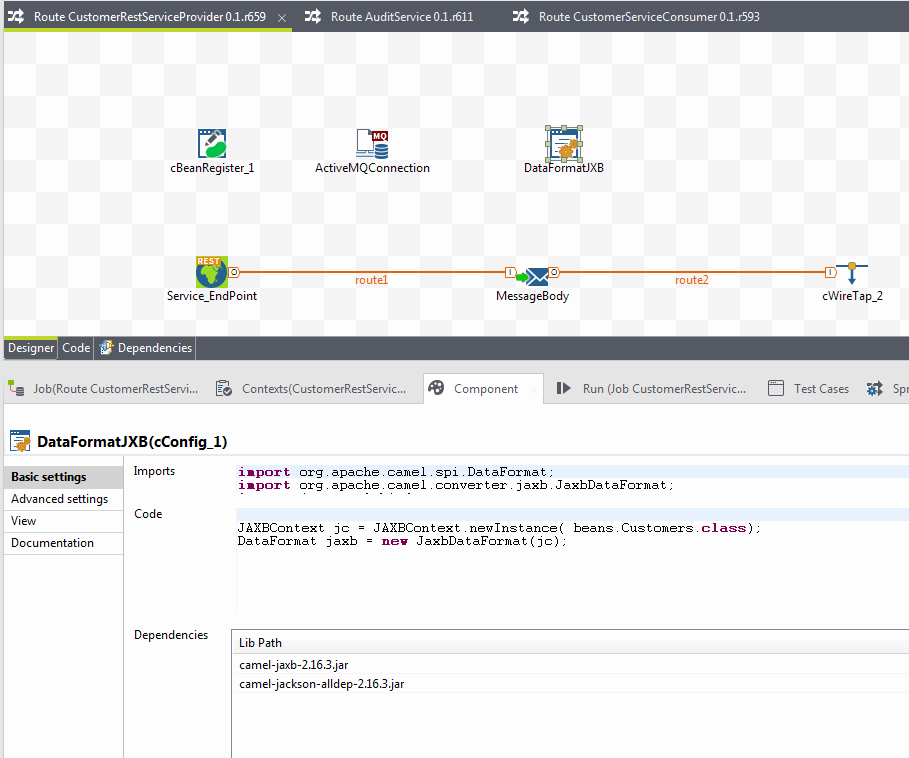
We need to convert the data to XML format. Configure a
cConfig component to include the required jar files
and instantiate the Jaxb context.
import org.apache.camel.spi.DataFormat; import org.apache.camel.converter.jaxb.JaxbDataFormat; import javax.xml.bind.*; JAXBContext jc = JAXBContext.newInstance( beans.Customers.class); DataFormat jaxb = new JaxbDataFormat(jc); -
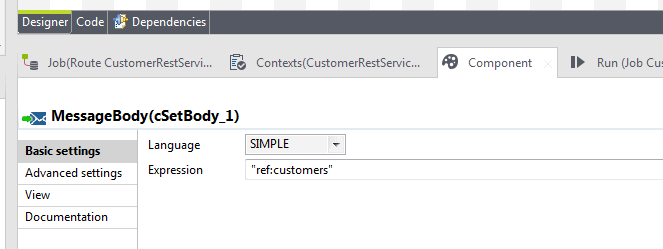
Configure the cSetBody component to call the
customers Bean as shown in the screenshot
below.
-
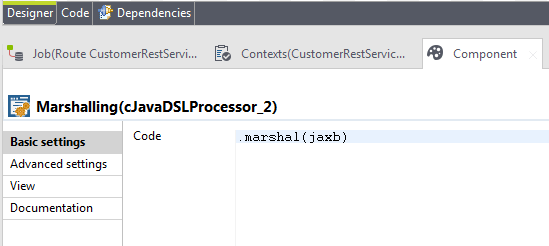
Connect the cSEDA component with the
cJavaDSLProcessor and configure it with the code
.marshal(jaxb) as shown below. Jaxb is the
DataFormat handler you already defined in the
cConfig component.
-
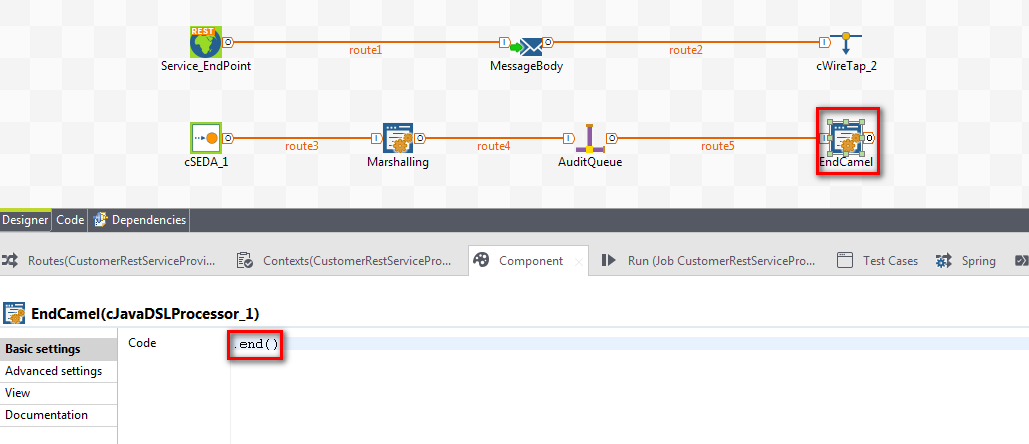
Connect with the cJMS and again with the
cJavaDSLProcessor with Code
.end(). Configure the Queue name
audit.
-
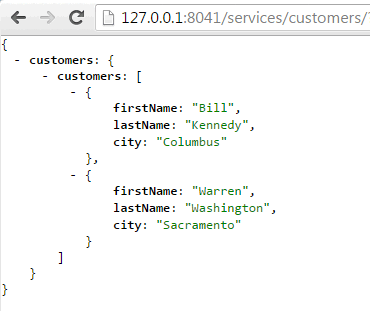
Run the Route and test it with a browser. You should get a customer list in
JSON format as shown below.
Now instead of deploying service to a Talend Runtime server, we will export it as a microservice.
-
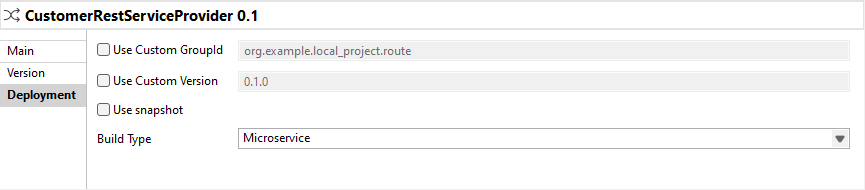
In the Deployment view of the Route
tab, select Microservice in the Build
Type list. Save the Route.
-
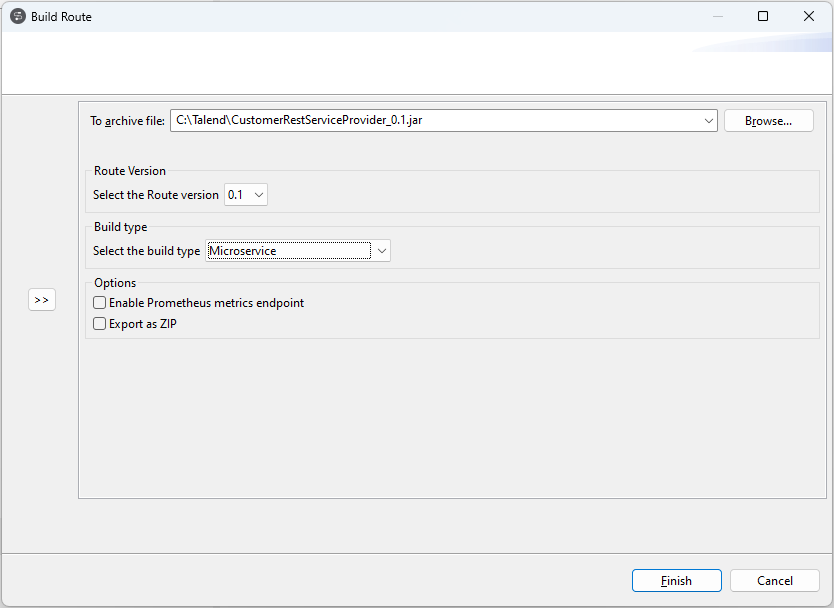
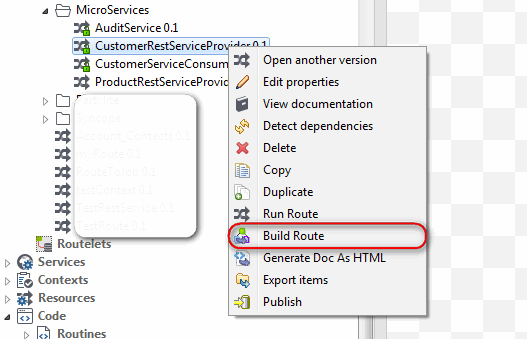
Right click on the Route and select Build Route.
-
The Build type is set to
Microservices. Click Finish to
export the Route.