Skip to main content Skip to complementary content

Running an analysis on a Talend Administration Center registered project

Procedure

  1. Select TAC registered project as the origin of the Talend project to analyze.
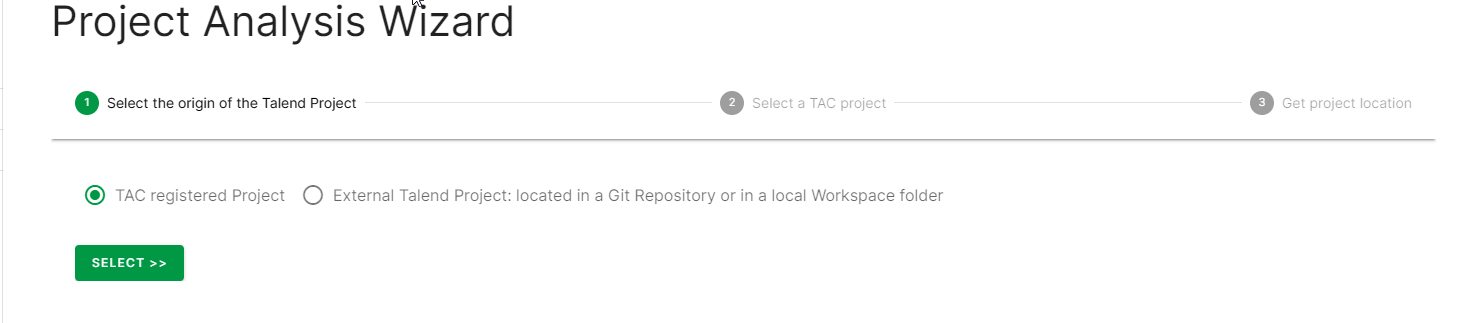
    First step of the Project Analysis Wizard, where you select the origin of the Talend Project
  2. The next page displays the list of all the projects collected from this server. Select the projects you want to analyze.
    Information noteNote:

    The selected project must have a Git URL populated as Qlik Talend Cloud Migration Toolkit will use this information to access the project code.

  3. Provide the Git credentials to access the Talend project.
    After connecting to the Git Repository, Qlik Talend Cloud Migration Toolkit displays the list of branches and for the selected one, the associated Talend Administration Center projects. If the selected branch doesn’t contain the expected project, an error message is displayed. Click Load.
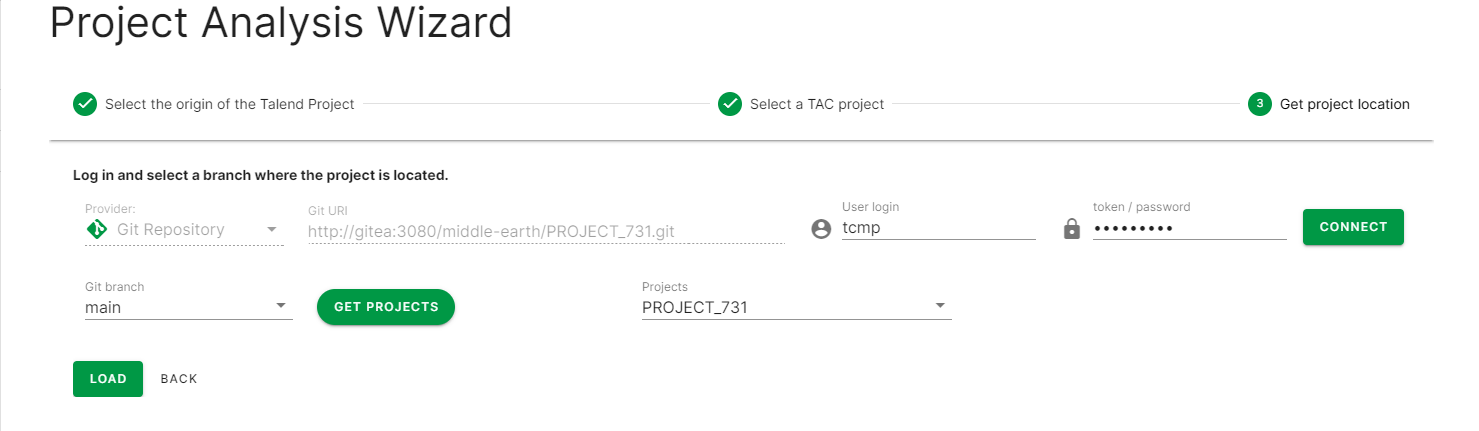
    Third step of the Project Analysis Wizard, where you get the project location

Visit the discussion forum at community.qlik.com

Did this page help you?

If you find any issues with this page or its content – a typo, a missing step, or a technical error – please let us know!