
Qlik MCP Server™
What is the Model Context Protocol?
The Model Context Protocol (MCP) is an open standard developed by Anthropic that defines how AI assistants — such as Claude, GitHub Copilot, and others — connect to external data sources, tools, and applications. Qlik's MCP server implements this standard, exposing Qlik Cloud's analytical capabilities — including apps, data models, insights, and automation — as a set of tools that any MCP-compatible AI assistant can discover and use.
Rather than requiring each AI tool to build its own proprietary integrations, MCP provides a universal interface: a structured way for AI models to discover what a system can do, request data from it, and take actions within it. Think of MCP as a common language between AI assistants and enterprise platforms. Just as REST APIs standardized how applications communicate with each other over the web, MCP standardizes how AI models communicate with the tools and data sources they need to be useful in a business context.
Business value
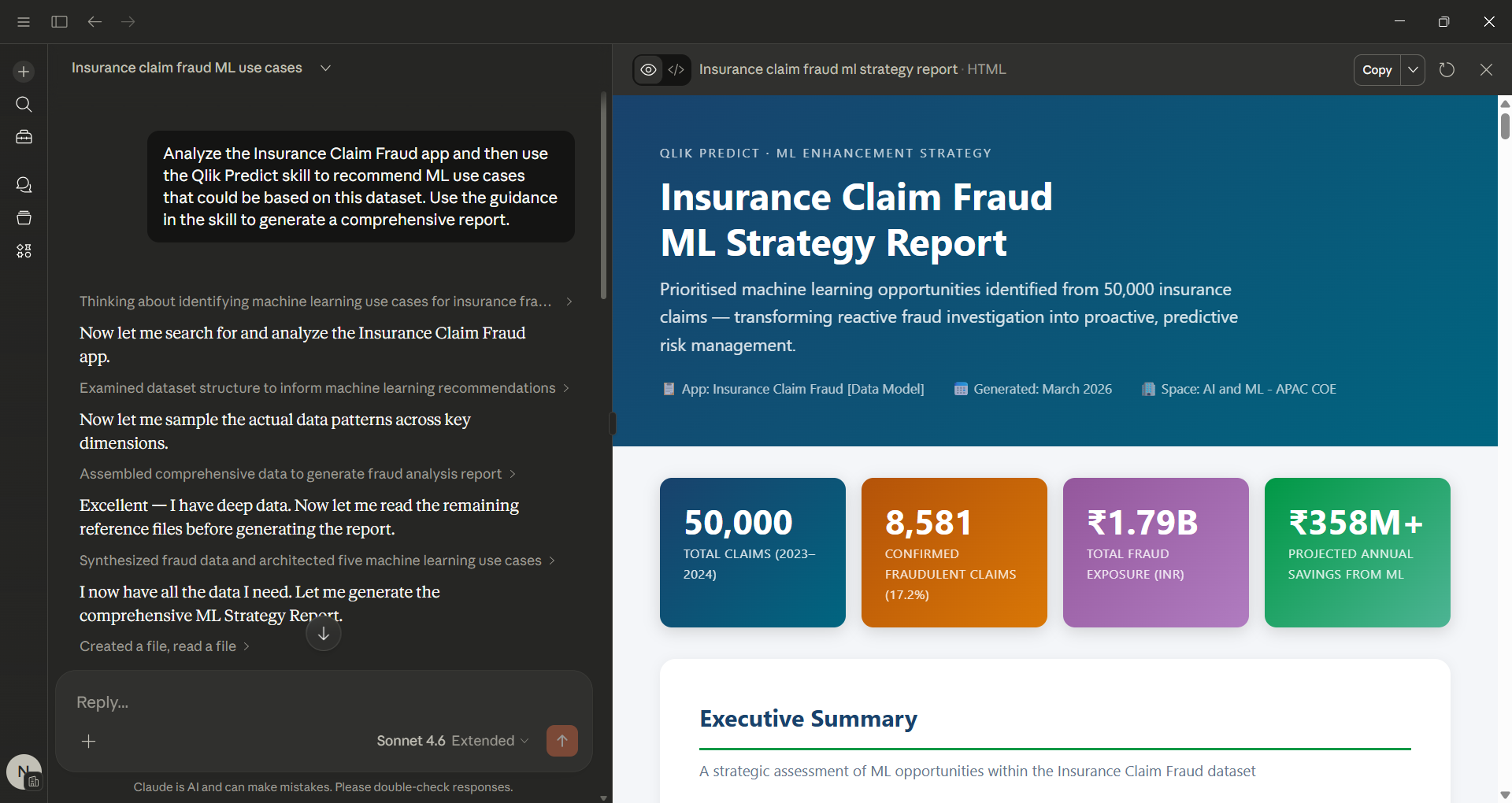
The Qlik MCP server fundamentally changes how people interact with analytics. Instead of requiring users to navigate to a Qlik Application, locate the right chart, and interpret the output themselves, AI assistants can now retrieve, interpret, and surface Qlik insights directly within the tools people already work in — whether that is a chat interface, a coding environment, or an enterprise AI assistant.
This delivers value in several ways:
Analytics where work happens. Business users no longer need to context-switch between their workflow tools and Qlik. An AI assistant embedded in a chat platform or productivity tool can answer data questions by querying Qlik in the background and returning a plain-language answer — without the user ever opening a Qlik app.
Faster time to insight. Analysts and data teams can use AI assistants to interrogate Qlik data models, explore app content, and generate insights conversationally, significantly reducing the time from question to answer.
Broader reach for existing analytics investments. Organizations that have built robust Qlik apps and data models can extend the value of those assets to new audiences and new interfaces, without rebuilding or replicating data pipelines.
Reduced dependency on self-service navigation. Not every employee who needs data insights is comfortable building or navigating a BI dashboard. MCP-connected AI assistants lower the barrier, making Qlik's analytical depth accessible to a much wider range of users through natural language.
Use cases and opportunities
Conversational analytics in enterprise chat platforms
AI assistants connected to Qlik via MCP can answer business questions in platforms like Microsoft Teams or Slack. A sales manager asking What were our top five accounts by revenue last quarter?
receives a direct, data-grounded answer — pulled in real time from Qlik — without leaving the chat tool.
AI-assisted data exploration for analysts
Data analysts using MCP-compatible development environments or AI coding assistants can query Qlik app structures, explore data models, and retrieve field-level data to accelerate analysis and dashboard development. Tasks that previously required manual navigation through the Qlik interface can be performed conversationally.
Automated reporting and narrative generation
MCP enables AI assistants to retrieve current data from Qlik and incorporate it into generated content — such as executive briefings, performance summaries, or operational reports — automatically updated with the latest figures from your Qlik apps.
Intelligent workflow automation
By connecting Qlik's analytical capabilities to agentic AI workflows, organizations can build automated processes that monitor data conditions, surface alerts, and trigger actions — all grounded in the governed, trusted data that lives in Qlik Cloud.
Developer and IT tooling
Development teams building internal AI tools or custom agents can use the Qlik MCP server to give their applications access to Qlik's data and insights layer, without building bespoke API integrations for each use case.
User personas
Business analyst
Business analysts are the primary builders of Qlik apps and data models. With MCP, they can use AI assistants to explore Qlik app structures more quickly, prototype new analyses conversationally, and validate data logic — reducing the manual effort involved in iterative development. MCP effectively gives analysts a faster, more intuitive interface to the platform they already work in.
Business user / information consumer
This persona consumes analytics outputs but may not be comfortable with traditional BI interfaces. The Qlik MCP server opens up Qlik's analytical depth to this audience by making it accessible through natural language, in the tools they use every day. A finance manager, operations lead, or HR business partner can ask data questions and receive grounded answers without needing to understand how a Qlik app is structured.
Data engineer / data architect
Data engineers responsible for Qlik's underlying data models can use MCP-connected AI tools to inspect app metadata, understand field lineage, and accelerate troubleshooting. Rather than manually navigating the Qlik interface to audit a data model, they can query it conversationally through a developer AI assistant.
AI / application developer
Developers building internal AI assistants, agents, or productivity tools can integrate Qlik's analytical capabilities into their applications using the MCP server, without building custom API integrations. MCP provides a standardized interface that significantly reduces development effort when Qlik data or insights need to be part of an AI-powered workflow.
IT administrator / platform owner
Platform owners responsible for Qlik Cloud governance will interact with the MCP server in terms of access control, monitoring, and configuration. They determine which AI assistants and tools are permitted to connect to Qlik via MCP, and what data those connections can access — ensuring that the same governance controls that apply to direct Qlik usage extend to AI-mediated access.