Link your API to a GitHub repository and push your API definition in OAS/Swagger or RAML.
You have a GitHub account and a repository.
Your browser is supported by GitHub (since Internet Explorer 11
is no longer supported by GitHub, this feature is not supported by API Designer for IE11).
If your GitHub account is not linked to your API Designer
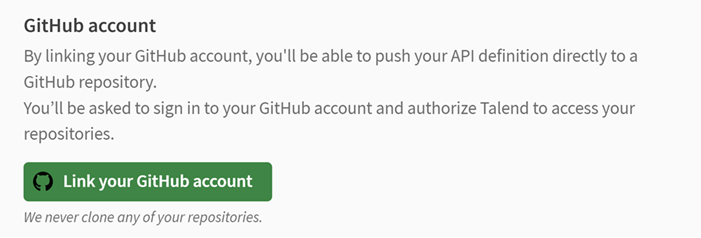
account yet, go to the API Designer settings.
Click Link your GitHub account.
In the window that opens, sign in to GitHub and click Authorize Talend to allow API Designer to
access your GitHub account.
Information noteWarning: If you are using Internet Explorer 11, you will be prompted to
upgrade to the latest version of Microsoft Edge, Google Chrome or Firefox.
Your GitHub account is now linked to your API Designer
account and you can start pushing your API definitions to GitHub.
Open the API version that you want to push to GitHub.
Click Link at the top-right corner.
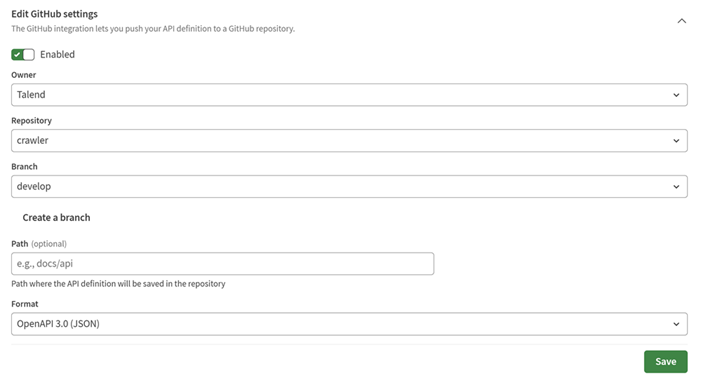
In the Edit GitHub settings section, enable the option and
edit the following fields:
Owner
Repository
Branch
Path
Format
Information noteNote: If your API has
several versions, each version can have different GitHub settings.
Once your settings are saved, click Push.
A green dot appears to the right of Push when your project
contains changes that have not been pushed to GitHub.

Enter a commit message and a tag if needed, then click
Push.
A tag should be unique and should follow these rules:
It can contain only alphanumeric characters and the
following special characters: _,
-, . and /.
It cannot start or end with a special character.
It cannot contain the following character patterns:
.., // and /..
The selected version of your API
definition is pushed to your repository. The name of the file generated contains the
name of the API and the version.
You can click View on GitHub to open the selected
repository.
Did this page help you?
If you find any issues with this page or its content – a typo, a missing step, or a technical error – please let us know!