
Create a Data Model
Last updated: 9/29/2026Steps
Sign in as a user with at least the Metadata Management capability object role assignment on the configuration you are in.
Go to the Manage > Configuration in the banner.
Click the New Model plus sign under Configuration Manager
Click Custom Model and select Data Model.
Enter a NAME
Click OK to create the data model.
The data model is treated just like another model of the repository.
You may specify the Object Scope, to restrict the object pickers to only those models and object you wish to include in the data model.
Click OPEN8Example
Sign in as Administrator and then go to Manage > Configuration in
the banner. Click Add and select Data Model. Enter Data Lake
Data Model
in the NAME.
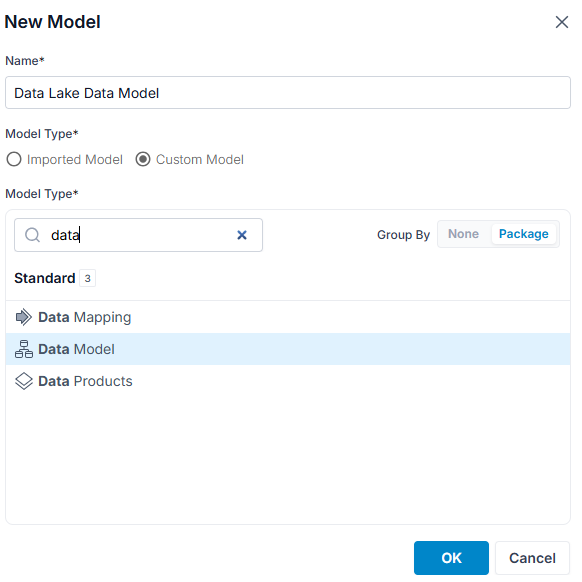
Click OK.
Enter a DEFINITION and click Save.
Select the Data Lake imported model using the Object Scope MODELS:
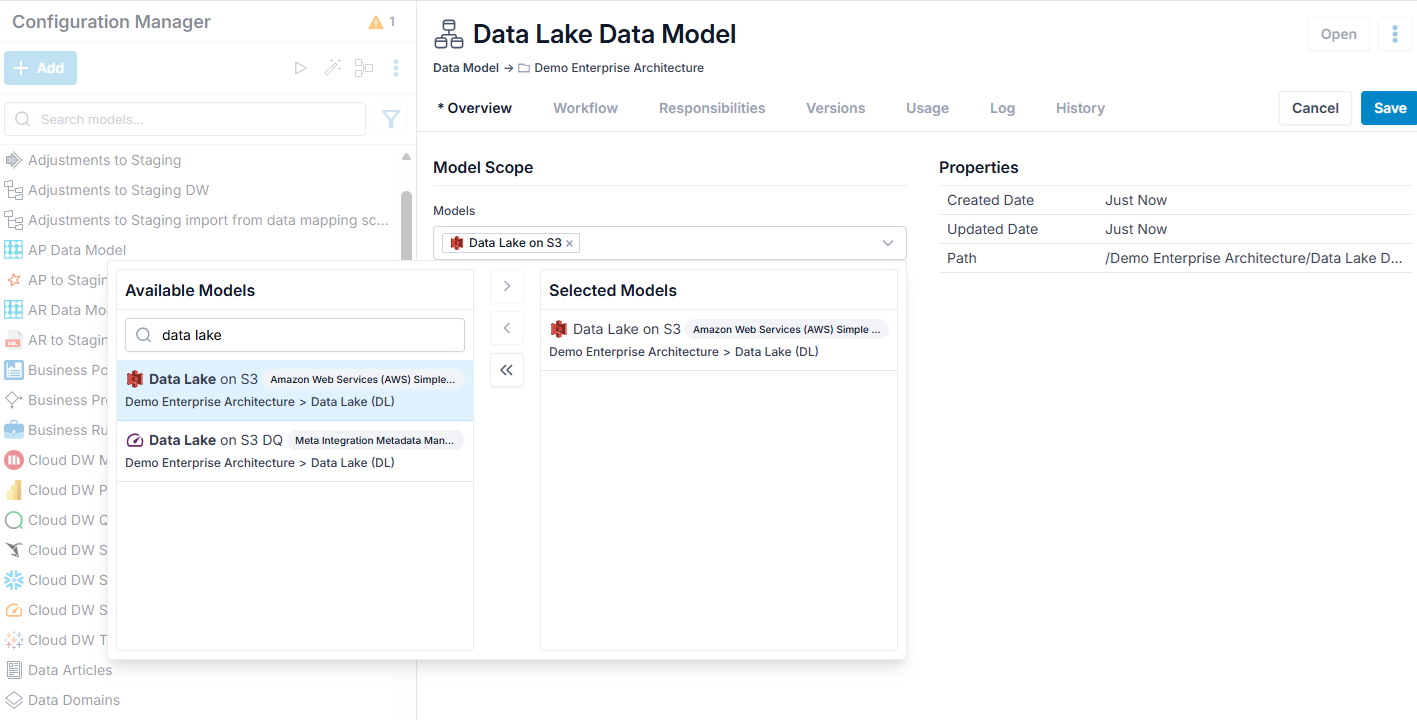
Click Save.