
Generating Java code with the AI assistant
Last updated: 2026-11-26
Use a prompt to generate Java code in supported code-editing contexts in Talend Studio.
About this task
The AI assistant can generate Java code in Java components, in the cProcessor component, and in repository code sections. You can also use this assistance in Routines and Beans editors.
Procedure
-
Open
 AI assistant, and enter a prompt that describes
the Java code you need. For example: Generate a routine to return a
SOUNDEX value for a String.
-
Click Accept to apply the proposed changes.
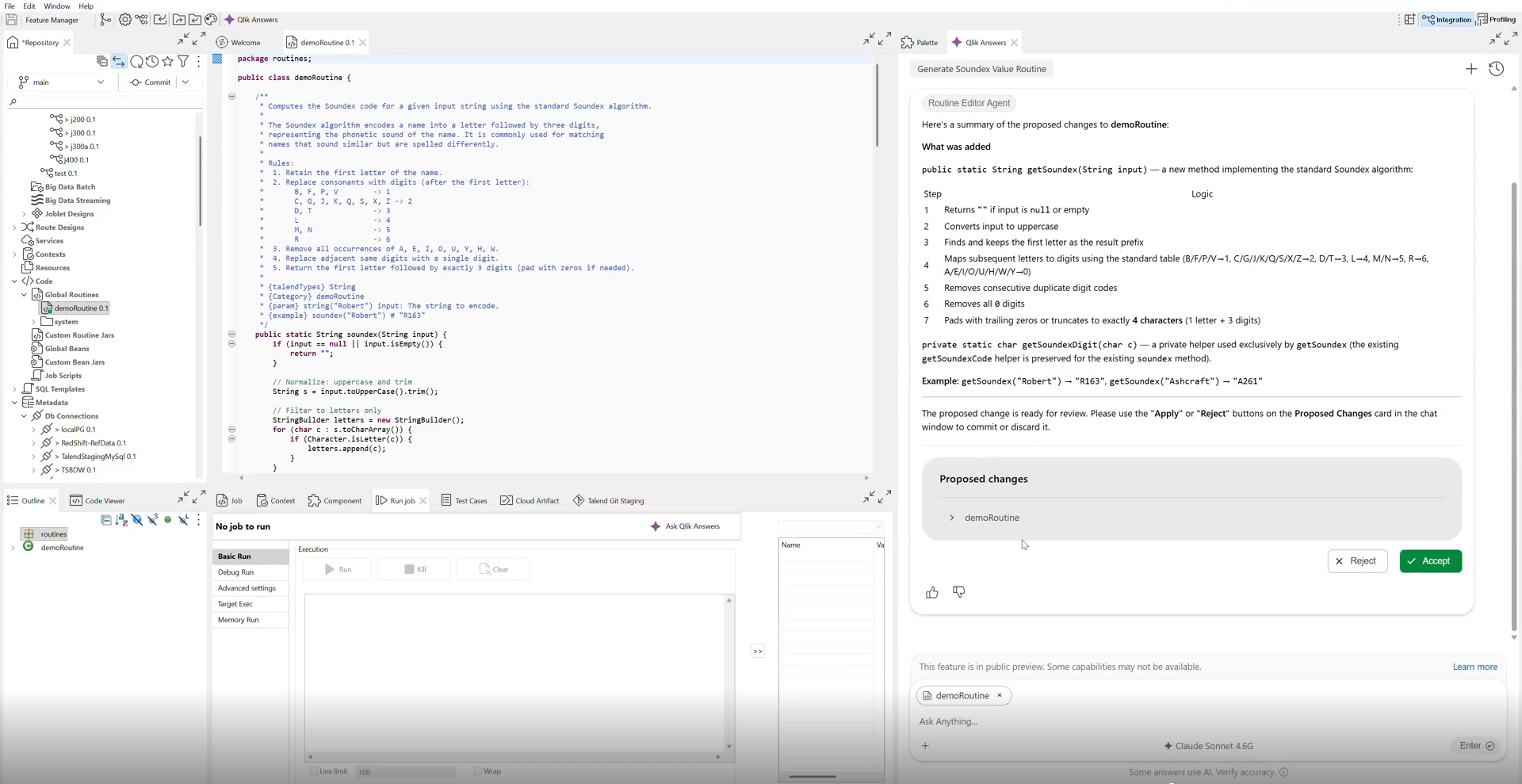
Results
The code-editing context contains Java code proposed by the AI assistant.