Managing favorite and recent items
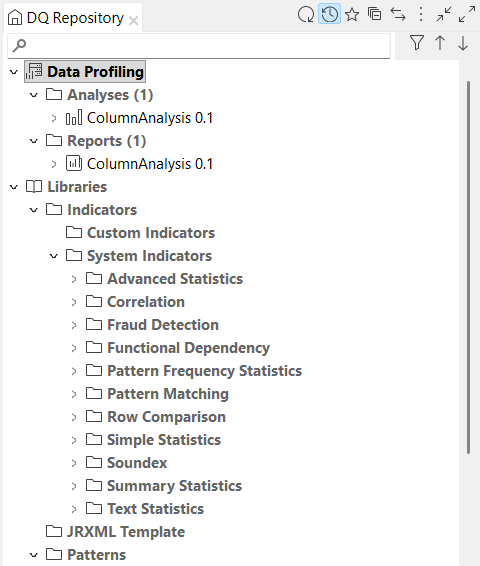
Last updated: 6/1/2026From the menu bar, you can display your favorite and recent items.
Adding items to your favorites help you quickly find the items that are the most important to you.Information noteRestriction: You cannot display the favorite and the recent
items at the same time.
Adding favorites
Procedure
- From the Profiling perspective, expand Data Profiling and right-click an item, an analysis for example.
- Click Set as favorite. A star icon is displayed next to the item.
Displaying my favorites
Procedure
-
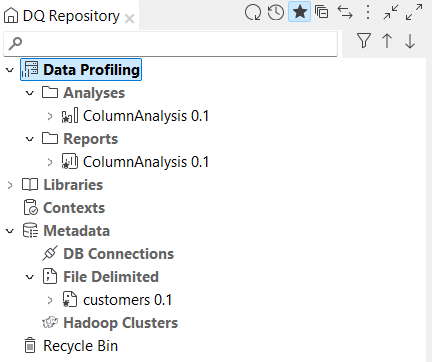
From the menu bar, click the star icon. Your favorite items are displayed and the
other items are hidden.
Removing favorites
Procedure
- From the Profiling perspective, expand Data Profiling and right-click a favorite item, an analysis for example.
- Click Remove from favorite. The item is removed from your favorites.
Displaying the recent items
Procedure
-
From the menu bar, click the clock icon. Your recent items are displayed and the
other items are hidden.