
Managing favorite items
Last updated: 6/1/2026
Adding items to your favorites help you quickly find the items that are the most
important to you.
Adding favorites
Procedure
- From the Profiling perspective, expand Data Profiling and right-click an item, an analysis for example.
- Click Set as favorite. A star icon is displayed next to the item.
Displaying my favorites
Procedure
-
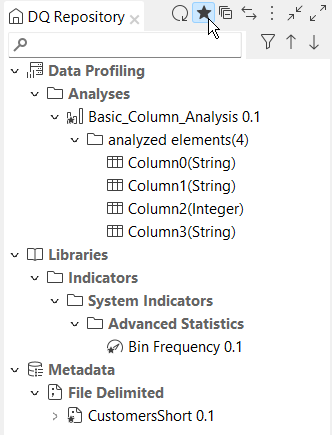
From the menu bar, click the star icon. Your favorite items are displayed and the
other items are hidden.
Removing favorites
Procedure
- From the Profiling perspective, expand Data Profiling and right-click a favorite item, an analysis for example.
- Click Remove from favorite. The item is removed from your favorites.