
Accessing the synonym index editor and search indexes
Before you begin
You have selected the Profiling perspective in Talend Studio.
Procedure
-
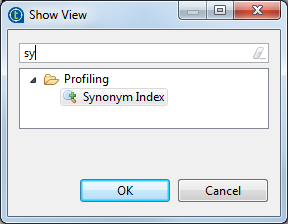
Do one of the following in the Show View dialog box
opens:
- expand the Profiling folder and then select Synonym Index, or,
- start typing synonym index in the dynamic filter field, the list will display the name of the editor you are looking for.
-
Select Synonym Index and then click
OK to close the dialog box.
The Synonym Index editor is displayed.
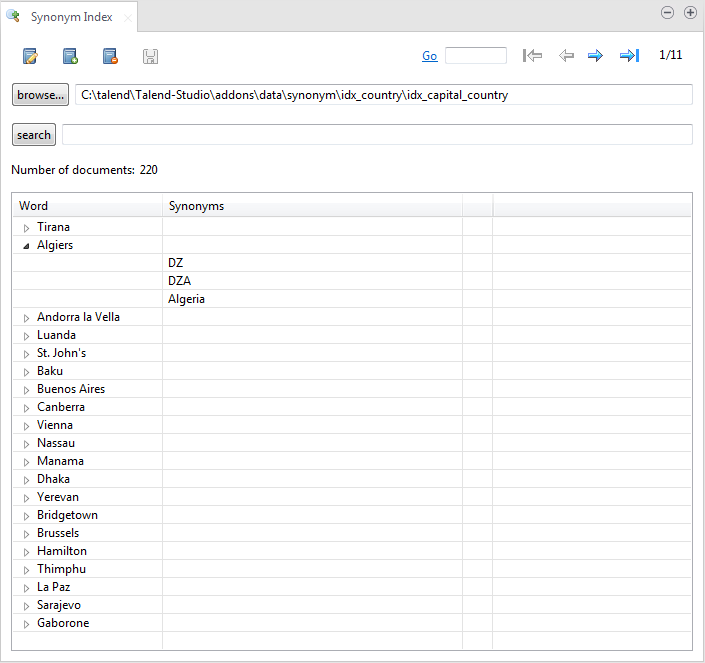
-
To search for any word and its synonyms:
- type in the word in the Synonym Index Search field and then click search; or
- press the Enter key.
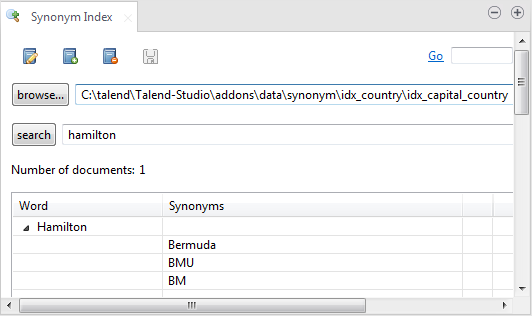
You must type in the complete word in the search field, otherwise nothing will be displayed in the editor.