
Pausing a task for the maintenance window
Last updated: 9/22/2026Pause a task to avoid partial executions and data integrity issues during a maintenance window.
In this example, only one task is used for demonstration purpose. You can use your own script to loop the request to pause all the tasks that need to be paused.
Before you begin
-
Generate access tokens:
- For users, generate a personal access token by following Generating a Personal Access Token.
- For service accounts, generate a service access token by following Generating a service account token.
Once generated, a service account token expires after 30 minutes. If it expires, generate a new token using the POST method at the endpoint https://api.<env>.cloud.talend.com/security/oauth/token. For more information about generating a token, see Generating a service account token.
- Ensure that the user or the service account to be used to issue API calls has the TMC_OPERATOR role and the AUTHOR permission for the space to which the task to be verified belongs.
Procedure
Issue the following request to pause a given task.
Example
method: PUT
                  endpoint: https://api.<env>.cloud.talend.com/orchestration/executables/tasks/<taskId>/pause
headers: {
      "Content-Type": "application/json",
      "Authorization": "Bearer <your_personal_access_token_or_service_account_token>"
          }
payload: {
      "pause" : true,
      "pauseContext" : "Pause during the maintenance window"
}- Set true to in the pause field to pause the task.
- In the pauseContext field, enter the message to explain the reason for which you pause the task.
As the access token has been set in the previous API request used to get all
scheduled task runs, if you are using Talend API Tester to
issue your requests, you can use its Expression Builder to
reuse the Authorization field of that call, for example, 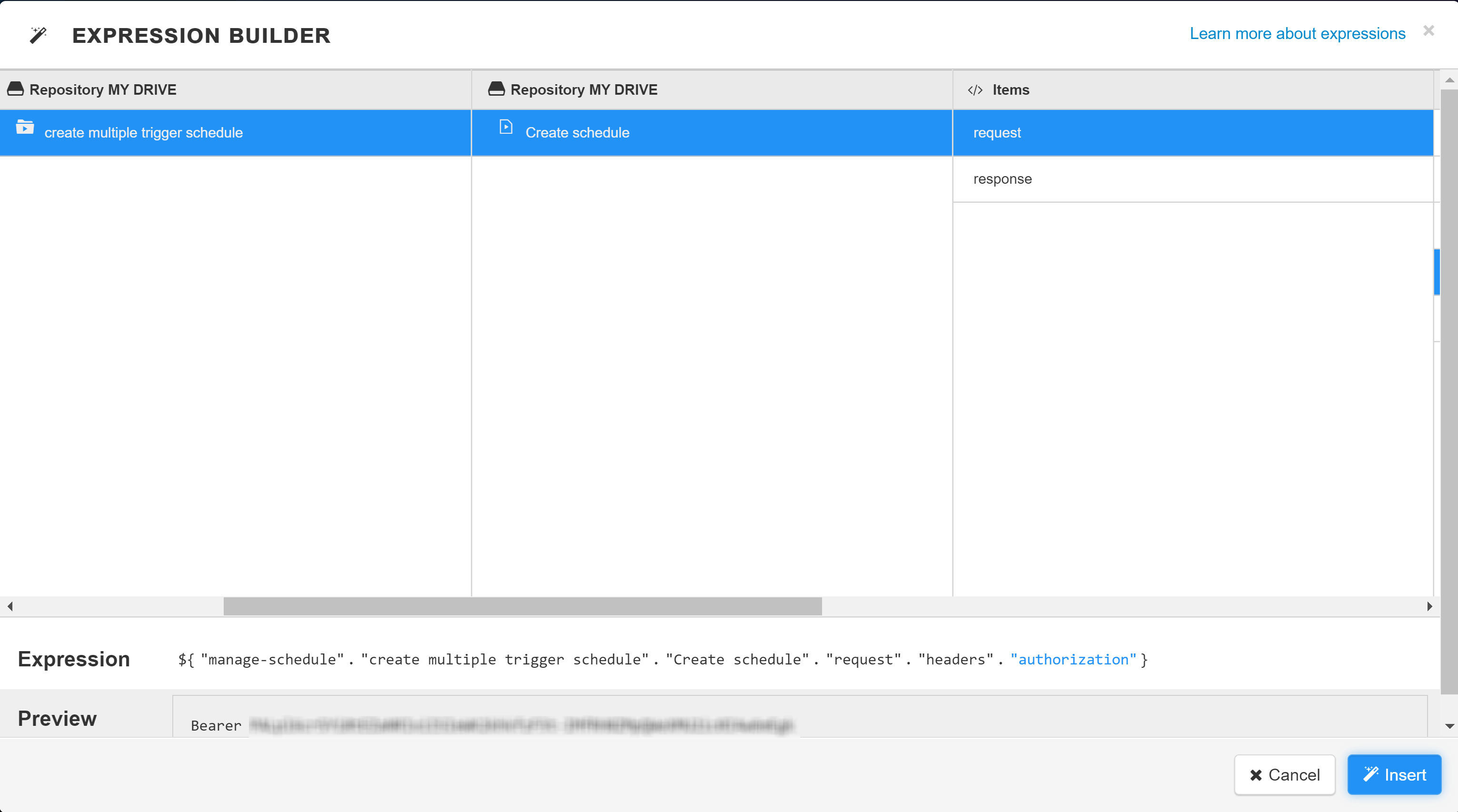
For further information about this Expression Builder, see Using expressions.