
Checking scheduled task runs against your maintenance timetable
Last updated: 9/23/2026Get all task runs of a task scheduled until a given date and check whether some of those
runs fall in the system maintenance window.
Before you begin
-
Generate access tokens:
- For users, generate a personal access token by following Generating a Personal Access Token.
- For service accounts, generate a service access token by following Generating a service account token.
Once generated, a service account token expires after 30 minutes. If it expires, generate a new token using the POST method at the endpoint https://api.<env>.cloud.talend.com/security/oauth/token. For more information about generating a token, see Generating a service account token.
- Ensure that the user or the service account to be used to issue API calls has the TMC_OPERATOR role and the READ permission for the space to which the task to be verified belongs.
Procedure
Issue the following request to get the scheduled task runs of a given
environment.
Example
method: POST
                  endpoint: https://api.<env>.cloud.talend.com/orchestration/executables/events/search
headers: {
      "Content-Type": "application/json",
      "Authorization": "Bearer <your_personal_access_token_or_service_account_token>"
          }
payload: {
       "environmentId": "id_of_the_environment", #for example, 6242bc6eac74e9757cda41bb
       "to":"1672531199000"
          }
The to field defines the end date time in milliseconds till which the task runs are scheduled to start.
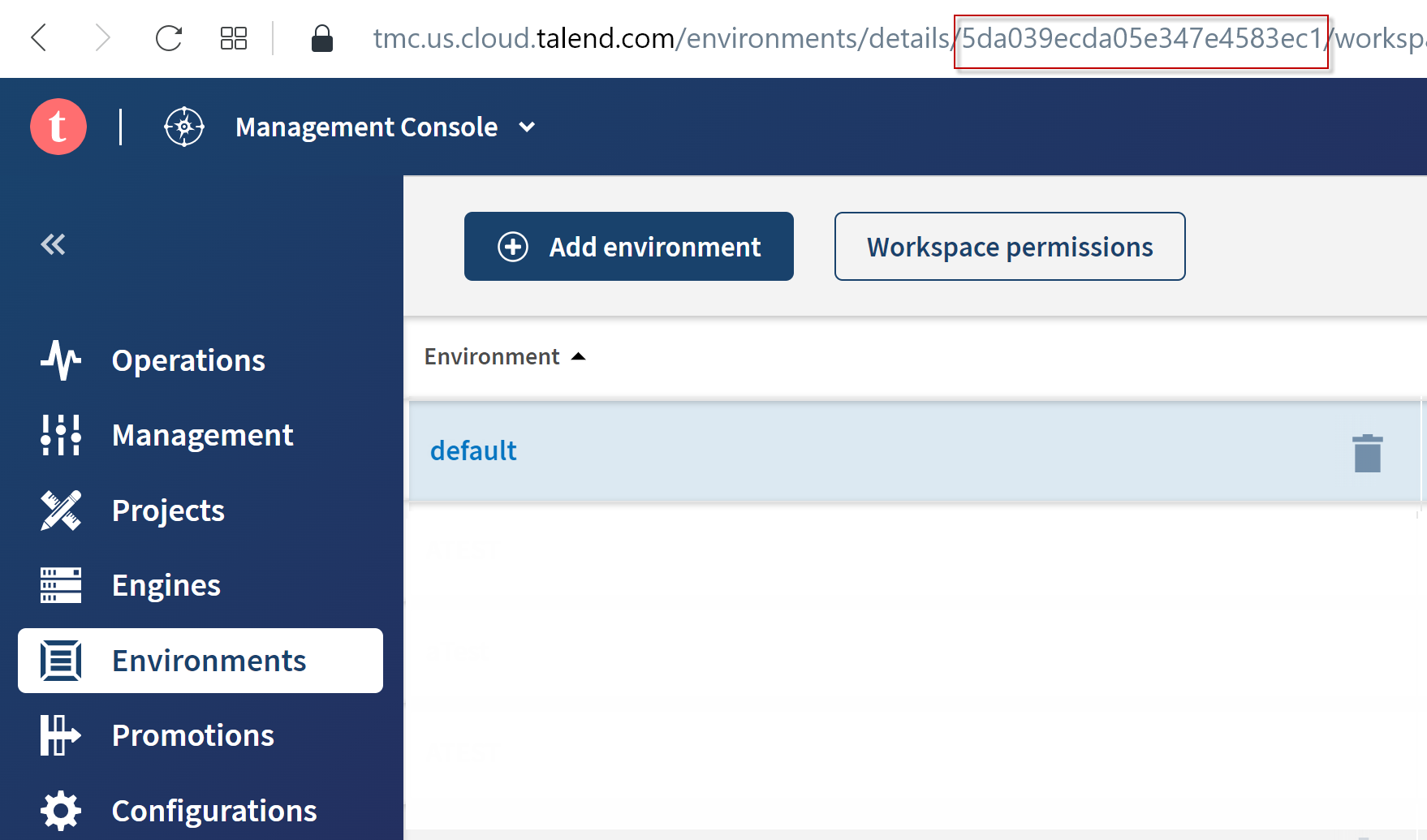
- In Talend Management Console, select the environment from the environment list on the
Environment page. The ID of this environment appears
in the URL of the current page.
- API: issue the following API call:
method: GET
endpoint: https://api.<env>.cloud.talend.com/orchestration/workspaces
headers: {
     "Content-Type": "application/json",
     "Authorization": "Bearer <your_personal_or_service_account_access_token>"
          }
In the response, the IDs of the environments are returned in the environmentId field in each space block.
Results
{
    "items": [
        {
            "id": "61323d2498d04f63ee697541",
            "date": "2022-07-20T18:00:00.000Z",
            "type": "TASK"
        },
        {
            "id": "61323d2498d04f63ee697541",
            "date": "2022-08-20T18:00:00.000Z",
            "type": "TASK"
        },
        {
            "id": "61323d2498d04f63ee697541",
            "date": "2022-09-20T18:00:00.000Z",
            "type": "TASK"
        },
        {
            "id": "61323d2498d04f63ee697541",
            "date": "2022-10-20T18:00:00.000Z",
            "type": "TASK"
        },
        {
            "id": "61323d2498d04f63ee697541",
            "date": "2022-11-20T19:00:00.000Z",
            "type": "TASK"
        },
        {
            "id": "61323d2498d04f63ee697541",
            "date": "2022-12-20T19:00:00.000Z",
            "type": "TASK"
        }
    ],
    "limit": 100,
    "offset": 0,
    "total": 6
}
What to do next
Information noteNote: This pause takes effect
immediately.