Skip to main content Skip to complementary content

Apply a patch manually to Talend Studio/Talend CommandLine

You can apply a patch manually to your Talend Studio by creating a specific folder for patches in Talend Studio/Talend CommandLine.

Procedure

  1. Create a folder named patches in Talend Studio or Talend CommandLine.
  2. Copy the previously downloaded zip file containing the patch in this folder.
  3. Start the patched Talend Studio/Talend CommandLine.
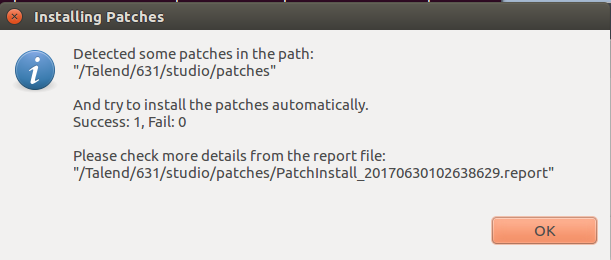
    When Talend Studio (or Talend CommandLine) starts, it checks if there is a new patch in this folder, then installs it.
  4. Click OK in the confirmation message which is displayed.

Did this page help you?

If you find any issues with this page or its content – a typo, a missing step, or a technical error – please let us know!